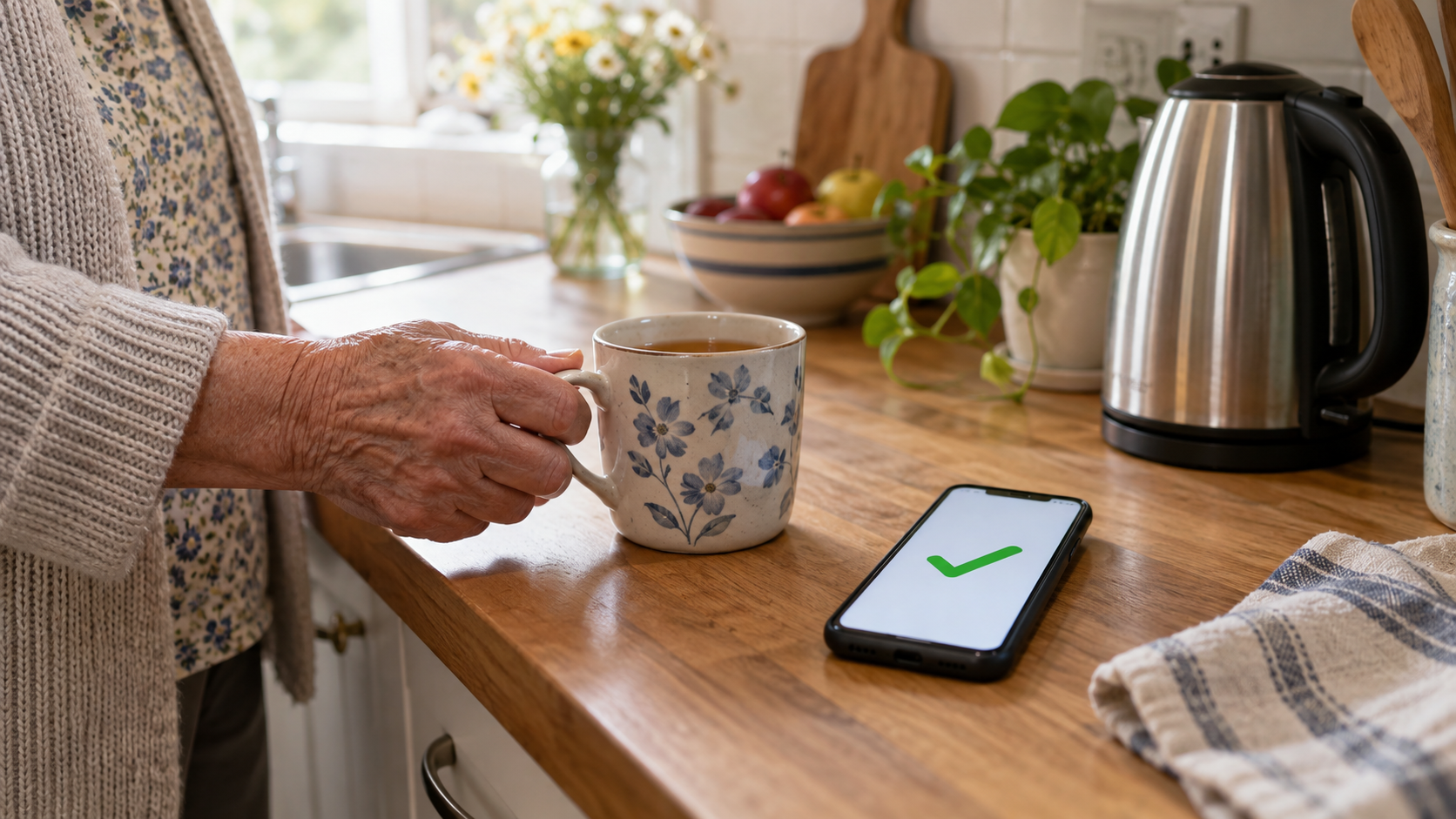
Daily Check-Ins for a Parent Who Lives Alone: Simple Ways to Know They’re Okay (Without Cameras)
Published September 28, 2026
The Short Answer
Start with the simplest option your parent will actually use every day. For most families, that’s an intentional check-in: your parent taps an app once a day, or answers an automated call, and you’re notified only if that doesn’t happen. If a daily action isn’t realistic — because of memory, routine changes, or simply not wanting one more thing to remember — a passive signal from something they already do, like opening the fridge, can work instead. Whichever you choose, agree in advance on what happens if a check-in is missed. That plan matters more than the device.
This isn’t about watching your parent. It’s about one quiet, agreed-on signal that today is a normal day, and a clear next step if it isn’t.
What a Daily Check-In Is (and Isn’t)
A daily check-in has three parts: a signal, a missed-signal alert, and a plan for what you do next. Your parent does something (or something happens automatically) that says "I’m okay today." If that signal doesn’t arrive by an agreed time, you’re notified. And because you decided in advance what a missed check-in means, you’re not left guessing at 9 p.m. whether to call, drive over, or wait.
It isn’t monitoring. It isn’t fall detection. It isn’t proof that your parent is safe — a received check-in only means normal activity happened, and a missed one only means it’s worth reaching out. If you want the broader case for why check-ins and simple signals are often a better starting point than cameras, we cover that in detail separately. This article focuses on the check-in mechanism itself: the options, how reliable each one is, and how to set up a missed-check-in plan that actually works.
Decide Together First
A daily check-in only works if your parent knows about it and agrees to it. Before you pick anything, talk through:
- What the signal is — an app tap, a phone call, a text reply, or something passive like a door sensor — and make sure your parent understands what’s being shared and with whom.
- Who sees it, and when. Most check-in apps and services only alert your family after a check-in is missed, not in real time. Say that plainly, since it’s often a relief.
- That your parent can change or stop it. This is their daily routine and their home. If a check-in method isn’t working for them, revisit it.
- No hidden devices, and nothing in bedrooms or bathrooms. A daily check-in should never involve something your parent doesn’t know is there.
If memory or judgment is changing. Keep your parent involved in the conversation as much as they’re able to be, and include whoever holds legal decision-making authority, if anyone, along with their care team. Every family’s situation is different here, so for anything specific, talk to your parent’s doctor or a qualified elder-care professional rather than relying on general advice.
Four Kinds of Daily Check-In, From Least to Most Data
"I’m OK" check-in apps.
Your parent opens an app once a day and taps a button to confirm they’re fine. It’s the most intentional option and shares the least information — usually just that one daily tap, plus a way to reach your parent if it doesn’t happen.
Snug Safety is a free daily check-in app built around this idea. The parent taps a check-in in the app once a day before a deadline they choose, or checks in by calling Snug’s toll-free automated line from any phone — a useful fallback if the app itself isn’t working that day. Snug sends reminders in the hours before the deadline, then again around the deadline itself, and treats a check-in as missed 10 minutes after the deadline passes. On the free plan, a missed check-in sends a text to the emergency contacts your parent chose, and they decide what to do next. Snug also offers a paid tier, Snug Dispatch, where a dispatcher calls your parent directly, then the emergency contacts, and coordinates a wellness check with local first responders if no one can confirm your parent is okay.
One thing worth telling your parent directly: Snug stores only the most recent location (it doesn’t keep a location history), and that location is shared with emergency contacts specifically when a check-in is missed. Snug describes itself as not being a real-time tracking service — it’s a check-in tool, not a way to watch where your parent is throughout the day. Snug’s privacy policy states it doesn’t sell data to advertisers or other third parties, and your parent can access or delete their data through the app.
The main limitation: this depends on your parent having a phone nearby and remembering to check in, or knowing to use the call-in line. A dead battery or a silenced phone can produce a false "missed" alert — which is exactly why the plan for a missed check-in (below) starts with a phone call, not panic.
Automated check-in calls or texts.
For a parent who doesn’t use a smartphone, or simply doesn’t want an app, a text- or call-based service can do the same job.
CheckinBee sends a daily text at a time your parent chooses, and they reply "YES" or "OK" to confirm they’re fine. It works on any phone that can send and receive texts — no smartphone or app required. The reminder text arrives about an hour before the check-in time your parent set. If there’s no reply, CheckinBee notifies the "care circle" your parent set up, by text, about 10 minutes after the missed check-in. It’s a subscription service with a free trial period; check current pricing and plan details directly with CheckinBee, since they change and aren’t fixed here. On privacy, CheckinBee’s policy states it won’t sell data to advertisers or other third parties, and your parent can access, amend, or delete their information through the service’s dashboard. CheckinBee is explicit that it isn’t a replacement for a medical alert system or for calling 911 — it’s a daily reassurance signal, not an emergency response service.
The limitation here is similar to an app: it depends on your parent reading and replying to a text. There’s no live dispatcher involved, and no automatic escalation to first responders.
Everyday-object signals.
Some families would rather not add an app or a service at all, and instead use something your parent already does — like opening the refrigerator each morning — as a passive signal. A contact sensor on the fridge door or a kitchen cupboard can quietly log that normal morning activity happened, without your parent doing anything extra.
Be realistic about what this actually gives you, though. Mainstream sensors are built to alert you when something happens — the door opened at 7:42 a.m. — not when it doesn’t. If you want to be told "the fridge hasn’t opened by 11 a.m.," that typically requires setting up an automation yourself, which is more technical than most families want to take on. In practice, a fridge or cupboard sensor works best as something you glance at when you’re wondering how the morning went, not as a system that proactively tells you a check-in was missed. Keep sensors in shared spaces only — never a bedroom or bathroom — and make sure your parent knows it’s there and who can see the activity.
Motion or presence sensors in shared spaces.
A motion sensor in the kitchen or hallway works on the same idea, but with more room for false alarms — a pet, a visiting neighbor, or a grandchild staying over can all register as activity. We go into the privacy tradeoffs of motion sensors in more detail in our guide to monitoring a parent without invading their privacy; the short version here is that a sensor gives you more automatic insight, at the cost of more data and more tuning to avoid false alarms.
When a subscription activity-monitoring platform makes sense.
Some families need more insight than a single sensor or app can give — for example, tracking patterns across several rooms over time. Subscription activity-monitoring platforms exist for this, learning a household’s routine across multiple sensors. They’re worth considering only if the simpler options above genuinely aren’t enough, since they involve more ongoing cost, more data collection, and more dependence on one vendor. Treat this as a "if you need more" tier, not a starting point.
Options Compared
| Option | Parent does… | Camera or mic? | Needs smartphone? | Internet needed? | Cost model | False-alarm risk | Best for |
|---|---|---|---|---|---|---|---|
| Snug Safety (app) | Taps a daily check-in, or calls a toll-free line | No | No (app or phone call both work) | Yes for the app; a phone call works without data | Free plan, or paid Snug Dispatch | Missed tap or call if the phone is dead or silenced | Parents comfortable with a smartphone, or willing to use a call-in line |
| CheckinBee (text) | Replies YES/OK to a daily text | No | No | Basic texting only | Subscription with a free trial | Missed reply if the phone is off or texts are missed | Parents without a smartphone, or who dislike apps |
| Local "R U OK?" program | Answers a daily reassurance call | No | No | No (landline works) | Often free where available | Missed call if nobody’s home briefly | Parents on a landline, where a local program exists |
| Fridge or cupboard sensor | Nothing — opens the fridge as usual | No | No | Yes (hub/app) | One-time hardware cost | Doesn’t flag a missed morning on its own; family must check | Parents who won’t do a daily "check-in" action at all |
| Motion sensor (shared space) | Nothing — moves through the room as usual | No | No | Yes (hub/app) | One-time hardware cost, sometimes subscription | Pets, visitors, routine changes | Families wanting more automatic activity insight |
| Subscription activity platform | Nothing — lives normally | Usually no (verify per vendor) | No | Yes | Subscription | Varies by vendor | Families needing multi-room pattern insight, after simpler options fall short |
What a Missed Check-In Does and Doesn’t Mean
A missed check-in is a reason to reach out — never proof that something is wrong. And a received check-in is another sign that things look normal — never proof that your parent is safe. Keep both in mind, because the gap between "the app didn’t get a tap" and "something happened" can be caused by a lot of ordinary things:
- A dead or silenced phone, or one left in another room.
- A Wi-Fi or power outage, which can also affect sensors and hubs. (If outages are common where your parent lives, it’s worth having a basic backup power plan so essential devices, including check-in tools, keep working.)
- A visitor, an early appointment, or simply a morning that ran later than usual.
- Delayed notifications on the service’s end.
None of this means you should ignore a missed check-in — it means your first response should be a phone call, not alarm. That’s exactly why the next section matters.
Set Up Your Missed-Check-In Plan
However you choose to receive a daily signal, decide these things together before you need them:
- Check-in time. Pick a time that matches your parent’s actual routine — mid-morning works for most people, but a very early riser or a night owl may need something different.
- Grace period. Most services build in a short buffer automatically — Snug treats a check-in as missed and starts escalating 10 minutes after the deadline; CheckinBee notifies the care circle about 10 minutes after a missed check-in too. Decide, separately, how long you personally want to wait before you call.
- First contact: a phone call. If a check-in is missed, call your parent directly first. Most "missed" check-ins turn out to be a forgotten tap or a phone left in another room.
- Second step: a local contact or neighbor. If your parent doesn’t answer, have a plan for who’s nearby and willing to look in — a neighbor, a friend, or another family member.
- When to escalate further. Agree in advance on what would make you call for a wellness check or contact emergency services, so you’re not deciding that for the first time in a stressful moment.
For the in-the-moment steps if your parent doesn’t pick up the phone, see what to do when a parent doesn’t answer. If you’re also building a broader daily-contact routine around phone calls, our guide to checking in without calling all day covers how to set that rhythm.
Keep It Working
A check-in system only helps if it keeps running. A few habits make that more likely:
- Check battery levels on sensors and hubs periodically — most show a low-battery warning in their app, but it’s easy to miss.
- Make sure alerts are actually reaching the right people; test the missed-check-in flow occasionally so you know it works before you need it.
- Revisit the setup every few months, or after any change in your parent’s routine, health, or living situation. What worked six months ago may need adjusting.
When a Daily Check-In Isn’t Enough
A daily check-in tells you whether today looks like a normal day. It isn’t designed to detect a fall, a sudden medical event, or an emergency in progress — and it shouldn’t be treated as if it can. If your parent’s fall risk or health needs are increasing, that’s a conversation to have with their care team about whether a medical alert system is a better fit. We cover emergency response setups separately. For families who already have a medical alert subscription, it’s worth knowing that some providers, including LifeFone, offer a daily check-in feature as an add-on — either a button press on the home base unit or a scheduled outbound call — on top of their emergency response service.
FAQ
Is a daily check-in the same as monitoring? No. Monitoring generally implies ongoing observation. A daily check-in is a single agreed-on signal, once a day, with your parent aware of and in control of it.
What happens if my parent forgets to check in? Depending on the service, you’ll get an alert after a short grace period — both Snug and CheckinBee notify contacts about 10 minutes after a missed check-in. Your first step should be a phone call, since forgetting is far more common than an emergency.
Do check-in apps work without a smartphone? Not the app-based ones directly, but there are alternatives: Snug offers a toll-free call-in line, and CheckinBee works over basic text messaging on any phone that can send and receive texts.
Can a sensor tell if my parent has fallen? No. Consumer sensors like fridge or motion sensors aren’t fall-detection devices, and you shouldn’t rely on one to catch a fall. If fall detection is a real concern, that’s a separate conversation about medical alert systems with your parent’s care team.
Are there free daily check-in options? Snug Safety offers a free plan. Some communities also run free daily reassurance-call programs through a local sheriff’s office, police department, or town — ask your parent’s local non-emergency line or senior services office whether one exists nearby, since availability varies by location. The Eldercare Locator, a public service of the U.S. Administration for Community Living (eldercare.acl.gov, 1-800-677-1116), is another way to find senior services offices near your parent that may know what’s available locally.
What if my parent doesn’t want any of this? Respect that. A daily check-in only works with your parent’s buy-in — pushing it on someone who doesn’t want it tends to backfire, and there may be other ways to stay connected that feel less like being checked up on.
The Bottom Line
You don’t need cameras or constant calls to know your parent is okay — you need one agreed-on daily signal and a clear plan for what happens if it’s missed. Start with the simplest option your parent will actually keep up with, whether that’s an app tap, a phone call, or something passive like a sensor. Then spend more time on the plan than the technology: who gets called first, who checks in person, and when it’s time to escalate. That plan is what actually protects your parent — the device is just how the signal gets to you.