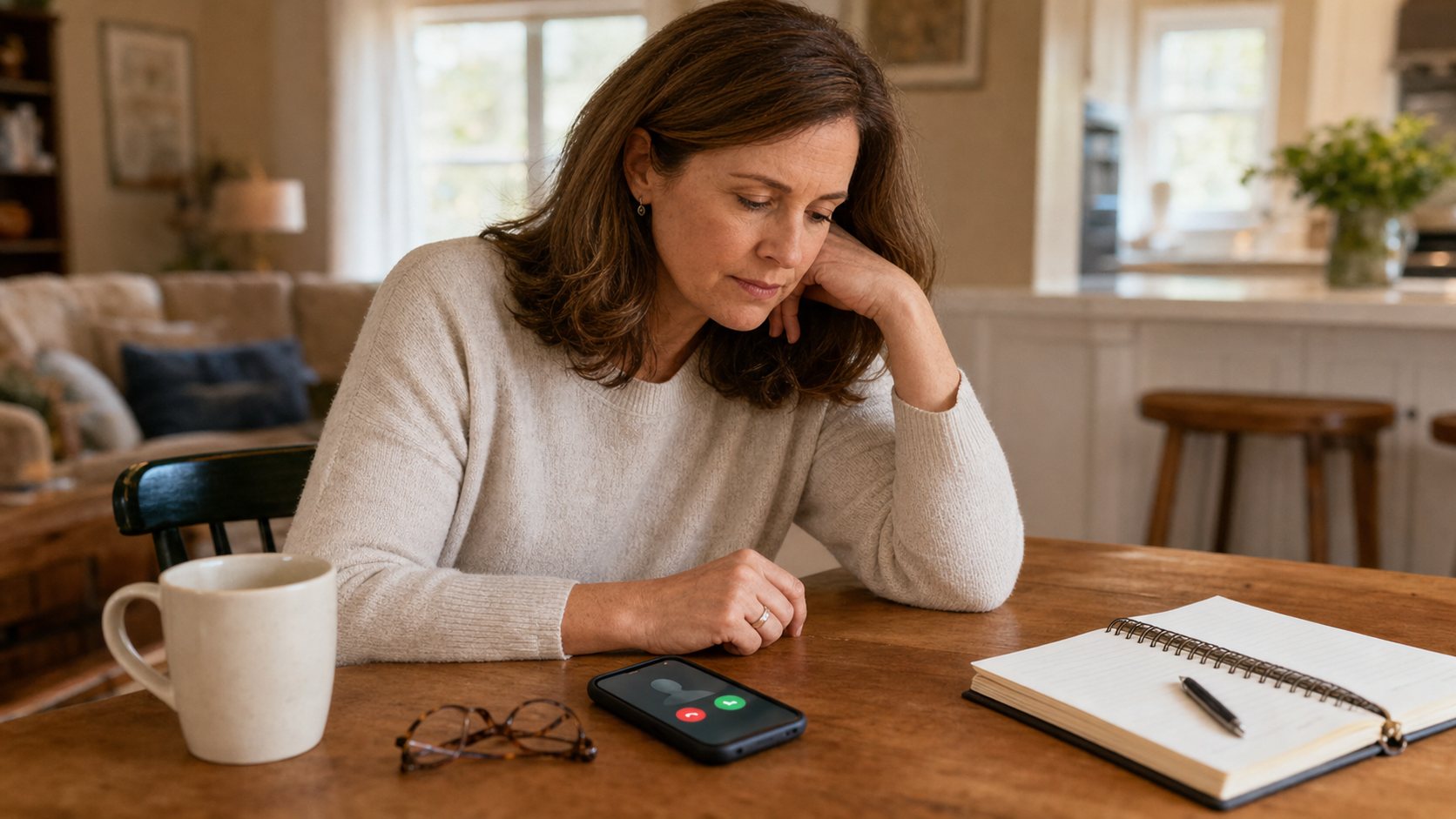
Adult daughter checking her phone after an elderly parent does not answer

What to Do When an Elderly Parent Does Not Answer the Phone

If an elderly parent does not answer the phone, the first job is not to panic. The first job is to move through a calm, agreed order of steps so the family can find out what is happening without creating unnecessary fear.

This guide is for the moment after a normal check-in fails. It is not about designing a daily routine, setting up cameras, or choosing a monitoring device.

Quick Answer

If an elderly parent does not answer the phone, check the usual context, call again, and try another agreed contact method. If there is still no response, contact a nearby trusted person or visit if possible. Escalate faster when the missed call is unusual, there is known risk, or there is credible concern. Call emergency services if danger seems immediate.

First, Pause and Check the Context

A missed call can mean many things: a shower, nap, television, a phone in another room, or simply not hearing it ring. It can also be a warning sign if the missed call is unusual.

First, look at the context:

  • Was this a scheduled call or a casual call?
  • Is this time of day normal for your parent?
  • Have they recently been ill, confused, dizzy, or unsteady?
  • Did they mention plans to leave home?
  • Is there severe weather, extreme heat, or a local outage?
  • Have they recently missed medication, meals, or appointments?
  • Is not answering unusual for them?

Context matters because one rigid timeline does not fit every family. A casual missed call is different from a missed medication check-in after recent falls, confusion, or illness.

Step 1: Try the Call Again

Start with the simplest possibility: the first call was missed. Wait a short, reasonable moment based on your family agreement, then call again. If your parent needs time to reach the phone, avoid repeated rapid calls that may create stress without helping.

Try to keep your voicemail calm. A message such as, “Hi Mom, just checking in. Please call me when you get this,” is usually better than a frightened message that may worry them later.

If your family has an agreed phrase, use it consistently. “Please call me back or text OK when you can” is easier than a long explanation.

Step 2: Use Another Agreed Contact Method

If the second call does not work, try another method your parent already knows and has agreed to use. A backup method is most useful when it was discussed before the stressful moment.

Text message

Send a short text:

  • “Just checking in. Please reply OK.”
  • “I called for our usual check-in. Can you text me back?”
  • “If your phone is on silent, please call when you see this.”

Text can work when a person does not want to talk, is in a noisy room, or sees notifications more easily than missed calls.

Video call

If your parent is comfortable with video calls, use the app they normally recognize.

Video can help if they sometimes miss phone calls but answer another familiar option. Keep the request simple.

Alexa Drop In if already agreed

If your family has already set up and discussed Alexa Drop In, it may be one alternative channel for a brief check-in. It should not be used secretly, and this article does not cover setup, permissions, privacy, or device rules. Those belong in the dedicated Alexa Drop In for elderly parents guide.

What to Do When a Parent Does Not Answer

This table is general family guidance. It is not medical, legal, or emergency advice, and it should be adapted to your parent’s health, location, routine, and local services.

SituationReasonable next stepWhen to escalate
Missed routine call but no known immediate riskTry another agreed methodEscalate if the silence remains unusual after reasonable attempts
Recent fall risk, illness, confusion, or medication concernContact a nearby trusted person quicklyEscalate sooner if no one can confirm safety
Parent sounded confused or distressed earlierTry direct contact and a local backup contactConsider welfare or emergency help if concern is credible
Phone may be dead, muted, or misplacedTry text, video, or another known deviceAsk someone local to check if the pattern is unusual
Bad weather, power outage, or mobility concernContact a neighbor, building staff, or local family memberEscalate if the environment creates immediate risk

Step 3: Contact Someone Nearby

If your parent still has not responded, contact a trusted local person. This might be a sibling, neighbor, building manager, close friend, caregiver, church contact, or relative who lives nearby.

The goal is to get one calm, reliable person to check what they can safely check.

When you contact them, be specific:

  • “Can you knock or call from nearby?”
  • “Can you check whether the car is in the driveway?”
  • “Can you tell me if the lights are on or if anything looks unusual?”
  • “Please do not enter the home unless that is already agreed and safe.”

This step works best when the local contact is already part of the family plan. National Institute on Aging guidance emphasizes keeping important numbers organized when family members live far away.

Step 4: Check the Usual Routine

Before escalating, review what your parent might normally be doing. A simple weekly routine sheet can reduce confusion during a missed call.

Check whether your parent might be:

  • at a regular appointment;
  • visiting a friend;
  • attending church, a class, or a community activity;
  • taking a nap at a usual time;
  • outside in the garden;
  • using a different phone;
  • with a caregiver or home aide;
  • in an area with poor reception.

This is also a good moment to check with siblings or caregivers. One person may know something the others do not.

Step 5: Visit or Request an In-Person Check

If you or a trusted person can visit safely, an in-person check may be the clearest next step. If you are going yourself, tell another family member where you are going and when you expect to arrive.

If no trusted person can visit and the concern is credible, you may need to contact a local non-emergency number or appropriate local authority to ask about a welfare check. Procedures vary by location.

Callout: Before Requesting a Welfare Check Have the full address, phone number, recent contact attempts, known risks, access details if appropriate, and the reason for concern ready. A clear explanation helps the local responder understand why the missed contact matters.

When to Request a Welfare Check

A welfare check may be appropriate when there is credible concern and no family member, neighbor, caregiver, or trusted local person can verify that your parent is okay.

Examples might include:

  • your parent recently fell or was ill;
  • they missed a call that they never normally miss;
  • they sounded confused, distressed, or unsafe earlier;
  • there is severe weather or a power outage;
  • they live alone and cannot be reached by any agreed method;
  • a local person notices something concerning at the home.

Local police or public safety departments handle these requests differently. Some communities have senior check-in programs where a missed daily call triggers follow-up, but those are local examples, not a national rule.

When to Call Emergency Services

Call emergency services when there is immediate or credible danger. According to 911.gov, 911 is for situations requiring immediate police, fire, or ambulance help.

That may include a known fall, signs of a medical emergency, a direct message suggesting danger, a fire, a break-in concern, a person threatening self-harm, or another urgent risk. If you are unsure and the concern is serious, follow local emergency guidance.

Be prepared to explain:

  • the address;
  • the phone number you are calling from;
  • the nature of the concern;
  • when contact last happened;
  • known medical or mobility concerns;
  • who else has tried to reach them;
  • any access information responders may need.

Callout: Do Not Ignore Known Risk A missed call from a parent with recent confusion, falls, illness, medication risk, or unusual behavior deserves faster escalation than a missed casual call with no other warning signs.

What Information to Have Ready

Families often lose time because one sibling has the address, another has the neighbor’s number, and no one remembers the apartment code. A simple information sheet can help.

Include:

  • full address and apartment or gate details;
  • main phone and backup phone;
  • nearby contacts;
  • primary doctor or clinic if known;
  • medications or conditions that matter in an emergency;
  • mobility concerns;
  • preferred hospital if the family knows it;
  • pet information if responders may enter;
  • who has a key;
  • who should be called first, second, and third.

This does not need to be a complicated document. A one-page shared note is better than nothing.

What Not to Do

When a parent does not answer, avoid steps that create confusion or violate trust.

Do not:

  • call ten people with conflicting instructions;
  • post publicly on social media;
  • assume the worst without checking context;
  • use monitoring tools in a way your parent did not agree to;
  • enter the home without permission unless there is a legitimate safety reason and it is lawful and safe;
  • delay emergency help when there is credible danger;
  • blame your parent later for causing worry.

A Simple Scenario: Two Siblings Follow a Plan

Maria usually calls her mother at 7 p.m. On Tuesday, her mother does not answer. Maria waits a few minutes, calls again, and leaves a calm voicemail. She texts, “Please reply OK when you see this.”

When there is still no response, Maria checks the shared family note. Her brother David confirms that their mother did not mention plans that evening. Maria calls a neighbor who has agreed to be a backup contact. The neighbor knocks and sees that the house looks normal.

A few minutes later, their mother calls back. Her phone had been charging in the bedroom while she watched television in the living room. Afterward, Maria and David update the plan: their mother will keep the phone on the side table during evening check-ins, and the neighbor remains the local backup.

The plan helped everyone stay calm.

After the Situation Is Resolved

Once your parent is safe, talk about what happened without scolding. A missed call can reveal that the family plan needs a small improvement.

Ask:

  • Was the phone hard to hear?
  • Was it in another room?
  • Was the check-in time inconvenient?
  • Should the family use a different backup method?
  • Does your parent want a local contact involved?
  • Would a reminder, louder ringer, or simple charging spot help?

Callout: After the Situation Is Resolved Update the plan while the details are fresh. The best time to improve a check-in system is after a small problem, not during the next stressful moment.

When a Parent Does Not Answer: Family Action Checklist

  • Call once, then call again calmly.
  • Send a short text or agreed message.
  • Try one other familiar contact method.
  • Check the usual schedule.
  • Contact another family member.
  • Contact a local trusted person.
  • Gather address, access, phone, and risk information.
  • Decide whether an in-person check is needed.
  • Request local welfare help if concern is credible and no one can verify safety.
  • Call emergency services if there is immediate danger.
  • Document what happened.
  • Update the family contact plan afterward.

Frequently Asked Questions

What should I do first if my elderly parent does not answer the phone?

Check the context, call again, and try another agreed contact method. Escalate faster if the missed contact is unusual or there are known health, mobility, weather, or safety concerns.

How long should I wait before checking on an elderly parent?

There is no universal waiting time. The response depends on routine, health, mobility, time of day, recent behavior, and family agreement. Escalate faster when the silence is unusual or risk is higher.

Should I call a neighbor if my parent does not answer?

Yes, if the neighbor is trusted and your parent has agreed they can be contacted. Keep the request calm and specific.

When should I request a welfare check for an elderly parent?

Consider a welfare check when you have credible concern and no trusted local person can confirm safety. Local procedures vary.

When should I call emergency services?

Call emergency services when there is immediate or credible danger, such as a known fall, medical emergency, fire, break-in concern, severe confusion, or a message suggesting urgent risk.

Can Alexa Drop In help if a parent does not answer?

It may help only if it was discussed, consented to, and set up before the missed call. It should not be used secretly or as a replacement for emergency services.

How can families prepare for missed check-ins?

Create a simple contact sheet with address, phone numbers, local contacts, routines, access notes, health concerns, and an escalation plan.

What should I avoid doing in a panic?

Avoid conflicting instructions, assuming the worst without context, using technology your parent did not agree to, or delaying emergency help when danger is credible.

Bottom Line

When an elderly parent does not answer the phone, families need a calm sequence: check context, try another agreed method, contact someone nearby, arrange an in-person check, and escalate when risk is credible. The goal is not to panic or control your parent. The goal is to protect safety while preserving dignity, trust, and independence.

CTA

Before the next missed call happens, create a one-page family check-in sheet with your parent’s address, phone numbers, local contacts, usual routines, relevant health notes, and an escalation plan. Keep it simple enough that every sibling or caregiver can use it under stress.

Adult daughter using a simple check-in routine with her elderly parent

How to Check on an Elderly Parent Without Calling All Day

How to Check on an Elderly Parent Without Calling All Day

Quick Answer

To check on an elderly parent without calling all day, agree on a predictable check-in routine, one backup method, and a clear escalation plan. The goal is not constant contact. The goal is a respectful system that reduces family worry while preserving privacy, independence, and trust.
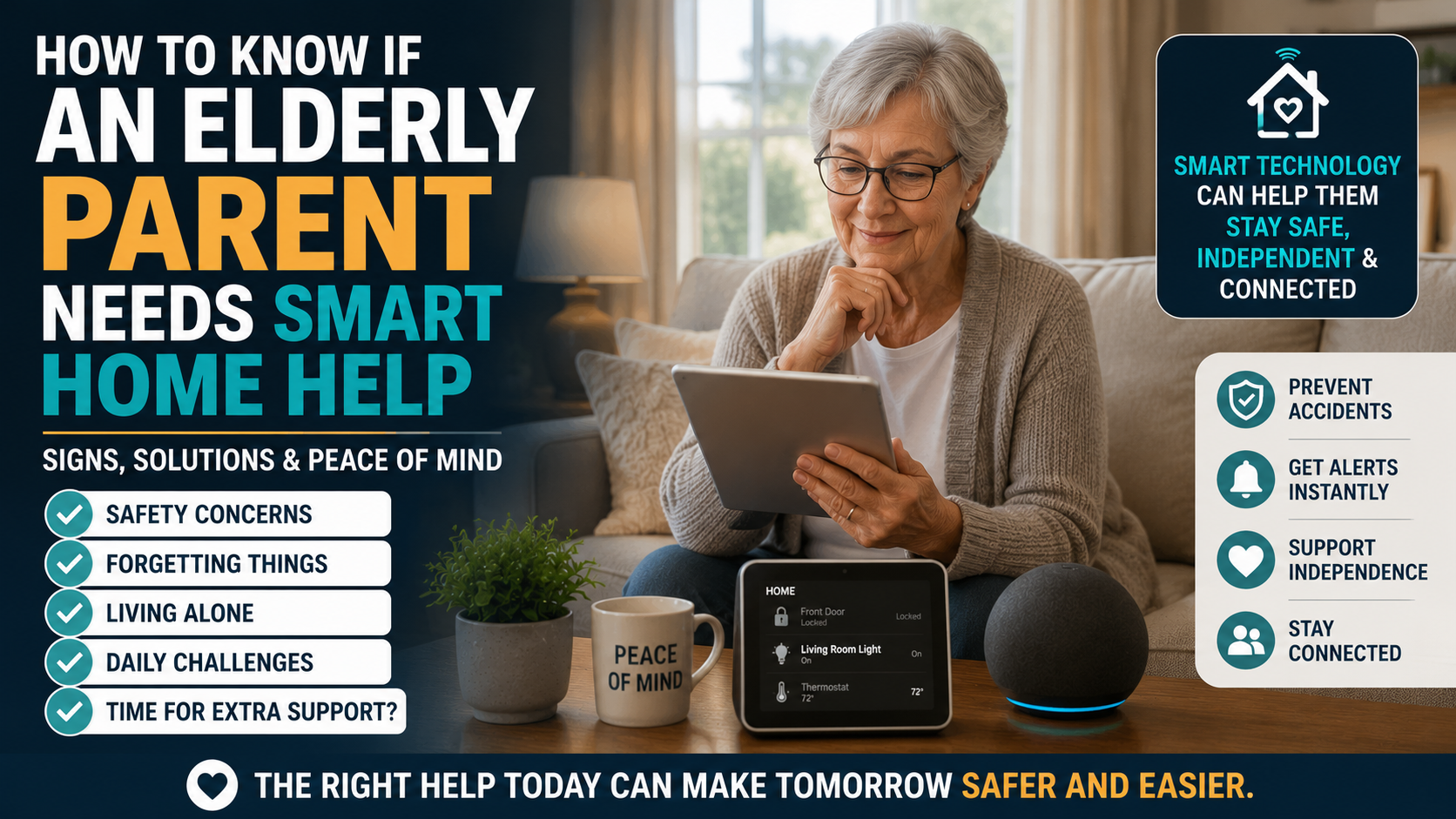
Table of Contents

  • Why constant calls can create stress
  • How to build a simple check-in routine
  • What to do if your parent does not answer
  • When technology can help without becoming intrusive
  • When a check-in routine is not enough

Why Calling All Day Usually Does Not Work

Calling more often can feel like the obvious solution when you are worried.

Your mother did not answer after lunch, so you call again. Your father sounded tired yesterday, so you call before work, at noon, and again after dinner. A sibling gets nervous and starts calling too.

Before long, the phone becomes a source of stress for everyone.

Constant calls can create problems:

  • Your parent may feel monitored instead of supported.
  • Family members may burn out.
  • Missed calls may cause panic even when nothing is wrong.
  • Important calls may get ignored because there are too many of them.
  • Siblings may duplicate effort or assume someone else checked in.

A better system is calmer. It is predictable enough for the family and respectful enough for the parent.

Start With a Conversation, Not a System

Before creating a check-in plan, talk with your parent.

This conversation matters more than the technology. If a parent feels that the family is taking control, even a thoughtful plan can feel intrusive. If they help shape the plan, it is more likely to work.

Try language like:

  • “We do not want to bother you all day. We just want a simple way to know things are okay.”
  • “What kind of check-in would feel helpful rather than annoying?”
  • “If you do not answer, what would you want us to do first?”
  • “Who nearby would you trust if we could not reach you?”

The goal is agreement. A plan that your parent accepts is usually better than a more advanced plan they resent.

How to Check on an Elderly Parent: Build a Simple Routine

A good check-in routine has three parts. If you are wondering how to check on an elderly parent without creating pressure, start with a plan everyone understands:

  1. A normal check-in.
  2. A backup check-in.
  3. An escalation step.

For example:

  • Normal: Dad sends a text by 10 AM.
  • Backup: If there is no text by 11 AM, Sarah calls once.
  • Escalation: If there is still no response by noon, Mark calls the neighbor.

This avoids the emotional spiral of five family members calling repeatedly with no shared plan.

Match the Frequency to the Risk Level

Direct answer: Check-in frequency should match the parent’s health, mobility, memory, social support, and preferences. Families should agree on the rhythm with the older adult whenever possible.

Not every parent needs the same level of contact.

Parent situationSuggested check-in rhythmBackup step
Low risk, active, socially connected2-4 planned check-ins per weekText or scheduled call
Lives alone but generally stableOne daily low-pressure check-inBackup call or local contact
Recent fall, illness, or medication changesMorning and evening check-insLocal contact or caregiver visit
Cognitive decline or high safety concernInformal check-ins may not be enoughProfessional care plan or medical guidance

This table is only a starting point. Families should adjust based on real risk, not anxiety alone.

Use Messages, Short Calls, and Visits Together

The healthiest plan usually mixes different types of contact.

Texts are useful when a parent is comfortable with them. A simple “Good morning” reply may be enough to show that the day has started normally.

Short calls are better for hearing tone, confusion, or distress. A two-minute call can reveal things a text cannot.

Visits are still important. A home can look very different in person than it sounds over the phone. Mail piling up, spoiled food, clutter, missed medication, or new bruises may not appear in a quick call.

No single method tells the whole story.

Create Agreed Check-In Windows

Instead of calling randomly, choose check-in windows.

Examples:

  • Morning: “Text me after breakfast.”
  • Afternoon: “I will call after your walk on Tuesdays and Thursdays.”
  • Evening: “Send a thumbs-up before bedtime.”

Predictability helps both sides. Your parent knows when to expect contact. The family knows when silence is normal and when it is unusual.

Keep the routine easy. If the plan is complicated, it will fail quietly.

Use Indirect Signals Without Becoming Intrusive

Some families want reassurance without constant conversation. Indirect signals can help if they are discussed openly.

Examples include:

  • A parent responding to a morning text.
  • A shared calendar reminder.
  • A medication reminder system.
  • A smart doorbell showing normal front-door activity.
  • A voice assistant reminder.
  • A neighbor noticing the newspaper was picked up.

These signals should be narrow. They should answer practical questions, not create a feeling of being watched.

If your family is considering sensors, cameras, door alerts, or other tools, read the guide on how to monitor an elderly parent remotely without invading privacy. That article covers technology choices in more detail. This article is about the family routine around them.

Share Responsibility With Family Members

One person should not carry the entire emotional load if other family members can help.

A simple weekly plan might look like this:

DayPrimary check-inBackup personNotes
MondayDaughter textSon callMorning only
TuesdaySon callNeighborAfter lunch
WednesdayDaughter visitSon textGroceries
ThursdayGrandchild video callDaughterEvening
FridayDaughter textSon callMedication refill reminder
WeekendFlexible family callLocal contactLonger conversation

The exact schedule does not matter. Clarity does.

If everyone assumes someone else is checking, no one may actually do it.

Add a Local Backup Contact

Long-distance caregiving is harder when there is no one nearby. The National Institute on Aging offers practical long-distance caregiving guidance for families coordinating support from farther away.

If possible, ask your parent who they would trust locally:

  • A neighbor.
  • A close friend.
  • A relative.
  • A building manager.
  • A faith community contact.
  • A home care aide.

Do not surprise your parent by sending someone over without discussing it first unless there is a true emergency. A local backup should be part of the plan, not a secret tool.

What to Do If Your Parent Does Not Answer

Direct answer: A missed call is not automatically an emergency, but families should follow a calm response sequence that was agreed on before the stressful moment.

No answer does not always mean danger.

They may be showering, napping, outside, charging the phone, at an appointment, or simply tired of calls. But families still need a plan.

Use a calm sequence:

  1. Wait through the agreed window.
  2. Send one clear message: “Please reply when you can so we know you are okay.”
  3. Call once.
  4. Try the backup contact.
  5. Check whether there was an appointment, visit, or known reason.
  6. If there are serious warning signs, escalate appropriately.

Avoid calling ten times in a row unless there is a specific reason to believe something is wrong. Repeated calls can increase panic without improving the response.

When to Escalate

Escalation depends on context.

Escalate faster if:

  • Your parent recently fell.
  • They sounded confused or unwell earlier.
  • They missed medication repeatedly.
  • They have serious medical risk.
  • A neighbor noticed something unusual.
  • There is no response across multiple channels.
  • The silence is very unusual for them.

Escalation may mean calling a local contact, arranging a wellness check, visiting in person, contacting a care provider, or using emergency services if there is reason to believe immediate danger exists.

Families should decide this before the stressful moment.

When an Informal Routine Is Not Enough

Direct answer: An informal check-in plan may not be enough when missed responses, falls, confusion, medication problems, or unsafe routines become frequent.

A family check-in routine is not a substitute for care when risk is high. The question of how to check on an elderly parent should always stay connected to the person’s real health, mobility, memory, and local support.

It may be time to consider more support if:

  • Your parent regularly misses check-ins and cannot explain why.
  • They forget basic meals or medication.
  • They are falling or nearly falling.
  • They get lost or confused.
  • They stop answering the phone for long periods.
  • They become anxious, isolated, or unsafe at home.

At that point, the question is not “How do we call less?” It is “What level of support does this person actually need?”

The aging in place checklist can help families review the broader home and care situation.

Privacy and Consent Matter

Checking on a parent should not feel like tracking a package.

Older adults still deserve privacy, even when family members are worried. Consent is not a box to check once. It is an ongoing conversation.

Ask:

  • What information are we collecting?
  • Who sees it?
  • What happens if something looks unusual?
  • Can my parent turn it off?
  • Does this make them feel safer or watched?

Support protects dignity. Surveillance erodes it.

Optional Technology That Can Support Check-Ins

Technology can help when it solves one specific problem.

A voice assistant may make it easier to call family or receive reminders. Medication tools can support routine. A doorbell may help with front-door awareness. Motion sensors may show high-level activity patterns. These tools should be discussed clearly and used carefully.

For a deeper look at privacy-friendly technology choices, use the remote monitoring guide rather than trying to build the entire system from this article.

Alexa Drop In as an Optional Tool

Alexa Drop In can be one optional way for families to check in when everyone agrees to use it. It may help in households where a parent has trouble answering a phone but is comfortable with an Echo device. It should require clear consent, limited access, and realistic expectations. Drop In should not be used secretly, and it does not replace emergency services, caregiver visits, or a medical alert system. Families should agree when it is appropriate, test it together, and keep another contact method available. Once the dedicated guide is published, families should review Alexa Drop In for elderly parents before enabling it.

A Simple Family Response Plan

Write this down somewhere shared:

  • Normal check-in time:
  • Backup check-in method:
  • First backup person:
  • Local contact:
  • When to wait:
  • When to call again:
  • When to contact a neighbor:
  • When to escalate:
  • Medical/emergency notes:
  • Parent preferences:

A written plan prevents confusion. It also reduces guilt because everyone knows the next step.

Checklist: Build a Better Check-In Routine

  • Ask your parent what feels acceptable.
  • Choose one normal daily or weekly check-in.
  • Choose one backup method.
  • Assign one primary family member each day.
  • Identify a local contact.
  • Decide what “no response” means.
  • Decide when to escalate.
  • Keep technology optional and consent-based.
  • Review the plan after illness, falls, or major changes.
  • Do not let anxiety turn into constant interruption.

Frequently Asked Questions

How often should I check on an elderly parent?

It depends on health, mobility, memory, social support, and living situation. Some parents need a few check-ins per week. Others may need daily contact or formal support.

What should I do if my elderly parent does not answer the phone?

Follow the agreed plan. Send one clear message, call once, try a backup contact, and escalate if the silence is unusual or there are real warning signs.

Is it okay to use technology to check on a parent?

Yes, if it is discussed openly and used for specific needs. Technology should support trust, not replace it.

How do I stop worrying while learning how to check on an elderly parent?

Create predictable check-in windows, share responsibility with family, and define escalation steps before something happens. A plan is usually calmer than repeated calls.

Should I use cameras to check on my parent?

Cameras can feel invasive, especially inside the home. Many families should start with less intrusive options such as scheduled calls, texts, reminders, doorbells, or activity signals.

When is a check-in routine not enough?

If your parent is falling, missing medication, becoming confused, not eating, or repeatedly unreachable, the family may need more support than informal check-ins can provide.

Bottom Line

Learning how to check on an elderly parent does not mean calling all day. You do not need to call all day to be a caring son or daughter. A better check-in plan is predictable, agreed on, and shared by the family. Use one normal check-in, one backup contact, and one escalation path. Add technology only when it reduces friction and your parent understands and accepts it.

CTA

This week:

  • Write the normal check-in time.
  • Choose the main contact and backup contact.
  • Add one trusted local person if possible.
  • Decide what happens if there is no response.
  • Share the plan with everyone involved.
Older parent using simple smart home technology for safety, independence, reminders, and family connection

How to Know If an Elderly Parent Needs Smart Home Help

How to Know If an Elderly Parent Needs Smart Home Help

Quick Answer

An elderly parent may need smart home help when everyday tasks are becoming harder, reminders are being missed, lighting or safety issues are increasing, or family communication is becoming stressful. The best first step is not buying devices. It is identifying the specific problem technology should support.
Many families feel the same tension: they want to help, but they do not want to make a parent feel watched, pressured, or less independent. Smart home technology can help in the right situation, but only when it solves a real daily problem.

This is a decision-support guide, not a shopping list. For device examples, see our guide to smart home devices that help seniors stay independent.

Table of Contents

  • Signs to watch for
  • Decision table
  • What to start with
  • What not to solve with tech
  • Decision path
  • FAQ

Signs Smart Home Help May Be Useful

  • Missed reminders are becoming common.
  • Your parent avoids certain rooms or tasks.
  • Lighting, stairs, or bathroom routines feel less safe.
  • Family members worry when calls are not answered.
  • Medication, appointments, or meals need more structure.
  • Your parent wants help but dislikes complicated apps.
  • Small tasks require more physical effort than before.

Decision Table

Observation Possible Support First Question
Forgets appointments Voice reminders or calendar alerts Would a spoken reminder help?
Moves in the dark Smart lights or motion lights Which route is hardest at night?
Hard to reach by phone Voice calling or smart display Would calling by voice reduce friction?
Worries about home safety Doorbell, sensors, safety checklist What specific risk is most urgent?
Feels overwhelmed by devices One-device setup What is the simplest first win?

Start With the Problem, Not the Product

The best smart home setup begins with one sentence: “We are trying to make this specific routine easier.” That routine might be remembering medication, turning on lights, calling family, or feeling safer at the front door.

If safety is the main concern, review our guide to making a home safer for an elderly parent living alone.

What Smart Home Help Can Support

  • Reminders for daily routines.
  • Hands-free calls.
  • Lighting and nighttime movement.
  • Front-door awareness.
  • Simple routines that reduce steps.
  • Family peace of mind without constant check-ins.

What Technology Should Not Replace

Smart devices should not replace medical care, emergency services, caregivers, or honest family conversations. If your parent has repeated falls, sudden confusion, unsafe driving, medication errors, or major health changes, seek professional guidance.

Decision Path

  • If the issue is memory: consider simple reminders before sensors.
  • If the issue is movement at night: review lighting and fall risks first.
  • If the issue is communication: try voice calling or a simple display.
  • If the issue is front-door safety: consider whether a doorbell or lock review is appropriate.
  • If the issue is broad decline: involve professionals before relying on devices.

Conversation Tips

Lead with independence. Instead of saying, “You need monitoring,” try, “Would it make mornings easier if the lights and reminders were simpler?” Respect matters. Technology works best when the older adult understands and agrees with the purpose.

For broader planning, use our aging in place checklist.

Frequently Asked Questions

What is the first smart home device for an elderly parent?

Usually the best first device is the one that solves the clearest problem, such as a voice assistant for reminders or a smart light for nighttime safety.

How do I avoid making my parent feel monitored?

Ask permission, explain the purpose, and start with supportive tools rather than surveillance-style devices.

Can smart home technology help aging in place?

It can support aging in place when paired with home safety, family communication, and realistic planning.

Should I buy several devices at once?

No. Start with one or two practical tools and review whether they are actually being used.

When is technology not enough?

If safety risks are frequent, medical issues are changing, or daily care needs are increasing, professional support may be needed.

30-Minute Family Review

  • List the top three worries.
  • Match each worry to a daily routine.
  • Ask your parent what feels hardest.
  • Choose one low-friction improvement.
  • Review after two weeks.
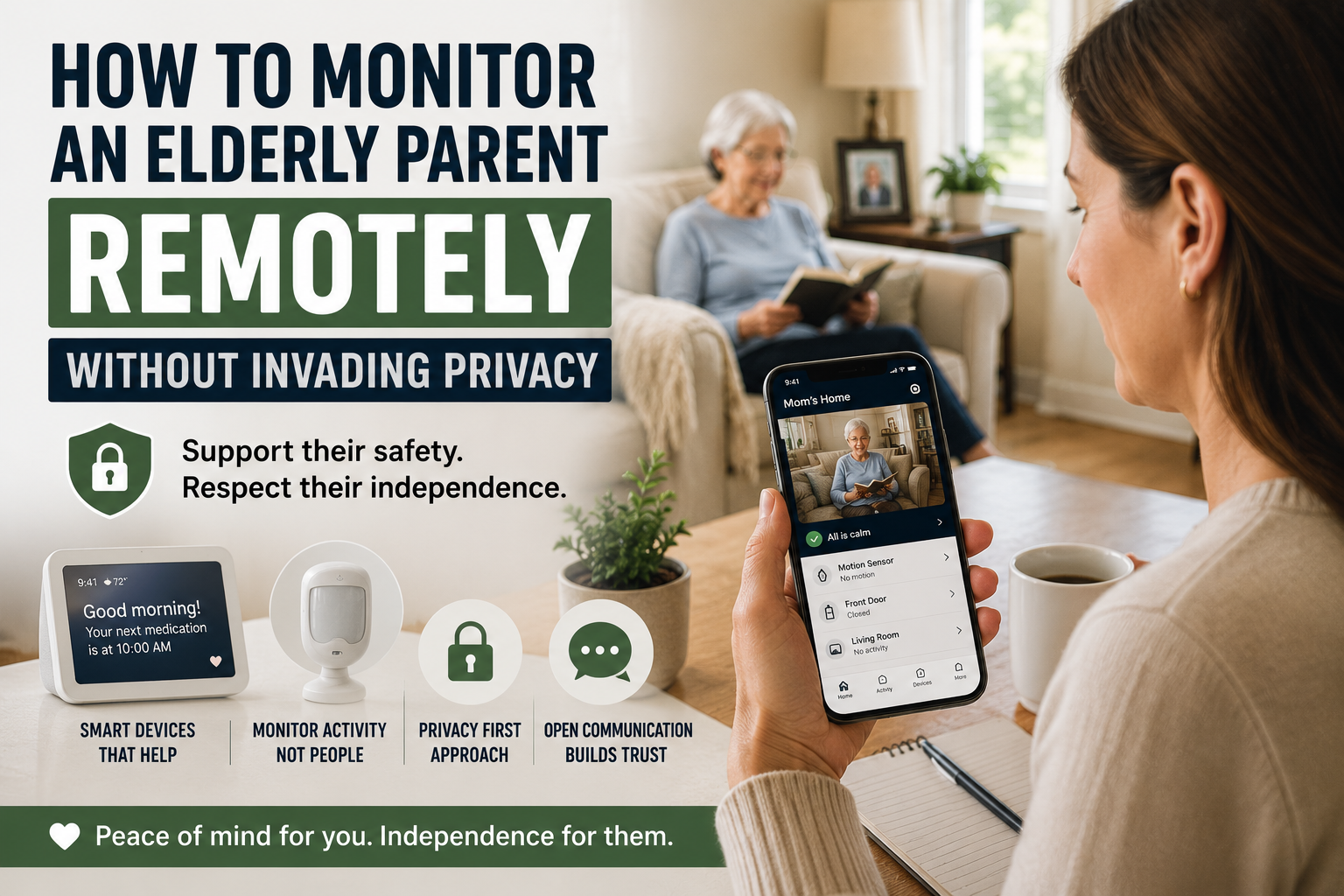
Adult daughter using smart home technology to monitor an elderly parent remotely while respecting privacy

How to Monitor an Elderly Parent Remotely Without Invading Privacy

How to Monitor an Elderly Parent Remotely Without Invading Privacy

If you live far from an older parent, the worry can be constant. Many families eventually ask how to monitor an elderly parent remotely while still protecting trust, dignity, and independence. You may wonder whether they are eating regularly, taking medication on time, moving around normally, or recovering well after a health change, yet still feel uncomfortable turning a parent’s home into a surveillance zone.

That is why many families start looking for ways to monitor elderly parent remotely without cameras. They want reassurance, but they also want to protect trust, dignity, and independence.

Quick Answer: If you want to monitor an elderly parent remotely without cameras, the best approach is usually a privacy-first combination of consent, motion alerts, voice assistants, medication reminders, door notifications, and a simple family response plan. The goal is to notice meaningful changes without making an older adult feel watched in their own home.

The good news is that remote support does not have to mean spying. In many cases, the best setup is not the most invasive one. It is the one that gives just enough visibility to spot problems early while still letting an older adult feel respected in their own home.

This article focuses on that balance. It is not a roundup of cameras and it is not an argument for constant oversight. It is a practical guide for family caregivers who want to support safety from a distance without crossing into unnecessary monitoring.

Table of Contents

  1. The difference between support and surveillance
  2. How to monitor an elderly parent remotely without cameras at a glance
  3. Start with consent, not technology
  4. Decide what you actually need to know
  5. Better options than cameras
  6. How voice assistants can help
  7. Motion sensors and activity alerts
  8. Smart doorbells and entry awareness
  9. Medication reminders and routine signals
  10. Emergency alerts and escalation plans
  11. Mistakes families should avoid
  12. FAQ
  13. Conclusion

The Difference Between Support and Surveillance

Families often say they want monitoring, but what they usually mean is peace of mind. They want to know whether something is clearly wrong. They do not necessarily need a live view into every room.

That distinction matters because older adults usually respond very differently to support than to surveillance.

Support sounds like this

  • We want to make it easier to notice emergencies.
  • We want a backup if routines change suddenly.
  • We want to reduce risk without taking over your life.

Surveillance sounds like this

  • We want to watch what you are doing.
  • We want to check whether you are behaving the way we expect.
  • We do not fully trust you to manage your own space.

That second message can damage the relationship quickly, even when the intention is loving.

Family Tip: If a setup would make you uncomfortable in your own bedroom, kitchen, or living room, it is probably too invasive to use as a default solution for someone else. Start with the least intrusive tool that solves the real problem.

How to Monitor an Elderly Parent Remotely at a Glance

Monitoring Method Privacy Level Best For Family Alert Type
Voice assistant High privacy Reminders, calls, low-friction check-ins Missed response or failed routine
Motion sensor High privacy Pattern changes and inactivity alerts No expected movement or unusual timing
Door sensor or smart doorbell Medium-high privacy Visitor awareness, deliveries, late-night exits Door activity notification
Medication reminder device High privacy Missed doses or routine breakdowns Missed reminder or adherence change
Emergency alert system High privacy Falls, urgent assistance, escalation Immediate help request

Start With Consent, Not Technology

Before adding anything, talk about the goal in plain language. A parent is more likely to accept support when they understand what information is being collected, why it matters, and what will happen if something looks unusual.

Good questions to discuss include:

  • What are we trying to prevent or notice?
  • What feels helpful versus intrusive?
  • What types of alerts are acceptable?
  • Who gets the alerts?
  • What should happen if an alert is triggered?

This is especially important if the older adult values independence strongly. Many do. If they feel monitored without input, they may reject even reasonable tools. If they help shape the plan, they are more likely to see it as a support system instead of a control system.

For families planning a broader long-term strategy, our article on what aging in place means and why families choose it helps frame the bigger picture.

Decide What You Actually Need to Know

Before choosing any monitoring tool, families should look for signs a parent may need smart home help rather than adding technology simply because it is available.

Remote support works best when the signals are specific.

Do you need to know:

  • whether your parent got out of bed?
  • whether they opened the front door late at night?
  • whether they missed a medication routine?
  • whether there has been no movement for an unusual amount of time?
  • whether they can easily call for help?

Those questions lead to better solutions than a vague idea like I just need to keep an eye on things.

In other words, start with risks and routines, not devices. A family that first reviews the home and daily patterns usually makes better decisions than one that buys monitoring tech out of panic. This aging in place checklist is useful for that first review.

Better Options Than Cameras

When families try to monitor elderly parent remotely without cameras, they are usually looking for lower-friction tools that still provide useful signals.

The most practical options often include:

  • voice assistants for communication and reminders
  • motion or activity sensors
  • door or entry alerts
  • medication reminders
  • emergency call systems
  • routine-based check-ins

These tools are not perfect, but they are often more acceptable because they collect less sensitive information than indoor video.

Common Mistake: Families often jump straight to indoor cameras because they feel efficient. In reality, cameras can create resistance, damage trust, and distract everyone from the real question: what specific signal do we actually need to notice?

Why cameras create friction

Indoor cameras may feel efficient to the caregiver, but they often create stress for the person living in the home. Bedrooms, living rooms, kitchens, and hallways are not just coverage areas. They are private spaces. Even if a family promises not to check often, the older adult may still feel watched.

That can change behavior, reduce trust, and cause resistance to other forms of support.

How Voice Assistants Can Help

Voice assistants are often one of the easiest tools to introduce because they can support communication and routine without feeling overtly medical.

  • spoken reminders
  • simple calls or announcements
  • weather and appointment prompts
  • smart lighting routines
  • low-effort check-ins

For example, a voice assistant can make it easier for a parent to call a family member without finding a phone, or to respond to a reminder when medication timing tends to drift. It can also reduce friction around daily tasks that otherwise go undone.

If voice support is part of the plan, the article Can Alexa Help Seniors Live Independently? fits naturally here.

Motion Sensors and Activity Alerts

Motion alerts may show patterns, but families still need to make stairs safer for an elderly parent when daily movement depends on steps.

Motion sensors are often one of the most useful privacy-respecting tools because they answer one narrow question: has there been normal activity?

  • unusually long inactivity
  • missed morning movement
  • no bathroom visit overnight
  • unexpected movement during dangerous hours

The value here is not constant observation. It is pattern awareness. If a parent normally starts moving around at 7:00 a.m. and there is no activity by 10:00 a.m., that may justify a phone call.

Why this feels less invasive

Motion sensors can show that movement happened without showing what someone was doing. For many families, that is enough. It creates a gentler form of oversight that still supports early response.

Smart Doorbells and Entry Awareness

Smart doorbells are often framed as security tools, but they can also support remote caregiving in a narrow and useful way.

  • screening visitors
  • reducing pressure to open the door quickly
  • confirming deliveries
  • noticing unusual front-door activity

This can be especially helpful when a parent feels nervous about answering the door or has become more vulnerable to scams, confusion, or unplanned visitors.

The key is to keep the purpose limited. A doorbell should support entry awareness, not become a way to monitor every arrival and departure obsessively. If you want a more detailed breakdown, this guide to smart doorbells for elderly parents is the most relevant related resource on the site.

Medication Reminders and Routine Signals

Not all remote support has to be direct monitoring. Sometimes the most useful signal is whether a routine is still holding together.

Medication is a good example. If reminders are being ignored, doses are being missed, or confusion around pills is increasing, that may tell families more than a passive camera ever would.

Medication reminder tools can help caregivers notice when support needs are changing without creating a sense of constant observation. In many homes, this is one of the most respectful ways to add oversight because it is tied to a real risk and a clear purpose.

Our comparison article on medication reminder devices for seniors can support that conversation.

Emergency Alerts and Escalation Plans

A remote support setup should always answer one practical question: what happens if something is wrong?

  1. Who gets the first alert?
  2. How long should they wait before calling?
  3. Who is the local backup person?
  4. When does the situation justify emergency services?

Without that plan, even good tools become confusing. Families receive data but do not know how to act on it.

Keep the plan simple

The goal is not to create a complex response tree. The goal is to reduce hesitation when something unusual happens.

Mistakes Families Should Avoid

Using the most intrusive tool first

Start with the least invasive option that solves the problem. Families often jump too quickly to cameras when a voice assistant, motion alert, or door sensor would do the job.

Skipping the consent conversation

Even if the caregiver is paying for the technology, the person living in the home still deserves clarity and input whenever possible.

Trying to monitor everything

Too much data creates noise. Focus on meaningful signals tied to real concerns.

Ignoring baseline safety

Remote monitoring should not replace core safety fixes. If the home still has major fall risks, poor lighting, or unsafe entryways, address those too. Our guide on making a home safer for an elderly parent living alone is the right starting point for that work, and the room-by-room home safety checklist for seniors helps families inspect those risks more systematically.

Replacing human contact with automation

Technology can support caregiving, but it should not become the relationship. Check-ins, visits, and honest conversations still matter.

FAQ

How can I monitor an elderly parent remotely without cameras?

Families often use voice assistants, motion sensors, door alerts, medication reminders, and emergency alert systems to notice meaningful changes without using indoor video.

Are indoor cameras always a bad idea?

Not always, but they should not be the default. Many older adults find indoor cameras intrusive, especially in private living spaces. Families should use the least invasive tool that solves the actual problem.

What is the best first step for remote monitoring?

Start by identifying the real concern. Is it falls, wandering, missed medication, isolation, or difficulty calling for help? Once the risk is clear, the right tool is usually easier to choose.

Can Alexa or another voice assistant help without feeling invasive?

Yes, often. Voice assistants can support reminders, calling, lighting routines, and low-friction communication without making the home feel heavily monitored.

How do families protect privacy while still improving safety?

Focus on consent, limit alerts to meaningful events, choose tools that collect less sensitive data, and be clear about who sees what information and why.

Conclusion

Families do not need to choose between doing nothing and watching everything. There is a middle path.

If you want to monitor an elderly parent remotely without cameras, the best approach is usually a narrow one: identify the real risks, choose the least invasive tools that address them, and make sure the older adult understands and supports the plan whenever possible.

That approach protects more than safety. It protects trust. And in long-distance caregiving, trust is often what makes the whole system work.

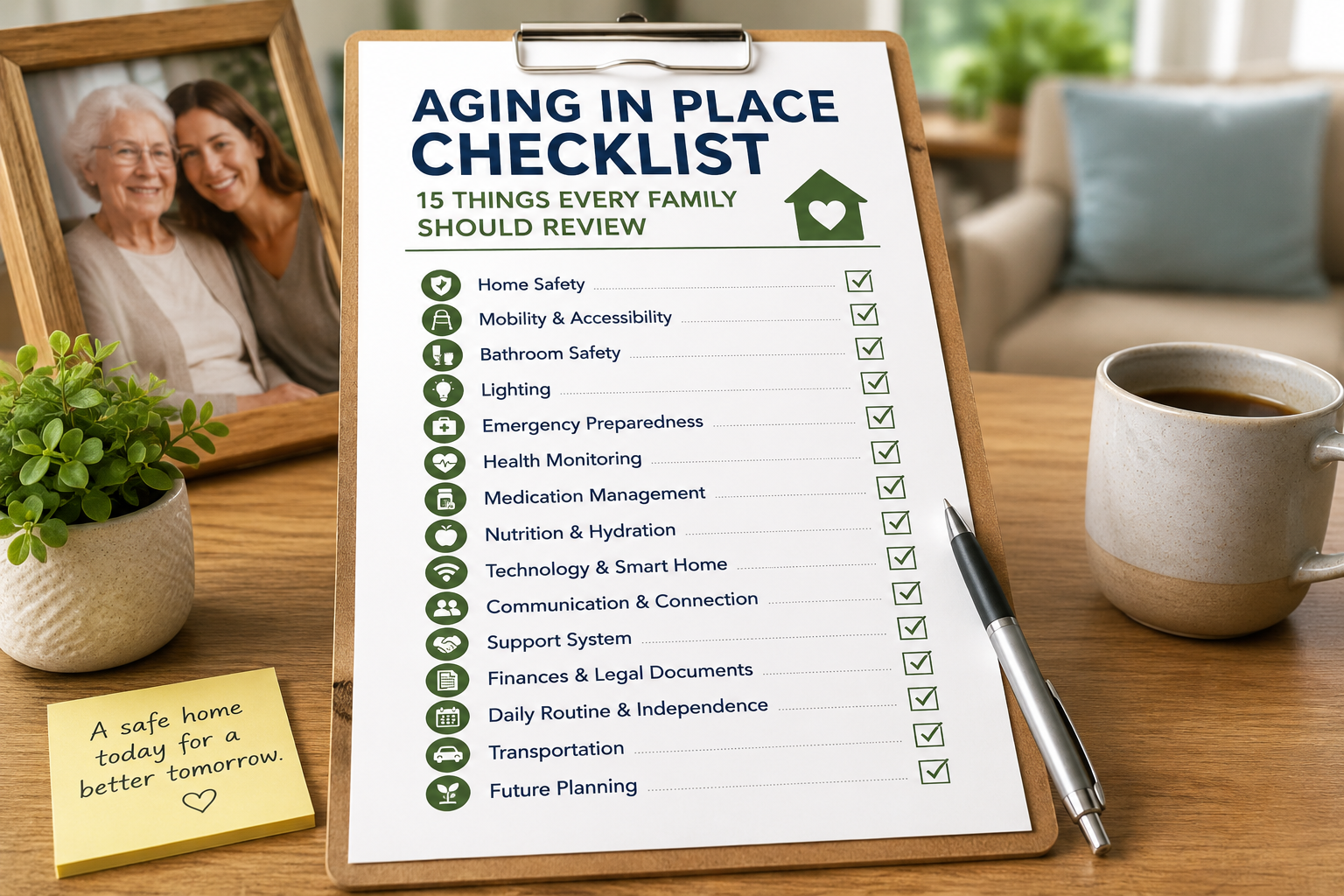
Aging in place checklist for families reviewing home safety and senior independence

Aging in Place Checklist: 15 Things Every Family Should Review

Aging in Place Checklist: 15 Things Every Family Should Review

Aging in place sounds simple when people say it out loud. Most families hear the phrase and think it means staying at home longer. That is true, but it is only the surface of the decision. In practice, aging in place works best when families review the home, the routine, the risks, and the support system before something urgent forces a rushed decision.

That is what this checklist is for. It is not a crisis document. It is a planning tool for families who want to look at the real conditions around an older adults daily life and figure out what needs strengthening now. Some items are physical, like lighting and stairs. Others are operational, like communication, medications, or who notices when routines start slipping.

If you are new to the topic, this article is the practical companion to What Is Aging in Place and Why More Families Are Choosing It. The earlier article explains the idea. This one helps you review whether the current setup truly supports it.

Table of Contents

  • Why every family needs an aging in place checklist
  • The 15 areas to review
  • How to prioritize what to fix first
  • How smart home technology fits into the checklist
  • Frequently asked questions

Why every family needs an aging in place checklist

Families often wait too long because daily life still looks mostly fine. The parent is still living at home, meals are happening, and nothing catastrophic has happened yet. But aging in place usually succeeds or fails based on the accumulation of small details. One missed medication, one dark hallway, one hard-to-reach lock, one growing fear of strangers at the door, one week of exhaustion after a minor illness. None of those issues alone may force a move, but together they can make home feel fragile.

A checklist helps families move from vague worry to concrete planning. It turns I think Mom needs more support into specific observations and manageable next steps. If you want a more tactical walkthrough by space, our room-by-room home safety checklist for seniors can help you inspect entryways, bathrooms, bedrooms, and stairs in a more structured way.

The 15 things every family should review

Night routines deserve their own review, so families should include nighttime safety for seniors when checking lighting, bathroom access, and response plans.

1. Entryway safety

Can your parent get in and out of the home safely in daylight, after dark, and in poor weather? Look at steps, railings, thresholds, outdoor lighting, uneven surfaces, and how hard the door is to manage physically. If the front door feels stressful, visitors and daily errands become harder immediately.

2. Visitor screening and front-door confidence

How does your parent handle unexpected visitors? Can they see who is there before opening the door? Do they feel pressure to answer quickly? This is where doorbells, locks, and communication habits matter. Families dealing with that issue directly should also review our guide on making a home safer for an elderly parent living alone.

3. Lighting quality throughout the home

Good lighting is not cosmetic. It affects balance, confidence, and whether someone avoids moving around the house at certain times. Review hallways, bathrooms, stair areas, bedside lighting, and the path from bed to toilet at night.

4. Fall-risk areas

Identify where slipping, tripping, or awkward movement is most likely. Rugs, cords, clutter, unstable furniture, steep stairs, low seating, and bathrooms are common problem areas. Families often underestimate how quickly a minor obstacle can become a major issue.

5. Bathroom usability

Bathrooms deserve a separate review because they combine hard surfaces, wet floors, bending, and privacy. Consider shower entry, grab support, lighting, seat height, towel placement, and whether basic supplies are easy to reach.

6. Bedroom setup

Is the bed too low or too high? Is there a clear path for nighttime movement? Is a phone, lamp, or call-for-help option within easy reach? A good bedroom setup reduces risk and also helps a person feel calmer at night.

7. Kitchen routine and appliance safety

Look beyond whether the kitchen is tidy. Can your parent prepare food without overreaching, lifting unsafely, or forgetting what is on the stove? Are the most-used items stored at an easy height? Can they see labels and controls clearly?

8. Medication management

Medication routines are one of the most important parts of staying at home successfully. Review how doses are organized, what happens when schedules change, and whether reminders are actually reliable. If this is becoming the weak point, our article on smart home devices that help seniors stay independent can help you think about support tools more broadly.

9. Communication and emergency contact access

Can your parent easily call or message someone if they are worried, confused, or need help? Is there a system that works from the rooms where they spend the most time? Communication should be easy before an emergency, not just during one.

10. Daily routine reliability

How stable is the day overall? Are meals regular? Are appointments remembered? Are bills, errands, and household tasks staying on track? A stable daily rhythm is often one of the strongest signs that aging in place is still working well.

11. Mobility inside the home

Watch how your parent moves from room to room. Are there places where they brace themselves against furniture? Do they avoid certain parts of the home? Do they move differently when tired? Those details matter more than formal statements like Im doing fine.

12. Comfort with technology

Technology can support independence, but only if it feels understandable. Review whether your parent is open to reminders, voice assistance, smart lighting, or simple monitoring tools. The goal is not to fill the home with devices. The goal is to use the few that solve real daily friction.

13. Family support capacity

Aging in place does not happen in isolation. Even when a parent lives alone, there is usually some form of family or caregiver support behind the scenes. Review who handles what now and whether that arrangement is realistic for the next six to twelve months.

14. Transportation and community access

Can your parent get groceries, attend appointments, and stay socially connected? Independence at home can weaken quickly if the outside world becomes too hard to reach.

15. Future change planning

Finally, ask what happens if one variable changes. What if mobility declines? What if a spouse becomes unavailable? What if medications increase? A strong aging in place plan includes a next step before it becomes urgent.

How to prioritize what to fix first

Not every issue needs to be solved this week. The right way to prioritize is to look for the problems that combine high risk with high frequency. That usually means anything involving falls, medications, nighttime navigation, or front-door safety rises to the top first.

After that, focus on the issues that create daily stress or avoidance. If your parent avoids answering the door, climbing stairs, or using a shower independently, that deserves attention quickly because it affects confidence as much as safety.

How smart home technology fits into the checklist

Smart home technology is most useful after the checklist reveals where the routine is weak. It should not lead the conversation. It should support the plan. That may mean better entry awareness, voice-controlled lighting, reminder systems, or easier communication.

For example, if daily routines are becoming harder to manage, voice assistance may help. If your family is considering that route, our beginners guide to Alexa for seniors explains where it tends to fit best. If the bigger issue is a scattered mix of small household risks, a combination of devices may be more effective than any one tool.

The key is not to chase gadgets. It is to remove friction from the exact parts of home life that are becoming harder.

What this checklist tells families

An aging in place checklist does not answer every question, but it tells you where the current setup is strong and where it is thin. That is what families need most. It shifts the conversation away from vague reassurance and toward practical action.

If most of the boxes above look stable, then aging in place may already be working well. If several areas feel shaky, that does not automatically mean a move is necessary. It usually means the plan needs reinforcement.

The best time to do this review is before a crisis. That is when families still have choices, room to test solutions, and the ability to support independence in a way that feels respectful rather than rushed.

FAQ

What is an aging in place checklist?

It is a practical review of the home, routines, risks, and support systems that affect whether an older adult can remain safely and comfortably at home.

How often should families review aging in place needs?

At minimum, review them after any health change, fall, hospitalization, or noticeable shift in routine. Many families also benefit from a simple review every six to twelve months.

What should families fix first?

Prioritize frequent high-risk issues such as falls, poor lighting, medication problems, and front-door safety. Those tend to have the biggest immediate effect.

Can smart home technology help with aging in place?

Yes, when it targets real daily friction. Technology works best when it supports a clear plan rather than acting as a replacement for planning.

Does needing a checklist mean a parent can no longer live independently?

No. In many cases it means the household needs a few targeted improvements so independence can continue more safely and comfortably.