Backup Power for Seniors: A Simple Plan to Keep Essential Devices Working in an Outage
Updated September 28, 2026
When the power goes out at your parent’s home, the first question isn’t whether Alexa still works. It’s simpler than that: can Mom see where she’s walking, can she call you, and can you reach her?
This guide starts from that question. It doesn’t try to keep a whole smart home running. It helps you decide what actually needs backup power, in what order, and which options work without your parent having to do anything. The setup and the upkeep are the family’s job, done calmly and well before the next outage.
This page contains affiliate links. If you buy through one, Senior Smart Home Lab may earn a commission at no extra cost to you. As an Amazon Associate I earn from qualifying purchases.
The Short Answer
Protect things in this order, and stop once you’ve covered what your parent really needs:
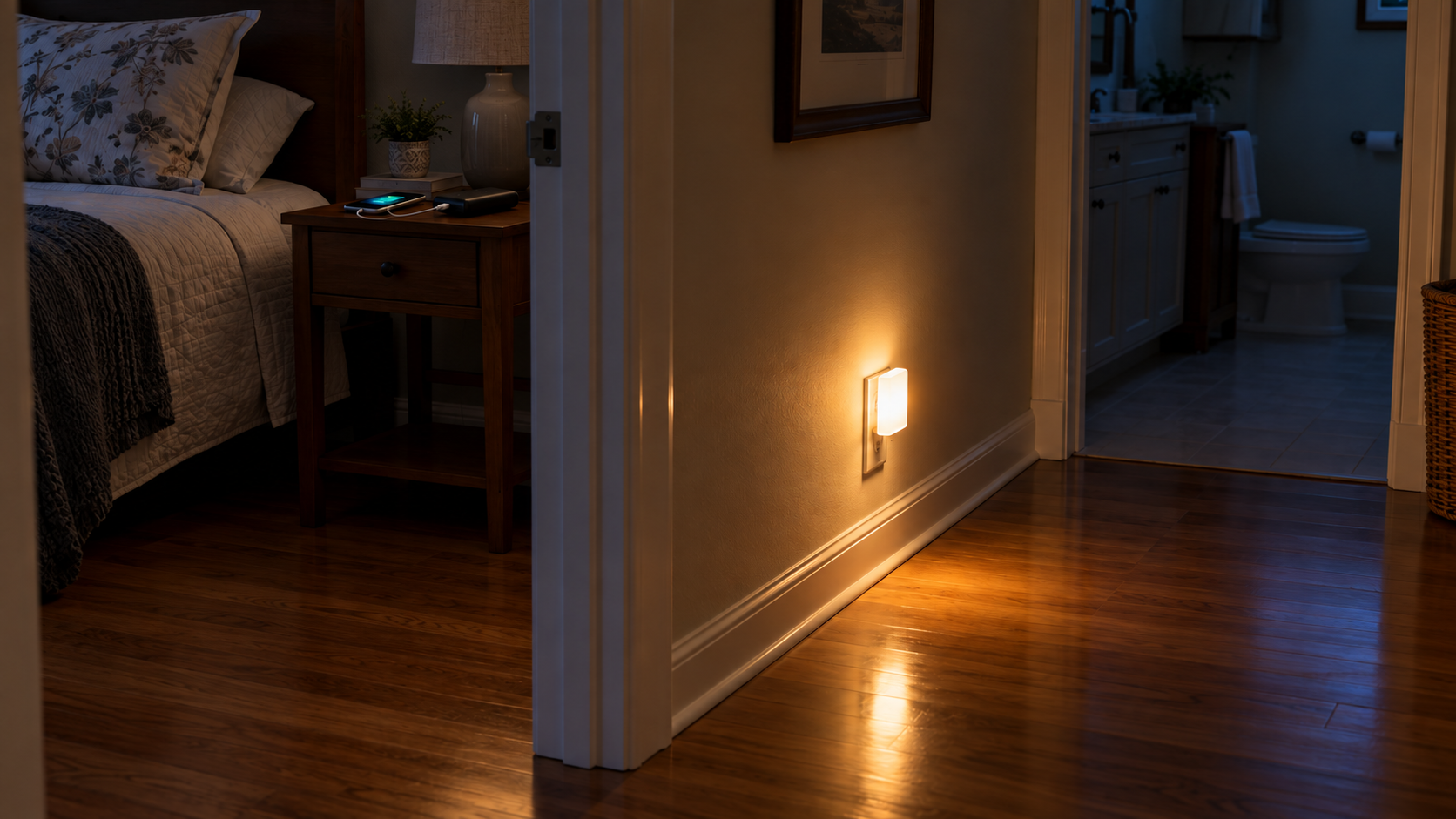
- Light. A plug-in emergency light that turns on by itself when the power fails.
- The phone in their hand. A charged cellphone, plus a simple power bank to top it up.
- The home phone. Find out whether it will keep working without power, and what backup the provider offers.
- Internet. A small battery backup (UPS) for the modem and router, if staying online really matters.
- Larger backup, only if needed. A compact power station, for households with frequent or long outages and someone willing to maintain it.
For most parents, the first two steps plus a router battery backup cover the essentials. Anything beyond that is optional.
Before You Buy Anything: What This Guide Does and Doesn’t Cover
This guide covers everyday home devices: lights, phones, the router and similar low-power electronics.
If your parent uses powered medical equipment, such as an oxygen concentrator, CPAP, ventilator, powered bed or medication that must stay refrigerated, that backup plan belongs with their doctor, the device supplier and the electric utility. The FDA advises checking with the device manufacturer or distributor about whether the device can run on batteries or a generator, and letting the electric company and fire department know that someone at home depends on powered medical equipment. Ready.gov likewise recommends talking to a doctor about how to power medical devices during an outage.
Nothing in this guide, including power banks, battery backups and power stations, is meant to replace that medical plan. If your parent uses equipment like this, keep this guide for the rest of the house and handle the medical side separately.
What Actually Stops Working When the Power Goes Out
Anything that plugs into the wall stops, and anything that depends on the internet can stop too, even if it still has power. That includes Alexa, smart-home routines and Wi-Fi calling. We explain what fails, what keeps working and why in what happens to a senior’s smart home when the internet or power goes out. This guide picks up from there: what to prepare and buy.
The Priority Ladder: What’s Worth Keeping On
Light First
The first real risk in an outage is walking through a dark house. An older adult getting up at night to use the bathroom suddenly has no hallway light, no bathroom light and possibly no idea where the flashlight is.
That’s why light comes first, and why the best emergency light is one that turns itself on. A light your parent has to find and switch on is a light they may not reach in time. If nighttime moves around the house are already a concern, our guides to nighttime safety at home and the fall prevention checklist are worth pairing with this step.
Ready.gov recommends flashlights and battery-powered lights over candles during an outage.
The Phone in Their Hand
In many outages, the most dependable link between you and your parent is their cellphone on the mobile network, not the home Wi-Fi. A cellphone doesn’t need the home’s power or internet to make calls, so it can often keep working when the house loses both. Cell networks can also be affected in larger outages, though, so treat the cellphone as your best route, not a guaranteed one.
The weak point is the phone’s battery. Keep the phone charged as a habit, and keep a small power bank nearby, charged and ready. It’s also worth agreeing in advance what happens if your parent doesn’t answer during an outage. Our guide on what to do when an elderly parent doesn’t answer the phone can help you set that plan now rather than in the moment.
The Home Phone
Whether a landline keeps working depends on how it’s delivered.
- Home phone service that isn’t powered through the phone line itself (many cable, fiber and internet-based VoIP services) generally needs power at the home to work. Under FCC rules adopted in 2015, providers of this kind of home phone service must offer customers the option to buy backup power: at least 8 hours, plus a 24-hour option. It isn’t added automatically; the customer decides whether to buy it. AT&T, for example, describes its battery backup as keeping the phone working, warns that also running its internet service will drain the battery quickly, and suggests up to 24 hours of backup for households with medical or safety power needs.
- Cordless phones: many have a base station that plugs into a wall outlet. Check your parent’s phone. If the base needs wall power and has no battery of its own, the handsets may stop working in an outage even when the line itself is still live.
What to do:
- Call the provider and ask plainly: "Will this phone work in a power outage, and what backup options do you offer?"
- If the parent relies on the home phone, consider the provider’s backup option, and keep the cellphone charged as a second route.
Internet and Alexa
Keeping the modem and router powered can keep Wi-Fi, Alexa and video calls going during a short, local outage. But there’s a catch families often miss: your parent’s router can only reach the internet if the provider’s network is still up. If the outage is wide enough to take the provider’s equipment down, a battery on the router won’t help.
That’s why internet comes fourth on the ladder, not first. It’s worth protecting, especially if your parent relies on Alexa for medication reminders or an emergency routine. Even so, every Alexa-based routine should have a manual fallback: a paper reminder list, a phone number written by the bed, and a charged cellphone.
Backup Options Compared
| Option | What it keeps working | Works automatically? | Best for | Upkeep | Placement / weight |
|---|---|---|---|---|---|
| Auto-on emergency light | Light in a hallway, bedroom or bathroom | Yes, it turns on when the power fails | Every household, especially for nighttime moves | Very low; it recharges while plugged in | Wall outlet; very light |
| Phone power bank | Cellphone charging | No, someone plugs the phone in | Keeping the main line of contact alive | Must be charged ahead of time and topped up | Nightstand; pocket-sized |
| Provider’s phone battery backup (VoIP lines) | Home phone service | Depends on the provider’s equipment; ask them | Parents who rely on the landline | Battery replacement per provider | Installed with provider equipment |
| Small UPS for the router | Modem, router and one or two small devices | Yes, it switches to battery when the power fails | Short outages where Wi-Fi or Alexa matters | Battery replacement over time; the family configures the alarm | Floor or desk, next to the router; stays put |
| Compact power station | Several small devices over a longer outage | Only on some models, and only if set up that way | Frequent or longer outages, with a family member to maintain it | Regular charging and checks | One fixed spot; weight varies by model, so check it before buying |
The Setup We’d Choose for Most Parents
This is the combination we’d put in place for most older parents before the next outage. It’s built around one rule: automatic beats manual.
Auto-On Emergency Lights
For the first rung of the ladder, we’d choose the GE 3-in-1 Rechargeable Power Failure LED Night Light (model 11281), made by Jasco under the GE brand.
It does three jobs:
- It’s an everyday plug-in night light.
- It’s an emergency light that switches on by itself when the power fails.
- It comes off the wall as a handheld flashlight.
Jasco lists it at 5 lumens in night-light mode and 20 lumens as a power-failure light or flashlight. It has a dusk-to-dawn sensor and a built-in rechargeable battery that charges while plugged in, so there are no batteries to replace. The prongs fold in for handheld use, and it weighs about 2.9 ounces. Jasco says it is UL certified.
Why this one fits: your parent doesn’t have to do anything. The power fails and the light comes on. The same unit is useful every night as a low night light. Based on its 20-lumen rating, think of it as a light for finding your way rather than for lighting a whole room, which is the job it needs to do in a hallway at 3 a.m.
How many: one for each route your parent actually walks at night, usually bedroom to bathroom, the hallway, and the top of any stairs.
Jasco doesn’t publish a battery runtime for this light, and we don’t quote one.
A Simple Phone Battery Bank
What to look for:
- Around 10,000mAh. A common size that balances capacity against size and weight. Check the listed weight before buying.
- A built-in USB-C cable, so there’s no separate cable to lose. Check that it matches your parent’s phone.
- A clear battery percentage display, not just a row of tiny dots.
- Simple controls and no app.
- Manageable size and weight for your parent’s hand and bedside table.
- A reputable manufacturer that states its safety certification clearly.
Before buying any power bank, check for current recalls on cpsc.gov. Power banks are a product category where recalls happen regularly, so a quick look at the specific model is worth the minute it takes.
Give the power bank a fixed home, such as the nightstand next to the phone. Make topping it up part of your regular visits. A power bank only helps if it’s charged before the outage, not after.
A Small UPS for the Router
If staying online matters, we’d choose the APC Back-UPS 600VA (model BE600M1) and put it next to the modem and router.
A UPS (uninterruptible power supply) sits between the wall and your devices. When the power fails, it switches to its battery automatically, and your parent doesn’t touch anything.
What APC specifies for the BE600M1:
- 600VA / 330W.
- Seven outlets: five with battery backup and surge protection, two with surge protection only.
- One USB charging port.
- A sealed lead-acid battery that the owner can replace (APC part APCRBC154).
- Certification to UL 1778, the safety standard for UPS equipment.
- About 7.7 lb.
Two setup details matter more than any spec:
- Plug the modem and router into the battery-backup outlets, not the surge-only ones. It’s an easy mistake, and it means nothing stays on in an outage.
- Deal with the alarm before your parent ever hears it. The UPS beeps while it’s running on battery. APC explains that a short press of the power button (under two seconds) silences the alarm, but holding the button for more than two seconds turns the UPS off, which shuts down the internet too. A startled parent pressing and holding the button is exactly how that happens.
- APC also documents a way to change the on-battery alarm behavior from the power button. Set this up during your visit, following APC’s instructions for this model.
- Label the unit clearly: "Internet backup — do not switch off."
Follow APC’s setup instructions for the first charge before you rely on it. Over time the battery wears out, and the UPS will warn when it needs replacing. That’s a job for the family, not your parent.
How long it keeps the router running depends on what’s plugged in. We don’t quote a runtime. Check APC’s own runtime information for your equipment. And remember the limit from above: a powered router only helps if the provider’s network is still up.
When a Portable Power Station Makes Sense
Most parents don’t need a power station. It’s worth considering only if:
- outages in the area are frequent or last for hours,
- there’s a clear need beyond a phone and a router, and
- someone in the family will keep it charged and check it.
What to look for:
- A compact model sized for a handful of small devices, not the whole house. Bigger capacity means more weight and more to maintain.
- A weight a family member can lift and place comfortably. Check the listed weight; it should mostly stay in one spot.
- Standard AC outlets plus USB ports.
- Battery chemistry stated clearly. Many compact models now use LiFePO4 (lithium iron phosphate) batteries; compare the manufacturer’s stated cycle life if you’re choosing between models.
- A clear, readable display showing the charge level.
- Automatic switchover where available. Some power stations can pass power through to plugged-in devices and switch to battery on their own when the power fails. Not every model does this, and it isn’t the same as a dedicated UPS, so check the manufacturer’s specifications.
- A clearly stated safety certification and no current recalls.
This isn’t a device for your parent to carry around or manage. Set it up in one sensible spot and make charging it part of the family’s routine. As with everything in this guide, it isn’t a backup for medical equipment.
Safe Placement and Everyday Upkeep
Most of the products in this guide are made for use inside the home, but safety depends on the specific model and on how it’s used. Choose products with a clearly stated safety certification, follow the manufacturer’s indoor-use and placement instructions, and keep them in good condition. A few habits make a big difference:
- Check recalls on cpsc.gov before you buy, and again now and then for the specific models you own.
- Follow the manufacturer’s placement instructions, including any clearance around the unit.
- Keep vents clear. Don’t cover devices, tuck them under bedding or push them tight against furniture.
- Keep cords out of walkways. A backup setup shouldn’t create a new tripping hazard.
- Don’t daisy-chain power strips or extension cords to reach a backup device.
- The family owns the upkeep: charging the power bank, responding to UPS battery warnings, and topping up a power station if you have one. Put it on a calendar alongside other home-safety checks.
Set It Up Together, Then Test It
For the general way to test a smart home’s outage behavior, see our outage explainer. This checklist is only for the backup setup described here, and fits into one visit:
- Test the emergency lights. Unplug each one from the wall and check that it comes on. Plug it back in and let it recharge.
- Charge and place the power bank. Charge it fully, check the cable fits your parent’s phone, and give it its fixed spot by the bed.
- Check the router outlets. Confirm the modem and router are plugged into the UPS’s battery-backup outlets, not the surge-only ones.
- Configure the UPS alarm. Set the on-battery alarm behavior following APC’s instructions, and show your parent the one thing to avoid: holding the power button down.
- Label everything. Put "Internet backup — do not switch off" on the UPS, and label the power bank’s spot.
- Agree on an outage check-in. Decide who calls whom, and what happens if nobody answers within a set time.
- Write a one-page family plan. List where the lights and power bank are, the key phone numbers, and who to call. Keep it by the phone.
What Backup Power Can’t Do
- It can’t keep the internet provider online. If the provider’s network goes down, a powered router won’t bring the internet back.
- It isn’t whole-home backup. Everything in this guide supports a few small, essential devices, not the fridge, heating or cooling, or the rest of the house.
- It isn’t medical backup. Powered medical equipment needs its own plan, made with the doctor, the device supplier and the utility.
- It doesn’t replace a manual fallback. Keep the paper list, the charged cellphone, the written phone numbers and the agreed check-in plan.
FAQ
Will Alexa work during an outage if the router has backup power? Only if the internet itself is still working, and only if the Echo device has power too. A UPS keeps the router on, but Alexa needs the provider’s network to be up. Treat Alexa as a bonus during an outage, not the plan.
Can a power station run CPAP or oxygen? Don’t rely on this guide for that. Ask the device supplier and your parent’s doctor what backup is appropriate. The FDA advises checking with the device manufacturer or distributor, and telling the electric company and fire department about powered medical equipment in the home.
Is a portable battery safe to keep indoors? Power banks, UPS units and battery power stations are generally made for indoor use, unlike fuel-burning generators. Safety still depends on the specific product: choose models with a clearly stated safety certification, check for recalls, follow the manufacturer’s indoor-use and placement instructions, and keep the vents clear.
How long will a UPS keep Wi-Fi running? It depends on how much power the plugged-in equipment draws. That’s why we don’t quote a number. Check the UPS maker’s runtime information for your specific modem and router. A small UPS is meant for short outages, not long ones.
Will the home phone work during a power outage? It depends on the service. Phone service delivered over cable, fiber or the internet needs power at the home, and providers must offer a backup power option, which you generally choose and pay for. Many cordless phones also need wall power for the base station. Call the provider and ask directly.
Do we need a generator? For the essentials in this guide, no. If your family does use a generator, Ready.gov is clear: use it outdoors, at least 20 feet away from windows, doors, garages and other openings into the building, because of the risk of carbon monoxide poisoning. Never run one inside the home or in a garage.
The Bottom Line
You don’t need to turn your parent’s home into a power plant. Start with auto-on emergency lights along the paths they walk at night, keep the cellphone charged with a simple power bank close by, find out how the home phone behaves in an outage, and add a small UPS for the router if staying online matters. Consider a power station only if outages are frequent or long and someone will look after it.
Then do the part that matters most: set it up together, test it once, write the plan down, and keep it charged. The goal isn’t more technology. It’s a parent who can see, reach you, and be reached when the lights go out.