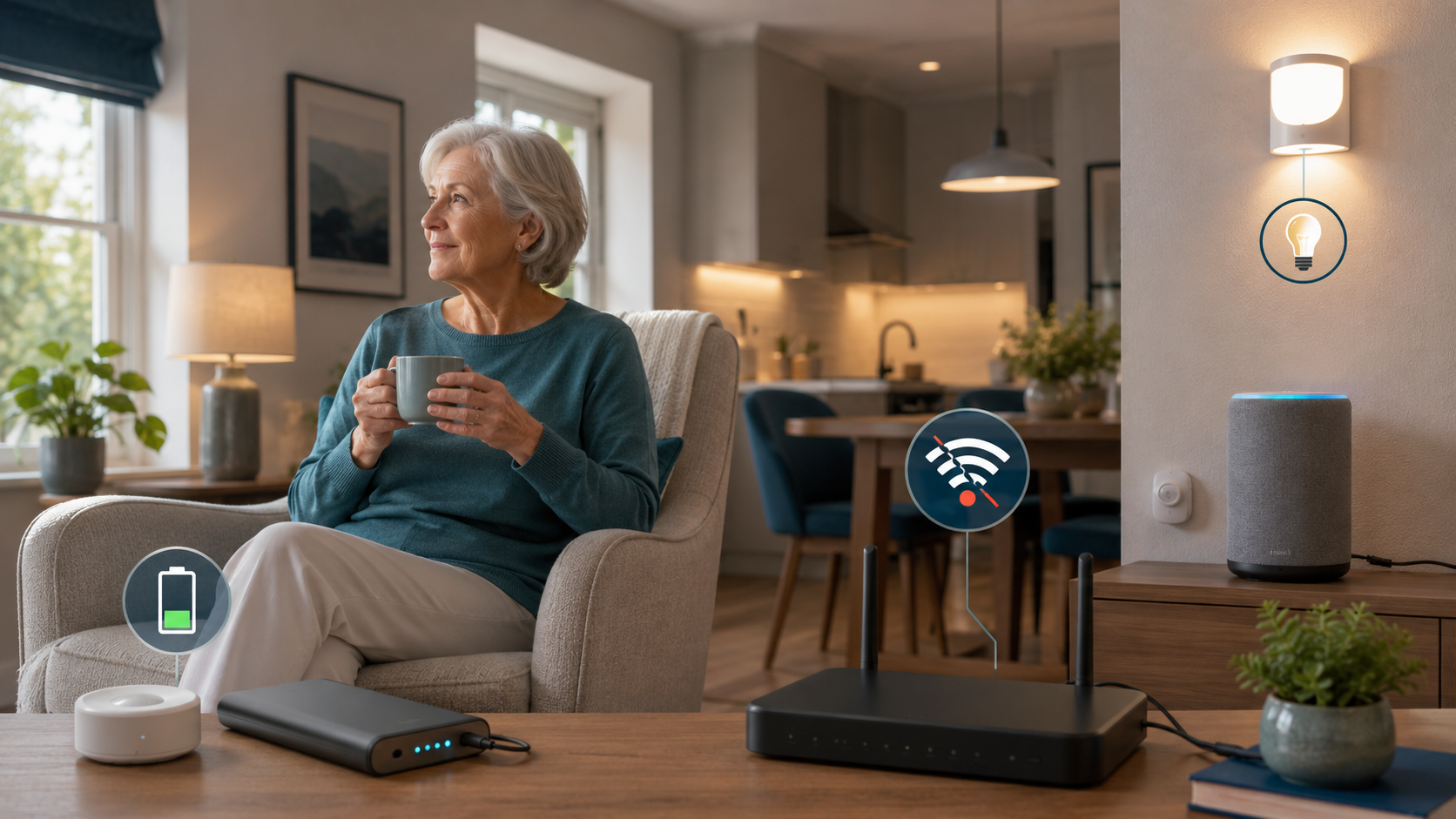
What Happens to a Senior’s Smart Home When the Internet or Power Goes Out?
Quick Answer: An internet outage and a power outage are not the same problem. When the internet goes down, cloud-dependent services such as Alexa voice responses, remote app access, and some caregiver alerts may stop working, while certain standalone or local systems may keep doing their basic job. When the power goes out, any device that needs household electricity stops unless it has battery backup or is connected to a suitable UPS. The safest plan for an older adult is not to assume every smart device will work, but to keep simple manual fallbacks for lighting, access, communication, and daily safety.
If your parent uses smart lights, Alexa reminders, a video doorbell, motion alerts, or other connected devices, it is reasonable to ask a simple question: what happens when the internet or power goes out?
That question matters because smart-home technology can be genuinely helpful for seniors living independently. It can reduce effort, support reminders, improve lighting, and make it easier for family members to stay informed. But a smart home is still a system. Like any system, it has weak points.
The goal is not to scare families away from technology. The goal is to understand which parts of the setup are convenient, which parts are safety-related, and which parts need a backup plan. For older adults, resilience often comes from simple choices: a physical light switch that still works, a key that is not locked away, a phone that stays charged, and family members who know what to do when an alert does not arrive.
This guide explains what usually stops, what may keep working, and how families can design a senior-friendly smart home that still makes sense when technology fails.
Prefer a quick visual explanation? Watch this video on what still works and what stops working when a senior smart home loses internet or power.
What Actually Stops Working When the Internet Goes Down?
The first thing to understand is that the internet is not the same as electricity. During an internet outage, the lights may still be on, the microwave may still work, and a standard wall switch may still turn on a lamp. What changes is the connected layer.
For a senior, the outage may feel simple: Alexa stops answering, the app will not load, or a smart device looks “offline.” Behind the scenes, the device may be unable to reach a company server, process a voice request, send a notification, or receive a remote command from a caregiver.
Common features that may stop or become unreliable during an internet outage include:
- Alexa voice responses and cloud-based voice commands
- Remote access through a phone app
- Notifications sent to family members outside the home
- Manufacturer cloud automations
- Smart speaker routines that depend on online services
- Some video doorbell live views and alerts
- Integrations between different brands that rely on cloud services
Imagine your mother uses Alexa to turn on the living room lamp. If the internet goes down, she may say the command and hear no useful response. But if that same lamp is still connected to a regular wall switch, she can walk over and turn it on manually. That difference is important: the smart feature failed, but the essential function still had a fallback.
The problem becomes more serious when the smart feature is the only practical way to complete the task. If the only way to unlock a door, turn on a hallway light, or contact family depends on a cloud connection, the system is too fragile for an older adult who lives alone.
For Alexa-specific safety planning, families should also understand the limits of voice assistants in urgent situations. The article on Alexa emergency routines for elderly parents explains why Alexa can support a safety plan but should not be treated as an emergency service replacement.
What Can Keep Working Without Internet?
Some devices can continue doing useful work without an active internet connection, but the answer depends on how the system is built. A simple way to think about it is to separate devices into three categories: standalone, local control, and cloud-dependent.
Standalone Devices
A standalone device does its job without needing Wi-Fi, a cloud account, or a phone app. A battery-powered motion light is a good example. If someone walks into a hallway at night, the light turns on because the sensor and the light are built into the same simple device.
Standalone devices are not always glamorous, but they can be excellent for older adults because they reduce dependence on several layers of technology. They may not send alerts to family members or appear in an app, but they can solve one narrow problem reliably.
Examples can include:
- Battery-powered motion lights
- Basic smoke and carbon monoxide alarms
- Standalone door alarms with built-in sound
- Plug-in night lights with battery backup, depending on model
- Simple physical timers or switches
The lesson is not that “dumb” devices are better than smart devices. The lesson is that one simple device may be more reliable for one essential task than a complicated system that depends on several connections.
Local Control
Local control means devices can communicate and act inside the home without needing to reach a remote server on the internet. This is where some smart-home systems become more resilient.
For example, certain hubs, switches, remotes, and sensors can keep basic automations working inside the house if the internet connection is down. The system may lose remote access, app notifications, voice assistant control, or cloud integrations, but a local automation may still run if the hub, router, and devices remain powered.
This is a helpful middle ground for families. A local setup can preserve some smart convenience without making every task dependent on the cloud.
Cloud-Dependent Devices
A cloud-dependent device needs an internet connection to complete its main function or an important part of that function. Many Wi-Fi-only smart devices, voice assistants, cameras, doorbells, apps, and cross-brand integrations fall into this category.
Cloud-dependent does not mean bad. It often enables useful features such as remote viewing, phone notifications, voice control, software updates, and easier setup. But families should know which features disappear when the cloud connection disappears.
For a senior’s home, the most practical question is not “Is this device smart?” It is: “If the internet is down, can my parent still do the essential thing another way?”
Alexa: What Happens When the Internet Is Down?
Alexa is one of the most useful smart-home tools for many seniors because it removes friction. A parent can ask for the weather, set reminders, make a call, play music, turn on supported lights, or start a routine without opening an app.
But Alexa is also heavily cloud-dependent. Echo devices need internet connectivity for normal Alexa voice processing. If the device is offline, families should not rely on it for everyday voice commands, caregiver communication, or urgent help requests.
That does not mean Alexa has no place in a senior’s home. It means Alexa should be treated as a helpful layer, not the only layer.
When the internet is down, Alexa may not reliably:
- respond to ordinary voice requests
- run cloud-dependent routines
- control many connected devices by voice
- place calls or send messages
- trigger emergency-contact features
- provide remote reassurance to family members
Amazon’s own help materials for Alexa emergency contacts state that the service is not a substitute for emergency response services or 911 and that an Echo device needs Wi-Fi connectivity for the feature to work correctly. That is the right framing for families: Alexa may support safety, but it should not be the only emergency plan.
If your family is still deciding what Alexa should and should not handle, the guide What Can Alexa Do for Seniors? is a useful companion. It focuses on practical everyday uses rather than treating Alexa as a complete safety system.
A Simple Reliability Ladder for Families
A more resilient smart home does not have to be more complicated. In many homes, the best answer is a ladder: start with simple fallbacks, add local control where it helps, and only use advanced automation when someone can maintain it.
Level 1: Simple and Standalone
Level 1 is the foundation. These are devices and habits that do not depend on Wi-Fi, apps, cloud servers, or voice assistants.
Examples include:
- a physical wall switch for important lights
- a regular house key or keypad fallback
- battery-powered motion lights in hallways
- standalone smoke and carbon monoxide alarms
- written emergency numbers near the phone
- a charged mobile phone
- a clear family check-in plan
This level matters because seniors do not need a perfect smart-home setup to be safer. Sometimes the most reliable improvement is a hallway light that turns on automatically at night or a backup key that prevents a lockout.
Families reviewing the whole home can pair this thinking with a broader room-by-room home safety checklist for seniors. Internet resilience is only one part of a safer home.
Level 2: Local Smart Home
Level 2 adds smart-home convenience while trying to keep some functions local. This is where systems such as Lutron Caseta, some Aqara hub automations, and Philips Hue with a bridge can be useful examples.
Lutron Caseta is a good example of local architecture because Caseta devices do not rely on Wi-Fi or the internet to communicate with one another inside the home. Physical switches and dimmers remain usable, and compatible Pico remotes can control devices locally under the right setup conditions. That matters for seniors because the wall control still feels familiar.
Aqara can also support local automations in certain hub-based setups. The careful wording is important: with an Aqara hub, some local automations can continue when internet access is lost if the hub and relevant devices remain powered and the automation is actually local. Remote access and cloud-dependent functions can still stop.
Philips Hue with a Hue Bridge is another example where basic local lighting control can continue without internet in some setups, while remote access and cloud-dependent features require connectivity. The bulbs and bridge still need power.
These examples are not product recommendations. They illustrate an architectural idea: if a family wants smart devices for an older adult, it is worth asking whether the most important functions can still work locally.
Level 3: Advanced Local Automation
Level 3 is for families with technical support available. Home Assistant is the main example because it can run on local hardware in the home and can continue controlling local devices during an internet outage when the system is configured that way.
Home Assistant’s own documentation explains that devices using local protocols such as Zigbee, Z-Wave, Matter, Thread, and ESPHome can continue operating locally without an internet connection. At the same time, cloud-dependent integrations, remote access, updates, app-store access, and integrations with Amazon Alexa still depend on internet connectivity.
That distinction is crucial. Home Assistant can be powerful, but it is not automatically simple for a senior. It is usually best managed by a tech-comfortable adult child, caregiver, installer, or family member who understands the setup.
For the right household, advanced local automation can improve resilience. For the wrong household, it can become another system nobody knows how to troubleshoot.
What Happens During a Power Outage?
A power outage is different from an internet outage. During an internet outage, the house may still have electricity. During a power outage, anything that depends on household electrical power stops unless it has a battery, generator, or UPS backup.
During a power outage:
- Echo devices stop unless powered by a compatible battery setup.
- Smart hubs stop unless they have backup power.
- Smart bulbs cannot produce light without electricity.
- Routers and modems stop unless backed up.
- Home Assistant hardware stops unless backed up.
- Wi-Fi access points stop unless backed up.
- Battery-powered standalone devices may continue.
- Battery-powered sensors may still have power, but their hub, siren, router, or alert path may not.
This is where many families accidentally overestimate their smart home. A smart light may be excellent during normal life, but it cannot light a hallway without electricity. A motion sensor may still have battery power, but if the hub is off, the automation may not run and the family may not receive an alert.
For seniors, the most important power-outage planning usually involves the basics:
- safe lighting
- a charged phone
- a way to unlock and exit the home
- medication and medical-equipment planning, if relevant
- local emergency contacts
- a plan for heat, cooling, or evacuation when weather is severe
Smart-home devices can support some of this, but they should not replace practical outage planning.
Can a UPS Help?
A UPS, or uninterruptible power supply, is a battery backup that can temporarily power connected equipment when household electricity goes out. Families sometimes use a UPS for a router, modem, smart-home hub, or small local server.
For a senior’s smart home, a UPS may help keep low-consumption equipment running long enough to preserve local control, Wi-Fi, or short-term communication. But it is not magic. Runtime depends on battery capacity, the amount of equipment connected, device power draw, efficiency, and battery age.
It is also important to understand one limitation: keeping the router powered does not guarantee that the internet service provider’s network is still available. Your parent’s home equipment may stay on, but the wider connection may still be down.
That makes a UPS useful in some cases, but not a complete answer. It should be viewed as one backup layer, not a guarantee that every smart-home feature will keep working.
For a practical family setup, see our backup power plan for seniors.
The Most Important Question: Is There a Manual Fallback?
Smart-home convenience should never be the only way a senior can perform an essential household task.
This is the central principle of the whole article. If a device makes life easier, that is good. If it becomes the only way to do something important, families should pause.
Good manual fallbacks include:
- a physical switch for essential lights
- a physical key or reliable keypad option for entry
- a charged mobile phone, not just a smart speaker
- written emergency contacts
- a flashlight in predictable locations
- manual thermostat controls or clear instructions
- a family contact plan for outages
- a nearby person who can check in if remote alerts fail
Not every smart-home feature needs full redundancy. If music streaming stops for an afternoon, that is annoying but usually not dangerous. If hallway lighting, door access, or the ability to call for help fails, the stakes are different.
Families should prioritize fallbacks for:
- entry and exit
- lighting
- communication
- medication routines
- heat or cooling during extreme weather
- safety-critical daily movement
This is also where remote support should stay respectful. If your parent lives independently, the backup plan should not feel like a takeover. It should be discussed clearly: “If the internet is out and we do not hear from you, what should we do?” That conversation protects both safety and dignity.
Families thinking about distance caregiving may also find How to Monitor an Elderly Parent Remotely Without Invading Privacy useful, because the same principle applies: support should not become unnecessary surveillance.
Reliability Matrix
Use this matrix as a practical starting point. It is not a promise for every model. Always test the exact setup in your parent’s home.
| System | Without Internet | Without Power | Local Function | Remote Alerts | Manual Fallback |
|---|---|---|---|---|---|
| Alexa / Echo | Normal voice features are not reliable | No, unless separately powered | Limited or not dependable for ordinary Alexa use | No or unreliable | Phone, physical controls, written plan |
| Philips Hue + Bridge | Basic local lighting may continue in some setups | No, lights and bridge need power | Yes for some bridge-based local control | Cloud/remote features may stop | Wall switch or non-smart light |
| Lutron Caseta | Local device communication can continue | Switches need household power | Yes, depending on setup and powered devices | Remote/app features may depend on connectivity | Physical switch/dimmer |
| Aqara Hub + Local Automation | Local automations may continue if configured locally | Hub and devices must remain powered | Depends on hub, automation, and device setup | Remote notifications need cloud/internet | Standalone alarm/light or manual plan |
| Home Assistant + Local Devices | Local devices can continue if configured locally | Server, router, hub, and devices need power | Yes, for local protocols and local integrations | Remote/cloud features may stop | Physical controls and family plan |
| Standalone Battery Motion Light | Yes | Yes, if battery-powered and charged | Yes | No | Replace batteries, keep flashlight |
| Wi-Fi-only Smart Device | Model-dependent; many cloud features may stop | Usually no without power | Depends on manufacturer and model | Usually no or unreliable | Physical switch, key, or non-smart backup |
| UPS | Does not provide internet by itself | Temporarily powers connected equipment | Can support router/hub/server for a limited time | Depends on ISP and connected systems | Manual plan when battery runs out |
The safest interpretation is “test, do not assume.” A family can learn a lot by turning off Wi-Fi temporarily, checking which lights still work from a switch, and confirming whether a parent can still complete essential tasks without the app.
Wi-Fi-Only Devices Need Extra Caution
Wi-Fi-only smart devices can be useful because they are often affordable and easy to install. But their behavior during an internet or network outage varies by manufacturer and model.
Some devices may keep a previous state. Some may work through a local app. Some may become unavailable. Some may depend heavily on the manufacturer’s cloud. The only responsible answer is to check the documentation for the specific device and test it in the actual home.
For a senior’s home, Wi-Fi-only devices are usually safest when they control convenience tasks rather than essential access or safety functions. A Wi-Fi plug for a lamp is helpful. A setup where the only practical way to turn on safe nighttime lighting depends on a cloud command is less reassuring.
If your parent already uses Alexa voice commands for smart devices, the guide to Alexa commands for seniors can help identify which voice actions are genuinely useful. Then you can decide which of those actions need a non-voice fallback.
Smart Locks, Sensors, and Alarms: Be Specific
Smart locks are another area where families should avoid simple answers. Whether a smart lock works without internet can depend on the model and setup. Some locks may support a physical key, keypad, Bluetooth, local hub control, or Wi-Fi bridge. Others may depend more heavily on app access or cloud features.
The best senior-friendly lock setup is usually one that preserves at least one simple access method if the phone, Wi-Fi, or cloud service is unavailable.
Contact sensors also need careful wording. A contact sensor usually detects whether a door, cabinet, or window is open or closed. It does not automatically mean there is a loud local alarm. A siren, hub, speaker, phone notification, or standalone alarm may be a separate device or feature.
For families, the practical question is:
- Who hears or receives the alert?
- Does that alert still happen without internet?
- Does it still happen without power?
- Can the older adult still open, close, lock, unlock, or exit safely?
Those questions are more useful than asking whether a product is “smart.”
How Families Can Test a Parent’s Smart Home Safely
The best way to understand reliability is to test the setup in calm conditions, not during a real outage.
Do this when your parent is home, comfortable, and not depending on the system for an urgent need.
Step 1: List the Essential Tasks
Write down the tasks that matter most:
- turning on hallway and bathroom lights
- unlocking and locking doors
- contacting family
- receiving reminders
- using heating or cooling controls
- moving safely at night
- hearing important alarms
Step 2: Identify the Smart Layer
For each task, ask what technology is involved. Is it Alexa? A smart bulb? A hub? A phone app? A Wi-Fi plug? A sensor? A caregiver alert?
This helps you see whether the task depends on one device or several connected layers.
Step 3: Test Internet Loss
Temporarily disconnect internet service or unplug the router only if you can do it safely and restore it easily. Then test basic tasks:
- Do physical switches still work?
- Does Alexa still respond usefully?
- Do local remotes still control lights?
- Do family notifications still arrive?
- Can your parent still make a normal phone call?
Do not test emergency features by calling real emergency services. Review instructions and use safe test modes where available.
Step 4: Test Power-Loss Planning Without Creating Risk
Do not create an unsafe situation by cutting power to the home. Instead, review what would happen:
- Which devices are plugged into the wall?
- Which devices have batteries?
- Which batteries need replacement?
- Is there a flashlight in the bedroom?
- Is the mobile phone charged overnight?
- Does the door lock still have a physical key or keypad option?
If you use a UPS, test it according to the manufacturer’s instructions and keep the setup simple enough that a family member can maintain it.
Step 5: Write Down the Fallback Plan
A fallback plan should be boring and clear:
- If Alexa does not respond, use the wall switch.
- If the app does not load, call directly.
- If there is no answer by a certain time, contact the nearby neighbor or family member.
- If there is immediate danger, call emergency services.
- If the outage lasts, check medication, temperature, lighting, and access.
The best smart-home safety plan is not the one with the most devices. It is the one everyone understands when something goes wrong.
Common Mistakes Families Should Avoid
Assuming Internet and Power Failures Are the Same
They are different. A device may survive an internet outage but fail during a power outage. Another device may have battery power but still be unable to send remote alerts without connectivity.
Treating Alexa as the Backup
Alexa is useful, but it depends on connectivity for normal voice processing and communication features. It should not be the only way a senior turns on lights, calls family, or asks for help.
Buying More Devices Instead of Fixing the Fallback
More devices can sometimes create more points of failure. Before adding another sensor or smart plug, ask whether the essential task has a manual alternative.
Forgetting the Router and Hub
Families often think about the visible devices, such as speakers and bulbs. But the router, modem, bridge, hub, or local server may be the part that determines whether the system still works.
Not Testing the Setup
Documentation matters, but the real home matters more. Test the exact devices in the exact configuration your parent uses.
Bottom Line
A senior’s smart home can still be useful when the internet goes down, but only if the most important functions are not entirely cloud-dependent. During a power outage, the situation changes again: powered devices, hubs, routers, and smart speakers usually need battery backup or they stop working.
The safest approach is calm and practical. Use smart-home technology where it reduces friction, improves lighting, supports routines, or makes communication easier. But keep manual fallbacks for essential tasks.
For families, the real question is not whether a smart home is “reliable” in the abstract. The better question is: if the internet or power fails tonight, can my parent still turn on a light, unlock the door, contact someone, and stay safe until help arrives?
If the answer is yes, the smart home is supporting independence instead of quietly replacing the basics.
FAQ
Does Alexa work without Internet?
Alexa should not be relied on for normal voice commands without internet connectivity. Echo devices depend on cloud connectivity for ordinary Alexa voice processing, communication features, and many routines. Keep a phone, physical controls, and a clear family plan available.
Do smart lights work without Wi-Fi?
It depends on the system. Some bridge-based or locally controlled lighting systems may continue basic local control without internet, while many Wi-Fi-only smart lights depend on the manufacturer, model, app, and cloud setup. Smart lights still need electrical power to produce light.
Does Home Assistant work without Internet?
Home Assistant can work without internet when it is running locally and controlling devices through local protocols or local integrations. Cloud-dependent integrations, remote access, Alexa integration, updates, and app-store functions may still require internet. The Home Assistant hardware and network equipment also need power.
Will smart locks work without Internet?
It depends on the lock. Some smart locks may still support a physical key, keypad, Bluetooth, or local control, while remote app features may require Wi-Fi or a hub. Families should confirm the exact model and keep a simple entry backup.
Can a UPS keep a router running?
A UPS can temporarily power low-consumption equipment such as a router, modem, or smart-home hub, but runtime varies by battery capacity, load, efficiency, and battery condition. Keeping the router powered does not guarantee that the internet provider’s network is still available.
What smart-home devices work without Internet?
Standalone devices, some local hub-based systems, and some locally controlled automations may keep working without internet. Cloud-dependent apps, remote alerts, voice assistants, cameras, and Wi-Fi-only devices may lose important features. The safest answer is to test the exact setup.
Does a smart home work during a power outage?
Only some parts may work. Devices that need household electricity stop unless backed by batteries, a UPS, or another safe power source. Battery-powered standalone devices may continue, but hubs, routers, smart speakers, bulbs, and local servers usually need power to operate.