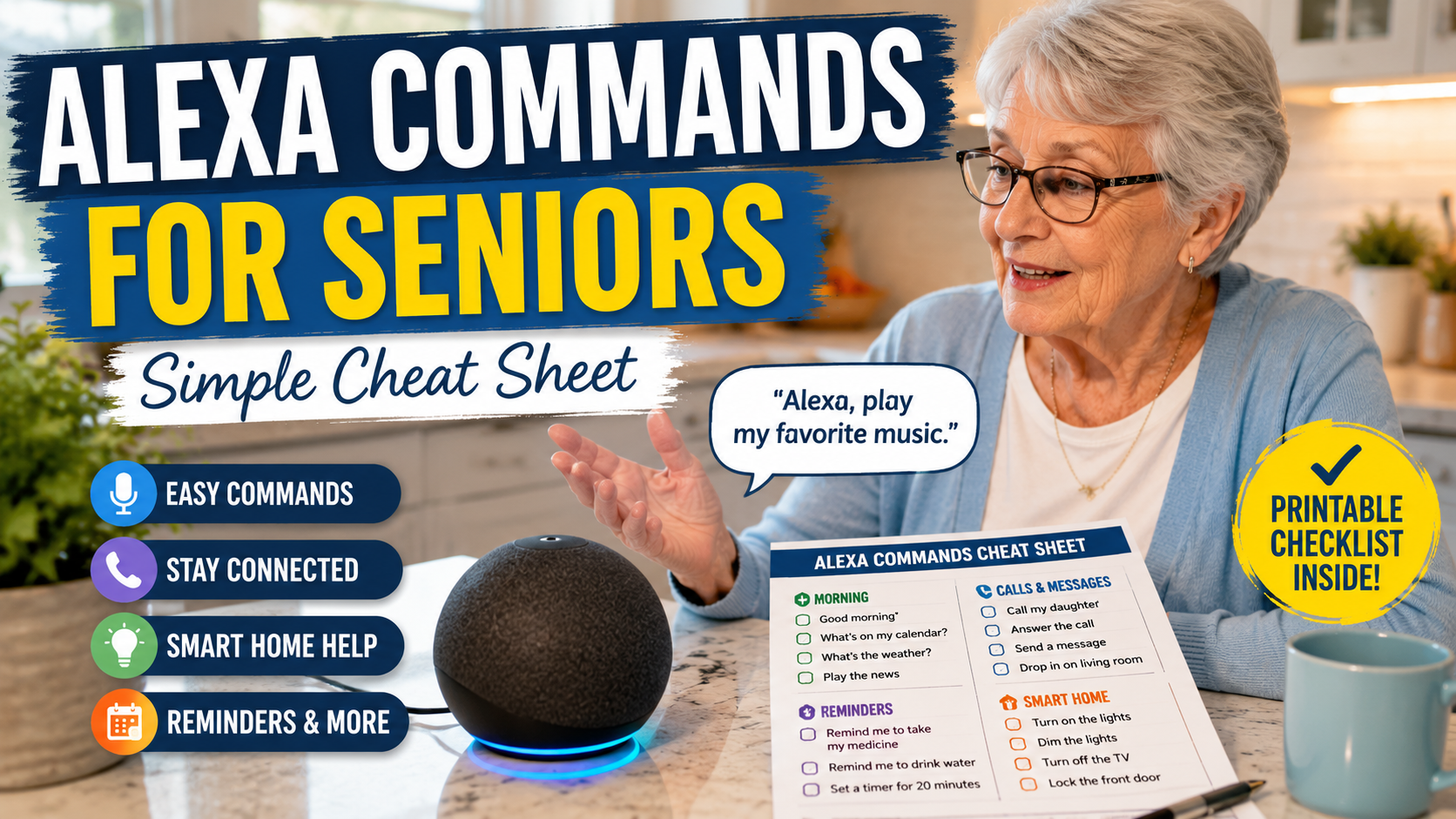
Alexa Commands for Seniors: A Simple Cheat Sheet for Older Adults
Learning a few simple Alexa commands for seniors can make voice technology feel less intimidating and more useful. For many older adults, the challenge is not understanding that Alexa exists. It is knowing exactly what to say in the moment.
This guide is designed as a practical cheat sheet for families. You can read it with a parent, print the most useful commands, or keep a short list beside an Echo device. If your family is still deciding whether Alexa is a good fit, start with our Alexa for Seniors beginner guide and our article on whether Alexa can help seniors live independently.
Quick Answer
The best Alexa commands for seniors are short, repeatable phrases for reminders, timers, calls, weather, music, smart lights, bedtime routines, and daily questions. Start with 10 commands that match your parent’s real routine before adding more.
Top 10 Alexa Commands to Start With
After learning the first voice commands, it helps to see what Alexa can do for seniors in daily life so the setup feels useful instead of overwhelming.
If your parent is new to Alexa, begin here. These commands are useful, easy to remember, and low pressure.
| Command | Best For | Family Note |
|---|---|---|
| Alexa, what time is it? | Quick orientation | Helpful at night or from another room. |
| Alexa, what is the weather today? | Daily planning | Useful before walks, errands, or appointments. |
| Alexa, set a timer for 10 minutes. | Cooking and chores | Practice with one simple timer first. |
| Alexa, remind me to take my pills at 9 AM. | Medication routines | Use as support, not proof that medicine was taken. |
| Alexa, call my daughter. | Family connection | Set up contacts and test together. |
| Alexa, turn on the living room light. | Smart lighting | Use simple device names. |
| Alexa, play soft music. | Comfort | Choose familiar music styles. |
| Alexa, what are my reminders today? | Daily structure | Good morning habit. |
| Alexa, add milk to my shopping list. | Household lists | Useful when ideas come up suddenly. |
| Alexa, stop. | Control | One of the most important commands to teach early. |
How to Teach Alexa Commands to an Older Parent
Before practicing too many phrases, it can help to introduce Alexa to an elderly parent in a slower way so the first commands feel useful instead of overwhelming.
Teaching Alexa works best when it feels practical, not like a technology lesson. Sit beside your parent, use the device together, and connect each command to a real moment in the day.
- Start with one room and one Echo device.
- Use large-print command cards near the device.
- Practice the same five commands for several days.
- Use the same wording every time.
- Keep device names simple, such as “bedroom lamp” or “kitchen light.”
- Teach “Alexa, stop” early so your parent feels in control.
Printable Alexa Commands for Seniors
This section is designed to be printed or copied into a large-print note. Pick the commands your parent will actually use. A short list that gets used every day is better than a long list that feels overwhelming.
| Category | Command | When to Use It |
|---|---|---|
| Morning | Alexa, good morning. | Start a simple routine with weather, reminders, or music. |
| Morning | Alexa, what is on my calendar today? | Review appointments or family visits. |
| Morning | Alexa, what are my reminders today? | Check the day’s structure. |
| Morning | Alexa, play morning music. | Create a familiar start to the day. |
| Weather | Alexa, will it rain today? | Plan clothing or errands. |
| Weather | Alexa, what is the temperature outside? | Decide whether to walk or wait. |
| Reminders | Alexa, remind me to take my medicine at 9 AM. | Support medication routines. |
| Reminders | Alexa, remind me to drink water at 2 PM. | Support hydration habits. |
| Reminders | Alexa, remind me to call Sarah at 5 PM. | Keep family contact on track. |
| Reminders | Alexa, remind me to take the laundry out in 45 minutes. | Short household task reminders. |
| Timers | Alexa, set a timer for 15 minutes. | Cooking, tea, laundry, or rest breaks. |
| Timers | Alexa, how much time is left on my timer? | Check without walking back to the kitchen. |
| Timers | Alexa, cancel my timer. | Stop a timer when plans change. |
| Calls | Alexa, call my son. | Hands-free family calls. |
| Calls | Alexa, answer the call. | Answer without reaching for a phone. |
| Calls | Alexa, hang up. | End a call clearly. |
| Calls | Alexa, send a message to Emily. | Simple family messages after setup. |
| Smart Lights | Alexa, turn on the hallway light. | Helpful before walking through the home. |
| Smart Lights | Alexa, dim the bedroom light. | Reduce glare at night. |
| Smart Lights | Alexa, turn off all lights. | Bedtime convenience. |
| Smart Home | Alexa, set the thermostat to 72 degrees. | Comfort without using a small screen. |
| Smart Home | Alexa, lock the front door. | Only if a compatible smart lock is safely configured. |
| Lists | Alexa, add eggs to my shopping list. | Capture items before they are forgotten. |
| Lists | Alexa, what is on my shopping list? | Review before a family shopping trip. |
| Entertainment | Alexa, play 1960s music. | Familiar music without using a phone. |
| Entertainment | Alexa, play the news. | Brief updates without scrolling. |
| Entertainment | Alexa, read my audiobook. | Hands-free listening. |
| Entertainment | Alexa, tell me a joke. | Light, low-pressure use. |
| Questions | Alexa, how many tablespoons are in a cup? | Cooking help. |
| Questions | Alexa, spell appointment. | Everyday information. |
| Bedtime | Alexa, good night. | Run a simple bedtime routine. |
| Bedtime | Alexa, remind me tomorrow at 8 AM to call the doctor. | Capture tomorrow’s task. |
| Bedtime | Alexa, play sleep sounds. | Optional calming audio. |
| Control | Alexa, stop. | Stop music, timers, alarms, or speech. |
| Control | Alexa, volume down. | Make the device less intrusive. |
| Emergency-Adjacent | Alexa, call my emergency contact. | Only if contacts and calling are set up and tested. |
| Emergency-Adjacent | Not recommended: “Alexa, call 911.” | Standard Alexa Communication does not support calling 911. Do not rely on Alexa as the only emergency plan. Emergency features may require separate services, setup, power, Wi-Fi, phone availability, and local service support. |
| Emergency-Adjacent | Alexa, call my daughter. | A practical first step when family help is appropriate. |
Timer commands to practice
Timers are one of the safest command categories to practice because they are simple, short, and easy to test while a family member is nearby.
- Alexa, set a timer for 5 minutes.
- Alexa, how much time is left on my timer?
- Alexa, pause.
- Alexa, resume.
- Alexa, stop.
Reminder Commands Seniors May Use Every Day
Reminders are often the first Alexa feature families should set up. They can support structure, but they should not replace medical advice, caregiver support, or emergency systems.
- Alexa, remind me to take my morning medication at 9 AM.
- Alexa, remind me to drink water every day at 2 PM.
- Alexa, remind me to call Susan on Friday at 4 PM.
- Alexa, remind me to take the laundry out in 45 minutes.
- Alexa, what are my reminders today?
If medication is a major concern, compare voice reminders with dedicated medication reminder devices for seniors. Alexa can be useful; if you want the specific setup steps, see how to set up medication reminders on Alexa. Some families still need pill dispensers, caregiver alerts, or a more structured medication system.
Communication Commands for Calls and Family Check-Ins
Voice commands can make communication easier for older adults who dislike small screens or complicated contact lists. Imagine your mother wants to call you after dinner but does not want to search for her phone. A tested voice command can remove that friction.
- Alexa, call Emily.
- Alexa, answer the call.
- Alexa, hang up.
- Alexa, send a message to David.
- Alexa, drop in on the kitchen Echo.
Families should set up contacts carefully and explain any feature that allows two-way communication. Comfort and consent matter. A parent should understand who can call, message, or use household communication features.
Smart Home Commands for Safety and Comfort
Alexa becomes more useful when connected to simple smart home devices. Start with lights, plugs, or a smart speaker in a central room before adding more advanced equipment.
- Alexa, turn on the living room light.
- Alexa, turn off the bedroom lamp.
- Alexa, set the thermostat to 72 degrees.
- Alexa, turn on the coffee maker.
- Alexa, lock the front door.
For families building a safer home setup, our aging in place checklist can help you review lighting, entryways, bathroom safety, routines, and technology together.
Emergency-Adjacent Commands: Be Careful
For families who want one practical safety workflow, an Alexa emergency routine for elderly parents can combine a simple trigger phrase with lights, spoken prompts, and family check-in steps.
Families often ask whether Alexa can help in an emergency. The safest answer is: test everything before relying on it, and do not treat Alexa as a replacement for a medical alert system or emergency plan. For a broader safety review, use our room-by-room home safety checklist for seniors alongside any voice-assistant setup.
Some calling features depend on device settings, location, subscription, and account setup. If emergency calling matters for your family, verify the exact setup in your area and keep emergency numbers, medical alert devices, and family contacts clearly available.
Commands for Routines and Independence
For a practical next step, compare simple Alexa routines for seniors that families can set up without making the system complicated.
After the first commands feel familiar, families can review Alexa skills and features worth setting up to decide which reminders, routines, music, calling, or smart home options are useful enough to enable.
Routines combine multiple actions into one phrase. For example, “Alexa, good morning” can turn on lights, read the weather, and start a reminder. Routines are powerful, but they should stay simple.
Good beginner routines
- Good morning routine: lights, weather, calendar, medication reminder.
- Good night routine: turn off lights, lock door, set reminder for tomorrow.
- Leaving home routine: turn off selected lights and remind about keys.
- Evening routine: turn on lamp, play music, remind about dinner or pills.
Accessibility Commands That Make Alexa Easier to Use
A few accessibility-related commands can make Alexa feel less frustrating for seniors with hearing, vision, or comfort needs. Keep this section simple and test each command on the actual device your parent uses.
- Alexa, volume up.
- Alexa, volume down.
- Alexa, set volume to 5.
- Alexa, turn on VoiceView. This applies to Echo Show devices with a screen reader.
- Alexa, closed captions on. This applies when supported video content is playing on an Echo Show or compatible screen device.
For deeper accessibility setup, use the dedicated guides for low vision and hearing support rather than trying to solve every accessibility need inside a command cheat sheet.
Common Mistakes Families Should Avoid
- Teaching too many commands at once.
- Using complicated device names like “left rear bedroom lamp.”
- Assuming a parent will remember commands after one lesson.
- Setting up communication features without explaining privacy.
- Expecting Alexa to replace emergency response systems.
- Forgetting to teach “Alexa, stop.”
FAQ
What are the easiest Alexa commands for seniors?
The easiest commands are time, weather, timers, reminders, calls, music, and “Alexa, stop.” These are short, practical, and easy to practice daily.
Is there an Alexa cheat sheet for seniors?
Yes. A good Alexa cheat sheet for seniors should group commands by daily routine, such as morning, reminders, calls, lights, entertainment, and bedtime.
Can Alexa remind seniors to take medication?
Alexa can create medication reminders, but it does not confirm whether medicine was taken. Families with serious medication concerns should consider dedicated reminder devices or professional guidance.
Can Alexa call family members?
Yes, Alexa can call approved contacts after setup. Families should test calls together and make sure the senior understands how calling and messaging work.
What Alexa commands should a senior learn first?
Start with time, weather, timers, reminders, calls, lights, music, shopping lists, and “Alexa, stop.” These cover the most common daily needs.
Conclusion
The best Alexa commands for seniors are not complicated. They are simple phrases that reduce friction in everyday life. Start with the top 10 commands, print the cheat sheet, practice together, and build slowly. Once your parent is comfortable, use these commands alongside our broader Alexa guides to create a safer, calmer, more useful smart home setup.