Smart Plugs for Seniors: Safe Uses, Alexa Setup & What to Avoid
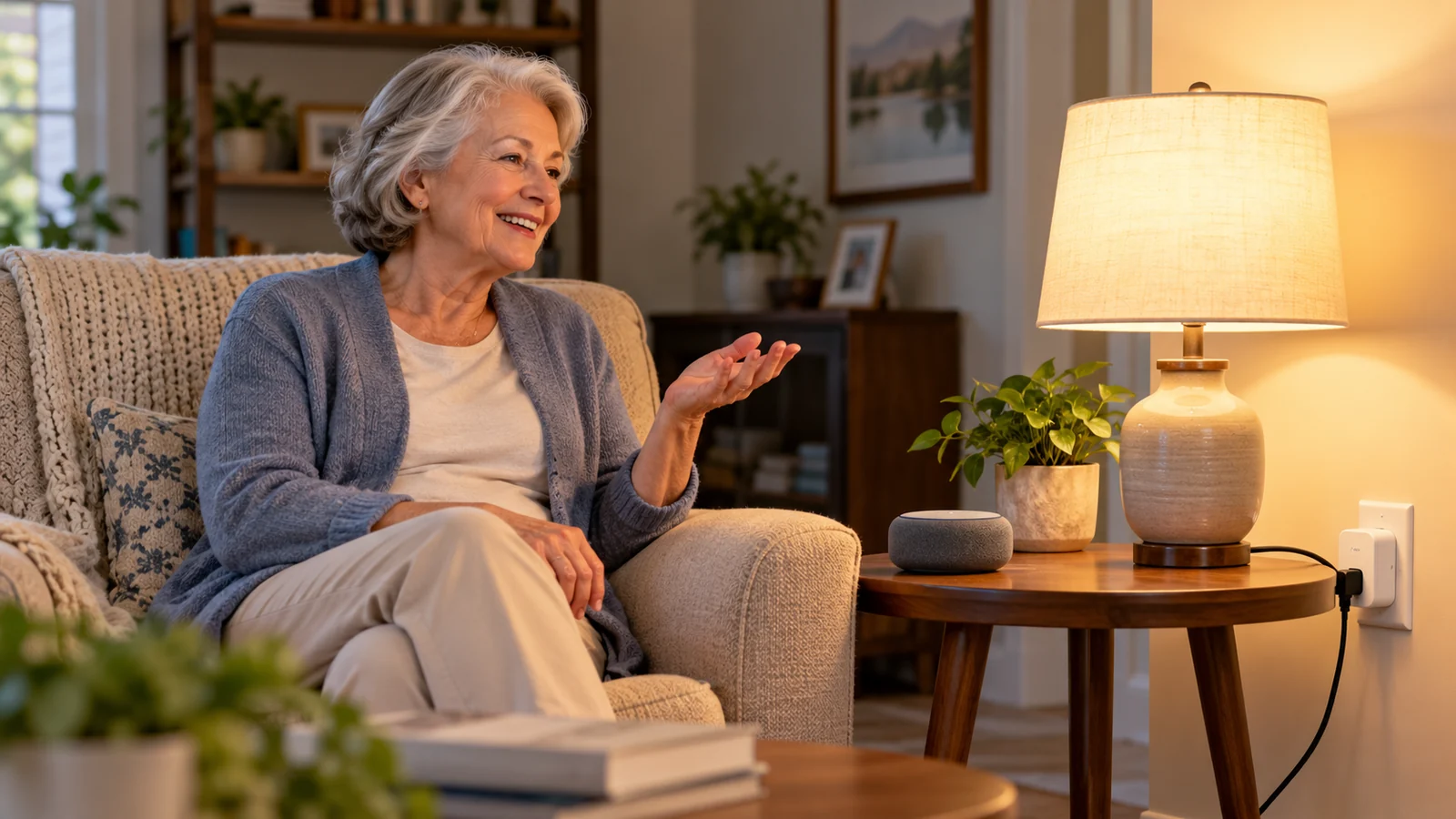
Your mom is settled in bed when she realizes the lamp across the room is still on. Or your dad is comfortable in his favorite chair and wants more light without getting up. That is where smart plugs for seniors can help: one familiar lamp becomes easier to switch on or off by voice, or to put on a simple schedule.
The best setup is often just one plug and one lamp. This guide helps you decide whether that would truly help your parent, set it up without fuss, and keep a dependable way to turn the light on when technology fails.
Is a smart plug right for your parent?
- Probably yes if reaching a lamp switch is difficult and your parent already feels comfortable using Alexa or a phone.
- Start simpler if all they need is light on the way to the bathroom: a motion-sensing night light needs no app or Wi-Fi.
- Never use one for heaters, medical equipment, refrigerators, alarms, or anything that must stay powered. A smart plug is a convenience switch, not a safety device.
Smart plugs for seniors: three everyday uses
A bedside lamp
A short phrase such as “Alexa, turn on the bedroom lamp” can spare your parent a reach across the bed. Keep the lamp’s own switch on and its manual control within reach.
Evening lighting
A lamp can come on around dusk or switch off at bedtime. Choose times with your parent; an unexpected blackout while they are reading is not helpful.
A hard-to-reach corner
A small fan, radio, or corner lamp may be easier to control by voice or phone—only when its power draw is safely within the plug’s rating.
If your concern is moving safely through the house at night, use our room-by-room home safety checklist for a wider look. A smart plug cannot replace good lighting, a clear walkway, or a battery light.
What a smart plug actually does
Think of it as a remote-controlled on/off switch between the wall outlet and a lamp. It does not dim an ordinary bulb, detect a fall, check on your parent, or call for help. The lamp’s own switch must remain on for the plug to control it. For voice-assistant limits in an emergency, see what Alexa cannot do for seniors.
Most Wi-Fi plugs need a 2.4 GHz Wi-Fi network—a common home-network setting. “Matter” is simply a compatibility standard that can let a plug work with more than one smart-home platform; it does not make every setup work offline. You can ignore other protocol names unless you already have a particular smart-home system.
Alexa-only or Matter? A quick comparison
Choose the simpler Alexa route
If your parent already uses an Echo, an Alexa-focused plug usually means one app and fewer setup steps. Check the exact listing for Alexa compatibility and the required Wi-Fi band.
Choose Matter for flexibility
A Matter-certified plug may suit a family that could use another voice assistant later. Confirm that the exact plug and your Echo support Matter; some setups need a compatible controller and the maker’s app.
For either route, look for a recognized safety-testing mark such as UL or ETL, check the plug’s amp and watt rating against the appliance, use an indoor plug indoors, and leave its manual button easy to reach. Start with one plug rather than outfitting the whole home.
Set up a smart plug with Alexa in six calm steps
Menu names can change as the Alexa app is updated, so follow the current on-screen prompts when they differ. Set up the Echo first and have the Alexa app ready.
- Choose one lamp. Plug it into an outlet with a reliable Wi-Fi signal. Leave the lamp’s own switch on.
- Connect the plug. For an Amazon Alexa-focused plug, open Devices → + → Add Device → Plug in the Alexa app. For Tapo or another brand, first follow that maker’s app instructions, then connect it to Alexa or use its Matter pairing steps.
- Check the network. Most plugs pair on 2.4 GHz Wi-Fi. If setup stalls, verify the phone and plug are using the home network.
- Give it a familiar name. “Bedroom lamp” is clearer than “Plug 1.” Avoid two devices with nearly identical names.
- Try it together. Test voice, the app, and the plug’s physical button. Watch the lamp to confirm that each command really worked (Amazon’s smart-home safety guidance).
- Leave a simple reminder. A small “Leave this switch ON” label prevents the most common problem. Teach one or two useful phrases, not a long list.
For more natural phrases, see Alexa commands for seniors. Ask your parent before setting schedules or controlling a lamp remotely; a light that changes unexpectedly can feel intrusive.
Safety first: what should never go on a smart plug
Keep high-heat, medical, and always-on devices directly on appropriate power. Do not use a smart plug with space heaters, irons, toasters, hair dryers, oxygen or breathing equipment, refrigerators or medication refrigerators, smoke/CO alarms, medical-alert bases, or the home’s router and modem.
Heaters in particular should be plugged directly into a wall outlet, not a power strip or extension cord (Cornell EHS; Los Angeles County safety bulletin). Avoid daisy-chaining smart plugs or using them with power strips. If an outlet or plug feels loose, warm, or discolored, stop using it and consult an electrician. Follow the appliance and plug manuals.
What happens when Wi-Fi or power goes out?
If the internet fails
Do not rely on Alexa voice control or remote phone control. A plug’s physical button and the lamp’s own switch still work while the house has power. Some makers store schedules on the device—Kasa says its schedules can continue offline—but that is not a promise for every model. Amazon describes possible local control for compatible Matter devices; test your exact plug and Echo rather than assuming it works (Amazon Matter documentation).
Our video on smart-home internet outages explains the wider issue. It is not a hands-on test of the two plugs discussed below.
If the power fails
The plug and the lamp both go dark. A smart plug is never emergency lighting. Keep a flashlight or battery lantern by the bed and a battery night light on the bathroom route. When power returns, plugs may resume in different states; D-Link documents one model’s behavior, but yours may differ. Test yours with the lamp before relying on it.
A few buying checks that matter more than extra features
- Fit: Confirm Alexa support, 2.4 GHz Wi-Fi, and an accessible manual button.
- Electrical rating: Keep the item well within the plug’s printed amp and watt limits. Do not assume every model has the same rating.
- Support: Keep the app and firmware updated. Cloud-based features can disappear if a maker ends support; Belkin’s Wemo notice is one example.
- Privacy: Energy-monitoring data may reveal household routines. Talk with your parent before enabling it. Most families do not need energy reports for a lamp.
- Account ownership: Decide who will manage the device and write down the setup details somewhere private.
When a simpler option is better
If your parent dislikes apps, has unreliable Wi-Fi, or only needs a light at night, a motion-sensing night light, touch-control lamp, outlet timer, or handheld-remote outlet may solve the problem with less maintenance. A smart bulb can also work for voice-controlled lighting. Match the tool to the task—not the feature list.
Try this together before you call it done
- Confirm the lamp can be turned on by voice, app, and the plug’s button.
- Check that its switch stays on and the button is not hidden behind furniture.
- Test what happens when the internet is unavailable and when power returns.
- Keep a battery light nearby and make sure your parent knows the manual option.
If you decide to buy a smart plug
How we chose these options: We reviewed manufacturer instructions, available product listings, and published security advisories on October 21, 2026. We have not tested these plugs hands-on. Prices and availability change, so verify the current listing and seller before buying.
Affiliate disclosure: The Amazon link below is an affiliate link; we may earn a commission at no extra cost to you. As an Amazon Associate I earn from qualifying purchases. See our full affiliate disclosure.
Amazon Smart Plug: A straightforward option for a home already using Echo and Alexa: setup in the Alexa app, no separate hub, and 2.4 GHz Wi-Fi. It is less flexible if you later switch voice assistants. View Amazon Smart Plug on Amazon (affiliate link).
Tapo P125M: A Matter-certified 2.4 GHz option if your family wants broader platform compatibility. Setup may involve the Tapo app and a compatible Matter controller; check the manufacturer’s current specifications and install firmware updates before use. Compare the current retailer listing with the manufacturer’s specifications before buying.
Common questions
Do smart plugs work without Wi-Fi?
The plug’s own button can still switch a lamp while there is power. Alexa voice and remote app control generally need a connection; some schedules or Matter connections may work locally. Test your particular setup.
Can I use one with a space heater?
No—we advise against it. Heaters should be plugged directly into a suitable wall outlet, following their safety instructions.
What if my parent turns the lamp’s switch off?
The smart plug cannot turn the lamp back on. Leave the lamp’s switch on, label it, and show your parent how to use the plug’s physical button.
Technical note for existing Kasa owners
Kasa KP125M is not a current pick. TP-Link has published 2026 Kasa security advisories. We could not confirm the exact hardware/firmware status for this model from the material reviewed, so we would not recommend it here. If you already own Kasa devices, compare each model and hardware version with TP-Link advisory 5342 and advisory 5267, then update its firmware. An older Tapo P125M firmware issue is documented in NVD; that is another reason to update before setup.
Start with one useful change
A single well-placed lamp can make a room more comfortable without adding much to learn. Try it together, keep the manual option, and let your parent decide whether it helps. If Alexa is new in the house, begin with our beginner’s guide to Alexa for seniors.
Sources and further reading
- Wikipedia: smart plug
- Amazon: safety information for using smart home devices with Alexa
- Amazon developer docs: connect your device to Alexa with Matter
- TP-Link Kasa smart home devices FAQ
- Tapo smart plug FAQ
- Belkin: Wemo support ending
- D-Link FAQ: smart plug state after a power outage
- Cornell Environment, Health and Safety: space heaters
- Los Angeles County: safety bulletin on portable indoor space heaters (2026)
- TP-Link advisory FAQ 5342: CVE-2026-108473 (Kasa devices)
- TP-Link advisory FAQ 5267: CVE-2026-76784 (Kasa devices)
- NVD: CVE-2024-46548
- Tapo P125M product page
- B&H: Amazon Smart Plug listing
- Matter Alpha: do Matter devices work without the internet?