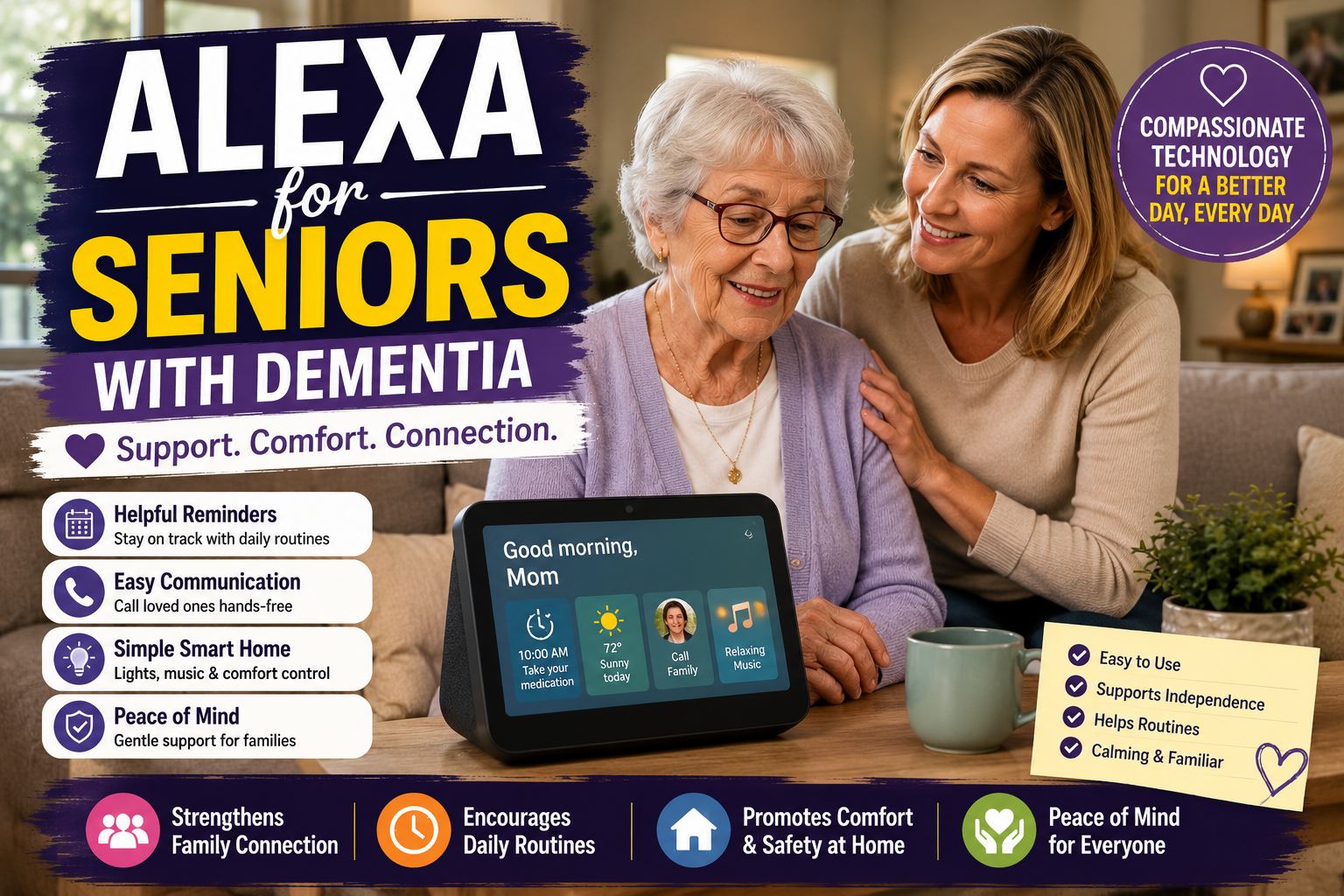
Alexa for Seniors With Dementia: Benefits, Limits, and Safety Tips for Families
Using Alexa for seniors with dementia can be helpful in some homes, but it requires extra care. Voice assistants may support reminders, routines, music, family connection, and simple daily prompts. They should never be treated as a cure, a medical device, a full supervision system, or a replacement for professional care.
This guide is written for families who want to use technology gently and realistically. If your parent is new to Alexa, start with our Alexa for Seniors beginner guide. If your broader goal is independence, read how Alexa can help seniors live independently.
Important Note Before You Start
Dementia affects people differently. What feels helpful for one person may feel confusing or upsetting for another. Families should involve healthcare professionals, caregivers, and the older adult whenever possible before relying on any technology for daily support.
Quick Answer
Alexa may help some seniors with dementia by providing simple reminders, familiar music, routine prompts, hands-free calls, and voice-controlled lights. However, it has major limits and should be used only as one small part of a larger care and safety plan.
For simpler everyday examples, families may also review our Alexa commands for seniors and practical Alexa uses for older adults before deciding what is appropriate for memory-related needs.
Early Stage vs More Advanced Dementia
The right Alexa setup depends heavily on the person’s current abilities, comfort, and support system.
| Stage or Situation | Alexa May Help With | Extra Caution |
|---|---|---|
| Early-stage memory changes | Reminders, music, lists, calls, simple routines | Involve the person in setup and choices. |
| Moderate confusion | Familiar music, simple prompts, family calls | Keep commands and routines very limited. |
| Advanced dementia | Possibly music or caregiver-controlled routines | Do not expect independent use. |
| Anxiety around devices | Maybe no use at all | Remove or simplify if it causes distress. |
Situations Where Alexa May Help
The most useful benefits are usually simple. Families should focus on calm routines and familiar tasks, not complex smart home setups.
Gentle daily reminders
Alexa can remind someone about meals, hydration, appointments, or daily routines. Medication reminders may be useful, but Alexa cannot confirm whether medication was taken.
For higher-risk medication routines, compare Alexa with dedicated medication reminder devices for seniors.
Familiar music and calming audio
Music can be comforting for many older adults. Families may set up playlists with favorite songs, calming music, or familiar radio stations.
Simple voice control
Voice control can reduce the need to use small buttons or screens. A senior may be able to ask Alexa to turn on a light, play music, or call a family member.
Routine support
Short routines may help structure the day. For example, a morning routine might turn on lights, read the weather, and play familiar music.
Family communication
Hands-free calling can make contact easier. Families should test it carefully and avoid communication settings that feel intrusive.
Situations Where Alexa Can Create Frustration
Alexa is not always calming. It can become frustrating if the person forgets the wake word, repeats commands, hears unexpected responses, or does not understand where the voice is coming from.
- The person becomes upset when Alexa misunderstands them.
- The device speaks unexpectedly and causes confusion.
- Commands are too complicated to remember.
- Family members use communication features without clear consent.
- The senior believes Alexa is a person or feels watched.
Where Alexa Has Serious Limits
This is the most important part of the decision. Alexa can be helpful, but families should understand what it cannot do.
- Alexa cannot diagnose, treat, or monitor dementia.
- Alexa cannot guarantee a person follows a reminder.
- Alexa cannot replace in-person care.
- Alexa cannot reliably detect every emergency.
- Alexa may misunderstand speech, background noise, or confusion.
Consent, Privacy, and Dignity
Technology should support dignity, not create a feeling of surveillance. If your parent can participate in the decision, explain what the device does, where it is placed, and who can communicate through it.
If your parent cannot fully understand the setup, families should still use the least intrusive approach possible. Place devices in shared spaces, avoid private areas unless there is a clear care reason, and review who has access to calling or communication features.
For a deeper privacy-first approach, our guide on how to monitor an elderly parent remotely without invading privacy may help families choose respectful tools.
Situation, Support, and Human Care Table
| Situation | How Alexa May Help | Human Support Still Required |
|---|---|---|
| Morning confusion | Play familiar music or announce a simple routine. | A caregiver may still need to check meals, hygiene, and safety. |
| Medication routine | Give a reminder at a set time. | Someone may need to confirm medicine was taken correctly. |
| Loneliness | Make family calls easier. | Family contact and visits still matter. |
| Nighttime wandering risk | Turn on lights by voice if the person can use the command. | Physical home safety and supervision may still be needed. |
| Agitation | Play calming music if it is familiar and welcome. | Caregiver judgment is needed if distress continues. |
| Appointments | Provide reminders. | Family may still need to arrange transportation and confirm attendance. |
Simple Alexa Commands to Start With
If hearing is part of the challenge, families may need a different Alexa setup for seniors who are hard of hearing before relying on reminders or voice prompts.
Keep commands short and consistent. Use only a few at first.
- Alexa, what time is it?
- Alexa, play my music.
- Alexa, turn on the lamp.
- Alexa, call my daughter.
- Alexa, what are my reminders?
How Families Can Set Up Alexa More Safely
Use simple names
Name devices clearly: “bedroom lamp” is better than “smart plug three.”
Limit features at first
Start with music, reminders, calls, and one smart light. Avoid adding too many skills or devices at once.
Place the device carefully
Choose a central, familiar location. Avoid placing devices where they may feel intrusive.
Review communication settings
Only trusted contacts should be enabled. Explain who can call and how calls work.
Keep emergency planning separate
Do not rely on Alexa alone for emergencies. Families should review fall risks, emergency contacts, medical alert options, and home safety plans.
Our aging in place checklist can help families review these broader safety issues.
Questions Families Should Ask Before Buying an Alexa Device
- Does my parent understand what the device is?
- Does my parent want this kind of help?
- Which room would feel respectful and useful?
- What one problem are we trying to solve first?
- Who will maintain reminders, contacts, and settings?
- Could the device cause confusion, anxiety, or conflict?
- What is our backup plan if Alexa does not work?
- Are we using this to support dignity, or just to reduce our own worry?
When a Reminder Stops Being Enough
Simple prompts may be useful when a person can still understand the message, decide what to do, and complete the task. As dementia progresses, a repeated voice prompt can become confusing or may be acted on twice. The National Institute on Aging recommends calm, respectful communication, extra time to respond, and keeping the person involved rather than talking around them.
Families should reassess the setup when the person no longer recognizes Alexa’s voice, repeats a medication action, becomes distressed by announcements, or cannot reliably ask for help. At that point, human support, a clinician-guided care plan, or a more appropriate supervised system matters more than adding another routine. Alexa may support a familiar routine, but it does not diagnose change, confirm medication use, or replace direct care.
When Alexa May Not Be a Good Fit
Alexa may not be helpful if it increases confusion, anxiety, frustration, or conflict. Some seniors may dislike speaking to a device or may not understand where the voice comes from. In that case, simpler tools may be better.
Common Mistakes to Avoid
- Installing Alexa without explaining it.
- Using too many skills or commands.
- Expecting reminders to solve medication safety alone.
- Using communication features in a way that feels invasive.
- Ignoring physical home safety issues.
- Leaving the setup unmanaged after the first week.
Family Tip Box
Try a two-week test with only three features: music, one reminder, and one family call command. If your parent uses those comfortably, add one more feature. If the device causes stress, simplify or stop.
FAQ
Is Alexa good for seniors with dementia?
Alexa can be helpful for some seniors with dementia, especially for music, reminders, calls, and routines. It is not right for everyone and should not replace care, supervision, or medical advice.
Can Alexa help dementia patients?
Alexa may support simple routines or familiar activities for some people, but dementia care is highly individual. Families should use it carefully and involve professionals when needed.
Can Alexa remind someone with dementia to take medication?
Alexa can provide medication reminders, but it cannot verify that medication was taken correctly. Families should consider dedicated medication systems when missed doses are a serious concern.
Can Alexa help caregivers?
Alexa may help caregivers by supporting routines and communication, but it should be part of a broader care plan that includes human support and safety checks.
Does Alexa invade privacy?
Alexa can raise privacy concerns if families do not explain settings, communication features, and placement. Consent, transparency, and limited use are important.
Conclusion
Alexa can support some seniors with dementia through music, reminders, simple calls, routines, and voice-controlled lights. The best approach is calm, limited, and respectful. Use Alexa as one helpful tool, not as a substitute for care, medical guidance, family involvement, or emergency planning.