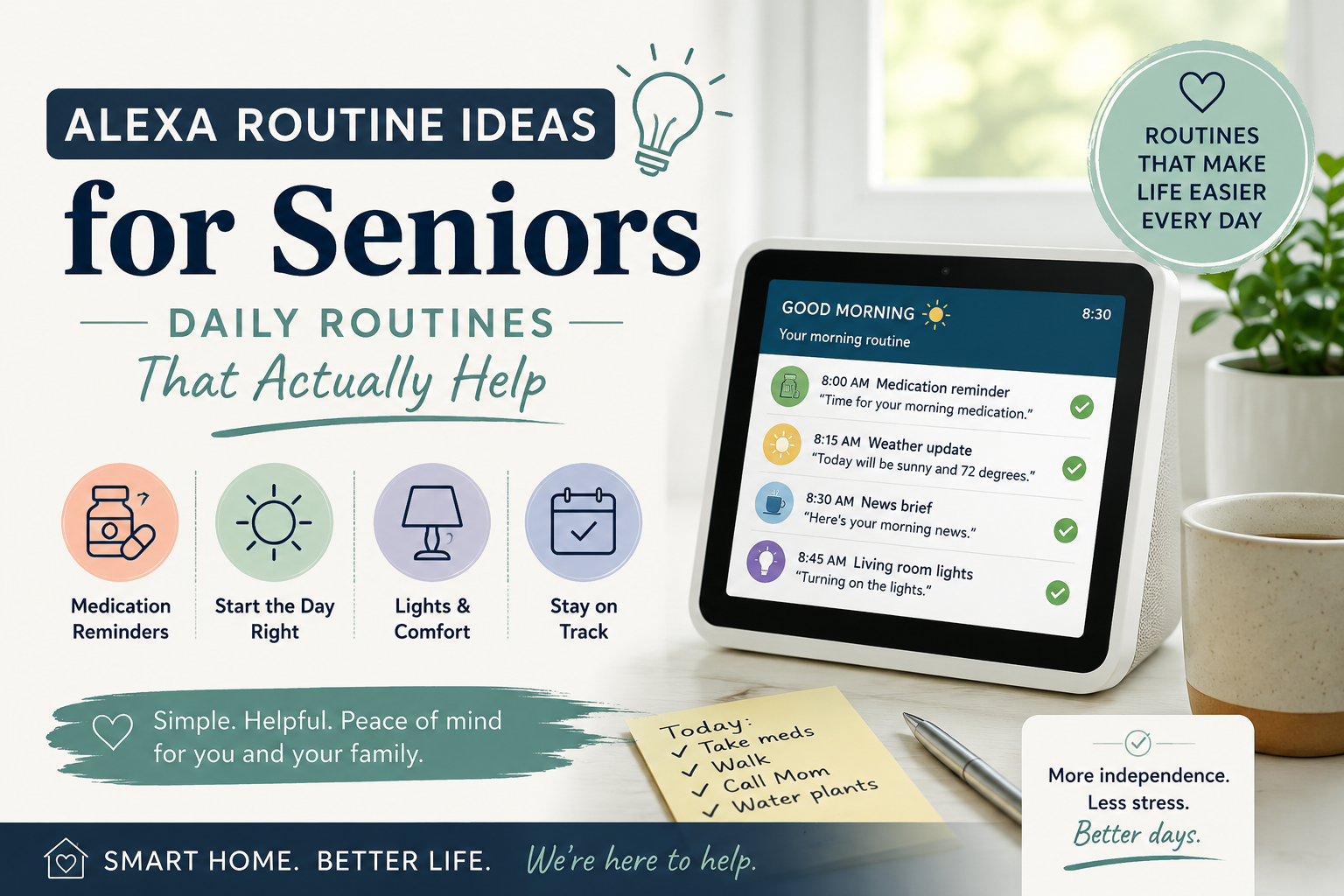
Alexa Routine Ideas for Seniors: Simple Daily Routines That Actually Help
Quick Answer
The best Alexa routines for seniors are simple, repeatable automations that support daily life without making technology feel overwhelming. Good starting routines include a morning routine, medication reminder routine, good night routine, weather update, family check-in, hydration reminder, light control routine, calendar reminder, news update, and gentle movement reminder.
Alexa routines should not replace caregivers, medical advice, emergency systems, or family support. But when they are set up thoughtfully, they can make small daily tasks easier for older adults and give families a little more peace of mind.
If your parent is still learning basic voice commands, start with our Alexa commands for seniors guide first, then come back to routines once those commands feel familiar.
Table of Contents
- What Alexa routines are
- Why routines can help older adults
- 10 Alexa routines for seniors
- How to create a routine step by step
- Common mistakes families should avoid
- Frequently asked questions
What Are Alexa Routines?
Alexa routines are simple automations that make Alexa do one or more actions after a trigger.
For example, your mother might say, "Alexa, good morning," and Alexa could respond by turning on a lamp, reading the weather, sharing the day’s calendar, and reminding her to drink water.
A routine can be triggered by:
- A voice phrase
- A scheduled time
- Sunrise or sunset
- A smart home device
- A motion sensor
- An alarm being dismissed
For seniors, the goal is not to create a complicated smart home. The goal is to reduce friction in everyday moments. A good routine should feel like a helpful nudge, not like a system your parent has to manage.
If your family is new to Alexa, our Alexa for seniors beginner guide explains the basics before you start building routines.
Why Alexa Routines Can Help Older Adults
A routine can also be useful for stressful moments; families can create an emergency routine for elderly parents that uses one memorable phrase and a short set of support actions.
Many families buy an Alexa device because they want a parent to have easier access to reminders, music, calls, or smart lights. The problem is that remembering individual commands can be difficult at first.
Routines solve part of that problem.
Instead of asking your parent to remember five different commands, you can group helpful actions into one phrase or schedule. That can be especially useful for older adults who prefer predictable habits.
Alexa routines may help with:
- Morning structure
- Medication reminders
- Bedtime habits
- Weather awareness
- Family check-ins
- Hydration prompts
- Lighting
- Calendar reminders
- Gentle activity
- Reducing small daily frustrations
Imagine your father wakes up and is not sure whether he has anything on the calendar. A simple morning routine can tell him the day, the weather, and his first appointment. That small moment can make the day feel more organized.
Still, routines have limits. Alexa cannot verify that medication was taken correctly, cannot detect every emergency, and cannot replace regular contact from family or caregivers. For a medication-specific walkthrough, see how to set up medication reminders on Alexa; families may also want to compare medication reminder devices for seniors.
10 Alexa Routines for Seniors That Families Can Set Up
Use the table below as a starting point. The best routine is the one your parent will actually understand, accept, and use.
| Routine | What It Does | Best For | Setup Difficulty |
|---|---|---|---|
| Morning routine | Starts the day with weather, calendar, lights, and reminders | Daily structure | Easy |
| Medication reminder routine | Gives scheduled medication prompts | Routine medication habits | Easy to moderate |
| Good night routine | Turns off lights, lowers volume, and gives bedtime reminders | Evening calm | Easy |
| Weather routine | Shares daily weather before errands or walks | Planning the day | Easy |
| Family check-in routine | Prompts a call, message, or reminder to contact family | Staying connected | Moderate |
| News routine | Plays a short news update or favorite station | Familiar daily habit | Easy |
| Hydration reminder | Reminds your parent to drink water | Gentle wellness prompts | Easy |
| Light control routine | Turns on hallway or living room lights | Visibility and comfort | Moderate |
| Calendar reminder routine | Reads upcoming appointments or events | Reducing missed plans | Easy |
| Gentle movement reminder | Encourages a short walk, stretch, or chair movement | Daily activity prompts | Easy |
Best First 3 Alexa Routines for Seniors
If your family only sets up three routines at first, choose routines that are useful every day and easy to understand. The goal is not to impress your parent with technology. The goal is to make one or two normal moments feel smoother.
| Starter Routine | Trigger | Actions | Why Start Here |
|---|---|---|---|
| Morning check-in | "Alexa, start my day" | Weather, calendar, gentle hydration reminder, living room lamp on | Helps the day feel organized without asking your parent to remember several commands |
| Medication prompt | Scheduled time, such as 8:00 AM | Calm reminder, optional follow-up phrase, volume set clearly | Supports a daily habit while reminding families that Alexa cannot confirm medication was taken |
| Good night routine | "Alexa, good night" | Turn off selected lights, lower volume, remind parent to check doors, play calming audio | Creates a simple evening rhythm and reduces small bedtime worries |
Example 1: Simple Morning Routine
Trigger: "Alexa, start my day."
Actions: Alexa turns on a lamp, reads the weather, mentions the first calendar event, and says, "Remember to take your time this morning."
Why it works: It gives your parent useful information without making the routine feel medical, controlling, or complicated.
Example 2: Medication Reminder Routine
Trigger: 8:00 AM every day.
Actions: Alexa says, "Good morning. It may be time to check your pill organizer." If the reminder is important, a family member can also use a separate medication system or caregiver check-in.
Why it works: The reminder is gentle and predictable. It supports a habit but does not pretend Alexa can verify the right medication or dosage.
Example 3: Good Night Routine
Trigger: "Alexa, good night."
Actions: Alexa turns off the living room lamp, turns on a bedroom lamp if connected, lowers the volume, and says, "Sleep well. Please move slowly if you get up during the night."
Why it works: It helps with lighting and calm transitions, two areas that can matter for older adults who move around in the evening.
1. Morning Routine
What it does: A morning routine can greet your parent, turn on a lamp, read the weather, mention the calendar, and give one or two simple reminders.
Why it helps: Mornings can set the tone for the day. A predictable start can help an older adult feel more oriented and less rushed.
Example: Imagine your mother wakes up and says, "Alexa, start my day." Alexa turns on the living room lamp, says the weather, reads the first calendar event, and reminds her to have breakfast.
Setup difficulty: Easy.
Start simple. Do not add ten actions on the first day. A short morning routine is more likely to become a habit.
2. Medication Reminder Routine
What it does: Alexa can announce a scheduled reminder such as, "It is time for your morning medication."
Why it helps: Many older adults benefit from consistent prompts, especially when routines happen at the same time each day.
Example: At 8:00 AM, Alexa says, "Good morning. It is time for your morning medication. Please check your pill organizer."
Setup difficulty: Easy to moderate.
Important limitation: Alexa can remind, but it cannot confirm that the right medication was taken correctly. If medication safety is a major concern, pair Alexa reminders with a pill organizer, caregiver check-in, or a dedicated medication device.
3. Good Night Routine
What it does: A bedtime routine can turn off selected lights, lower device volume, remind your parent to lock the door, and play calming music.
Why it helps: Evening habits can be easy to forget. A gentle routine can reduce small worries before sleep.
Example: Your father says, "Alexa, good night." Alexa turns off the living room light, reminds him to check the front door, and plays soft music for 20 minutes.
Setup difficulty: Easy.
Avoid making the routine too long. At bedtime, simple is better.
4. Weather Routine
What it does: Alexa gives the weather at a scheduled time or after a phrase such as, "Alexa, what’s my day like?"
Why it helps: Weather can affect clothing, errands, walks, transportation, and fall risk outside the home.
Example: At 8:30 AM, Alexa says, "Today’s weather is cool and rainy. You may want a jacket and umbrella."
Setup difficulty: Easy.
This is one of the easiest routines to test because it does not require smart home devices.
5. Family Check-In Routine
What it does: Alexa can remind your parent to call or message a family member. In some setups, Alexa calling can help start a call with approved contacts.
Why it helps: A routine can support connection without making your parent feel watched.
Example: Every evening at 7:00 PM, Alexa says, "Would you like to call Sarah?" Your parent can choose whether to call.
Setup difficulty: Moderate.
This routine should be discussed with your parent first. It works best when it feels supportive, not controlling.
6. News Routine
What it does: Alexa can play a short news briefing, local update, radio station, or favorite audio source.
Why it helps: Familiar audio can be comforting and can help some older adults feel connected to the outside world.
Example: After breakfast, Alexa plays a brief news update and then stops automatically.
Setup difficulty: Easy.
Choose sources carefully. Some news briefings may feel too fast, stressful, or noisy. Test the experience with your parent.
7. Hydration Reminder
What it does: Alexa can give a gentle reminder to drink water during the day.
Why it helps: A simple reminder can support daily habits, especially for seniors who get busy, distracted, or do not feel thirsty often.
Example: At 11:00 AM and 3:00 PM, Alexa says, "This is a gentle reminder to drink some water."
Setup difficulty: Easy.
Keep the language kind. A reminder should sound like help, not a command.
8. Light Control Routine
What it does: Alexa can turn smart bulbs, smart plugs, or compatible lights on and off at certain times or with a voice phrase.
Why it helps: Lighting matters for comfort and safety. A hallway light routine can make evening movement easier.
Example: At sunset, Alexa turns on a hallway lamp and a living room lamp.
Setup difficulty: Moderate.
This routine requires compatible smart bulbs, smart plugs, or connected switches. If your parent is new to smart home devices, start with one lamp rather than the whole house.
9. Calendar Reminder Routine
What it does: Alexa can read calendar events or remind your parent about appointments.
Why it helps: Missed appointments are frustrating for seniors and families. A calendar routine can create one more layer of support.
Example: At 9:00 AM, Alexa says, "You have a dentist appointment today at 2:00 PM."
Setup difficulty: Easy to moderate.
The setup depends on whether your family uses Google Calendar, Apple Calendar, Microsoft, or another service. Keep privacy in mind when connecting accounts.
10. Gentle Movement or Exercise Reminder
What it does: Alexa can remind your parent to stand, stretch, walk around the room, or do a short chair movement routine if that is safe for them.
Why it helps: Gentle movement reminders can support daily rhythm, but they should always match the person’s health, mobility, and professional guidance.
Example: At 10:30 AM, Alexa says, "If you feel steady and comfortable, this may be a good time to stand up and move for a minute."
Setup difficulty: Easy.
Use careful language. Alexa should not pressure a person to move if they feel dizzy, weak, or unsafe.
How to Create an Alexa Routine Step by Step
You do not need to set up every routine at once. Start with one routine, test it for a week, and adjust it based on your parent’s reaction.
Step 1: Choose one real problem
Pick one daily moment that causes friction.
For example:
- Forgetting the weather before going outside
- Missing a medication reminder
- Leaving a lamp off in the evening
- Forgetting an appointment
- Feeling unsure how to start the day
Do not begin with a complicated smart home plan. Begin with one useful habit.
Step 2: Open the Alexa app
On a smartphone, open the Alexa app and look for "Routines." The exact menu may change over time, but it is usually found under "More" or a similar settings area.
If your parent does not use a smartphone, a family member can usually manage routines from their own phone if the account and device are set up appropriately.
Step 3: Choose the trigger
Decide what starts the routine.
Common triggers include:
- A voice phrase like "Alexa, good morning"
- A scheduled time like 8:00 AM
- Sunset
- An alarm being dismissed
- Motion from a compatible sensor
For seniors, voice phrases and scheduled times are usually easiest.
Step 4: Add actions
Choose what Alexa should do.
Simple actions include:
- Say a custom phrase
- Read the weather
- Read the calendar
- Set volume
- Play music
- Turn on a light
- Announce a reminder
Limit the first routine to two or three actions. If the routine feels too busy, your parent may ignore it.
Step 5: Test it with your parent
Do not set up routines privately and hope they work. Sit with your parent and test the routine together.
Ask:
- Does this feel helpful?
- Is the voice too loud?
- Is the phrase easy to remember?
- Is the reminder too early or too late?
- Would you rather remove anything?
This step matters because routines should support independence, not take control away.
Step 6: Write the phrase down
If the routine uses a voice trigger, write the phrase on a small card. Keep it near the Alexa device.
For example:
- "Alexa, start my day"
- "Alexa, good night"
- "Alexa, call my daughter"
This pairs well with a printed command sheet. See our guide to Alexa commands for seniors for more examples.
Common Mistakes Families Should Avoid
Alexa routines can be helpful, but families often make them too complicated too quickly.
Mistake 1: Setting up too many routines at once
If you add ten routines in one afternoon, your parent may feel overwhelmed. Start with one or two.
Mistake 2: Using phrases your parent will not remember
Use natural phrases. "Alexa, start my day" is easier than "Alexa, activate morning automation."
Mistake 3: Making reminders sound bossy
Tone matters. A reminder like "It may be time to drink some water" feels better than "Drink water now."
Mistake 4: Treating Alexa like a safety system
Alexa can support routines, reminders, and communication. It is not a medical alert system, fall detection system, or emergency response plan by itself.
Mistake 5: Ignoring privacy and consent
Talk with your parent before setting up routines that involve calls, reminders, sensors, or family check-ins. The goal is support, not surveillance.
Mistake 6: Forgetting to maintain routines
Appointments change. Medication schedules change. Family phone numbers change. Review routines every month or two so they stay accurate.
Best Alexa Devices for Running Routines
The best device depends on what your parent will actually use. This section is not about buying the most expensive option. It is about choosing a device that matches the routine.
Echo speaker
A basic Echo-style speaker is often enough for reminders, weather, timers, music, and voice routines. It works well for a bedroom, kitchen, or living room.
Echo Show-style smart display
A smart display may help if your parent benefits from seeing the time, weather, reminders, photos, or video calls. It can be useful for family connection, but it may also feel more complicated for some seniors.
Smart plug
A smart plug can make one lamp easier to control. This is a simple way to test light routines without changing wiring.
Smart bulbs
Smart bulbs can support evening lighting routines, but they require setup and may confuse someone if wall switches are turned off. Use them carefully.
Motion sensor
Motion sensors can trigger lights or routines, but they should be introduced thoughtfully. Some families like them for hallway lighting. Others may feel they are too intrusive.
For broader examples beyond routines, see what Alexa can do for seniors.
Alexa Routine Setup Checklist for Families
Testing routines with the older adult also helps families notice whether Alexa commands for hearing support are needed before a routine becomes part of daily life.
Before you call the setup finished, review this quick checklist:
- Choose one routine to start
- Use a simple trigger phrase or scheduled time
- Keep the routine to two or three actions
- Test the routine with your parent present
- Adjust volume and timing
- Write down any voice phrase
- Avoid emergency promises Alexa cannot fulfill
- Review medication-related routines carefully
- Ask for consent before check-ins or sensor-based routines
- Revisit routines every month or when care needs change
Frequently Asked Questions
Are Alexa routines good for seniors?
Alexa routines can be useful for seniors when they are simple, predictable, and built around real daily needs. The best routines help with reminders, weather, lights, bedtime habits, and family connection. They should not replace caregivers, medical advice, or emergency systems.
Can Alexa remind seniors to take medication?
Yes, Alexa can give scheduled medication reminders. However, Alexa cannot verify that the correct medication was taken, confirm dosage, or replace a caregiver or medical professional. For higher-risk medication needs, families may want a dedicated medication reminder device in addition to Alexa.
Can Alexa routines help someone living alone?
Alexa routines may help someone living alone by supporting daily structure, reminders, lighting, and family check-ins. They are best used as one layer of support, not as the only safety plan.
Do Alexa routines work without a smartphone?
Once routines are set up, many can run without the senior using a smartphone. However, a family member usually needs the Alexa app on a smartphone to create and manage routines.
Are Alexa routines safe for older adults?
Alexa routines are generally safe when used for simple reminders and convenience tasks. Families should avoid using Alexa as a substitute for medical monitoring, emergency response, or direct caregiving. Privacy, consent, and simplicity are important.
What is the best Alexa morning routine for seniors?
A good Alexa morning routine for seniors might include turning on a lamp, reading the weather, sharing the day’s first calendar event, and giving one gentle reminder. Keep it short so it does not feel overwhelming.
What is the easiest Alexa routine for seniors to start with?
The easiest Alexa routine for seniors to start with is usually a morning routine or bedtime routine because both connect to habits your parent already has. Avoid complex automations at first. One phrase, two or three actions, and a clear benefit are enough.
Can Alexa create bedtime routines for older adults?
Yes. A bedtime routine can turn off selected lights, lower volume, play calming audio, and remind the person to check doors or prepare for sleep. The routine should be calm, brief, and easy to understand.
Conclusion
Alexa routines for seniors work best when they are simple, respectful, and tied to real daily moments. A morning routine, medication reminder, good night routine, weather update, and family check-in are often better starting points than a complicated smart home setup.
Start with one routine. Test it with your parent. Keep the language gentle. If it helps, build from there.
For the next step, review our Alexa commands for seniors so your parent has easy phrases to practice. If your family is still setting up the basics, start with the Alexa for seniors beginner guide before adding more routines.