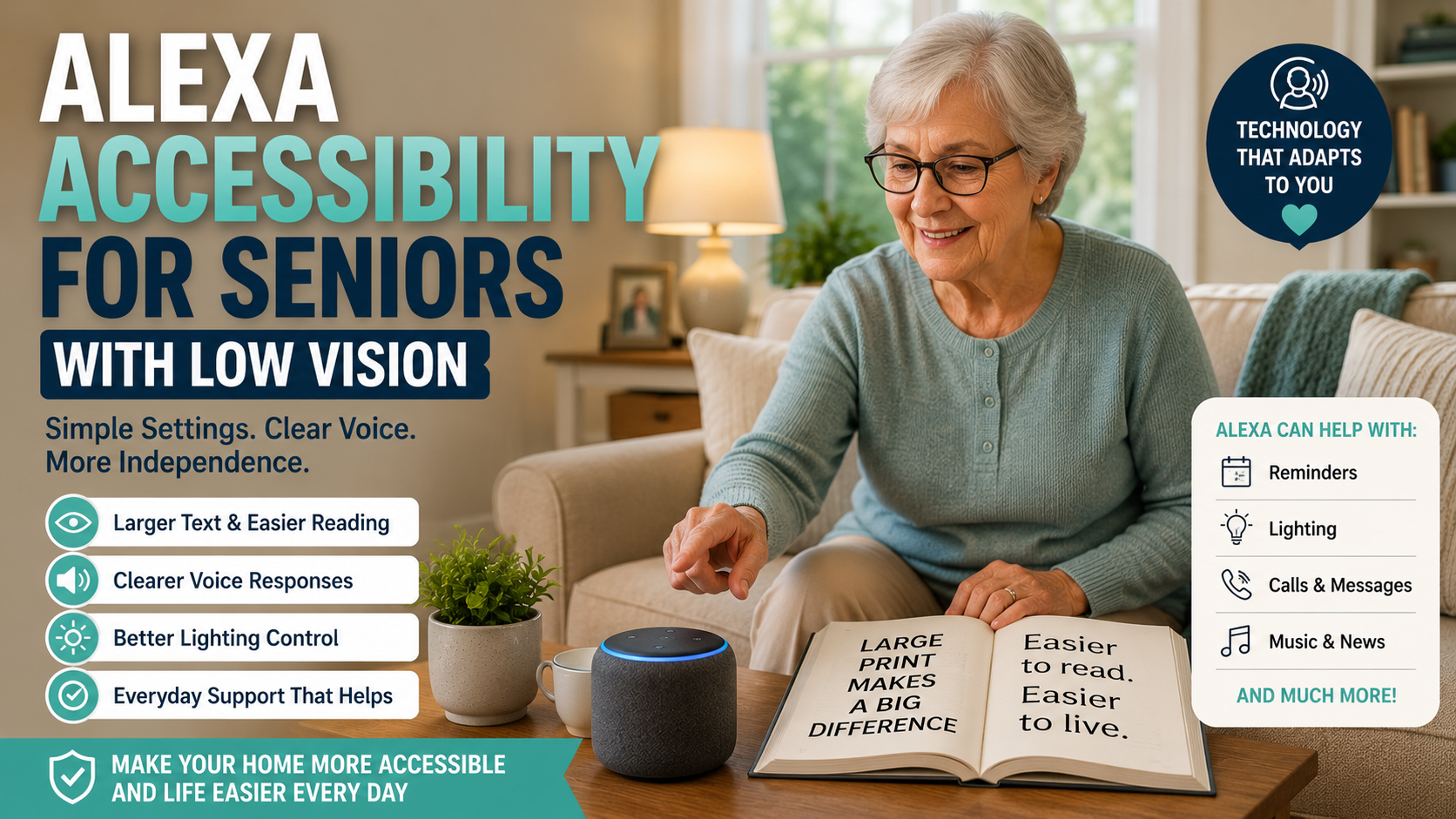
Older adult using Alexa accessibility features and a smart speaker in a bright American living room

Alexa Accessibility for Seniors With Low Vision: Simple Setup Tips for Families

Alexa Accessibility for Seniors With Low Vision: Simple Setup Tips for Families

Quick Answer

Alexa can be helpful for seniors with low vision because many tasks can be done by voice instead of by reading small text or tapping through apps. Families should start with simple commands, clear volume, predictable routines, easy calling, and display settings if using an Echo Show.

Low vision can make everyday technology frustrating. A parent may struggle to read phone screens, find the right app, see small buttons, or check tiny reminder text. Alexa does not solve every accessibility challenge, but it can reduce the need to look at a screen for common tasks.

This article focuses on accessibility and setup. For general beginner setup, start with our Alexa for seniors beginner guide.

Table of Contents

  • Why voice control can help
  • Low-vision setup checklist
  • What to configure first
  • Echo speaker vs display
  • Decision path
  • FAQ

Why Voice Control Can Help Seniors With Low Vision

Voice control is useful because it removes several visual steps. A senior can ask for the time, weather, reminders, music, calls, or lights without reading a menu.

The goal is not to make Alexa complicated. The goal is to choose a few voice actions that solve real friction.

Low-Vision Alexa Setup Checklist

  • Choose one main room for the first device.
  • Set the volume high enough for normal conversation.
  • Practice five useful phrases only.
  • Use contact names that are easy to say.
  • Create reminders with plain language.
  • Use routines for repeated daily tasks.
  • If using Echo Show, increase display readability.
  • Keep the device away from loud appliances.
  • Place it where the microphone can hear clearly.
  • Write or print commands in large type if helpful.

What to Configure First

Feature Why It Helps Family Setup Tip
Time and weather Useful daily practice Teach the same phrase each morning
Reminders Reduces need to read notes Use simple wording and repeat schedules
Calls Makes contact easier Use clear contact names
Music or radio Makes the device feel friendly Set up favorite stations
Smart lights Reduces searching for switches Use names like bedroom light or kitchen light

Echo Speaker vs Echo Show for Low Vision

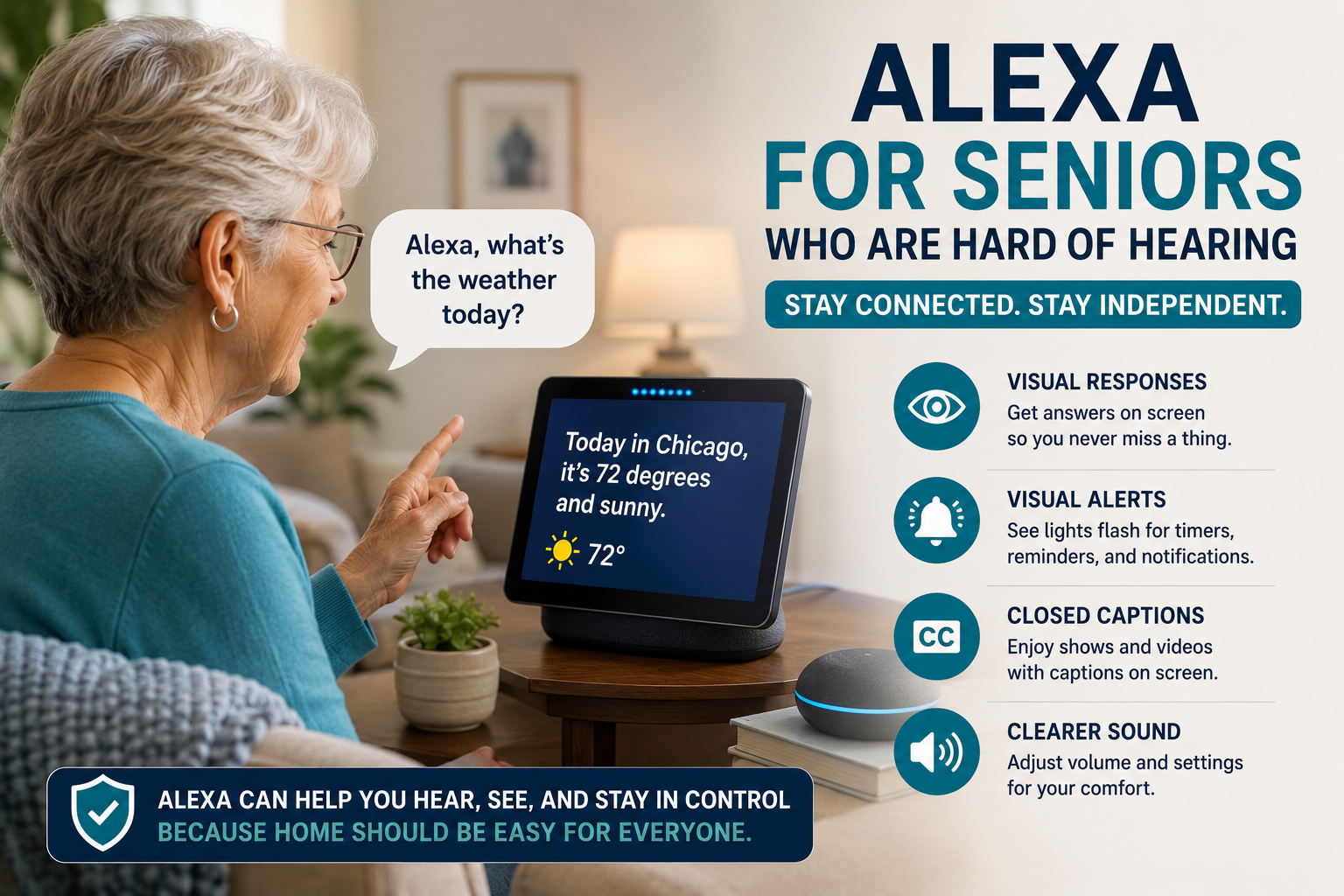
A voice-only Echo can be enough if your parent mainly wants reminders, calls, music, and simple answers. An Echo Show may help if large visual cues, photos, clocks, or video calls are useful.

The screen is not automatically better. If it adds confusion, keep the first setup voice-only.

Voice Commands That Are Easiest to Learn

Start with phrases that are short and useful. Our Alexa commands for seniors guide has a broader list, but low-vision setup should begin with just a few.

  • “Alexa, what time is it?”
  • “Alexa, what’s the weather?”
  • “Alexa, call my daughter.”
  • “Alexa, remind me at 8 PM.”
  • “Alexa, turn on the kitchen light.”

Decision Path

  • If reading screens is the main issue: prioritize voice reminders, calls, and information.
  • If finding switches is hard: add one smart light in a key room.
  • If video calls matter: consider whether a display is helpful or distracting.
  • If commands are forgotten: reduce the list and practice one routine at a time.

Trust and Limits

Alexa should not replace emergency services, caregivers, medical advice, or accessibility support from professionals. It can support daily routines, but it cannot judge whether a parent is safe.

Frequently Asked Questions

Is Alexa useful for seniors with low vision?

It can be useful when tasks are voice-first and simple, such as reminders, calls, weather, music, and lights.

Is an Echo Show better for low vision?

Sometimes. A larger display can help some seniors, but a screen can also add complexity. Test what feels easier.

Can Alexa read information out loud?

Alexa can answer many questions by voice and speak reminders, timers, weather, and other simple information.

Can Alexa help with lights?

Yes, with compatible smart lights or plugs. Start with one important light before adding more.

What should families avoid?

Avoid setting up too many commands at once. Keep names, routines, and expectations simple.

Final Action Plan

  • Pick one room.
  • Set volume and wake word.
  • Teach five commands.
  • Create one reminder.
  • Set up one contact.
  • Test one light only if useful.
  • Review after one week.
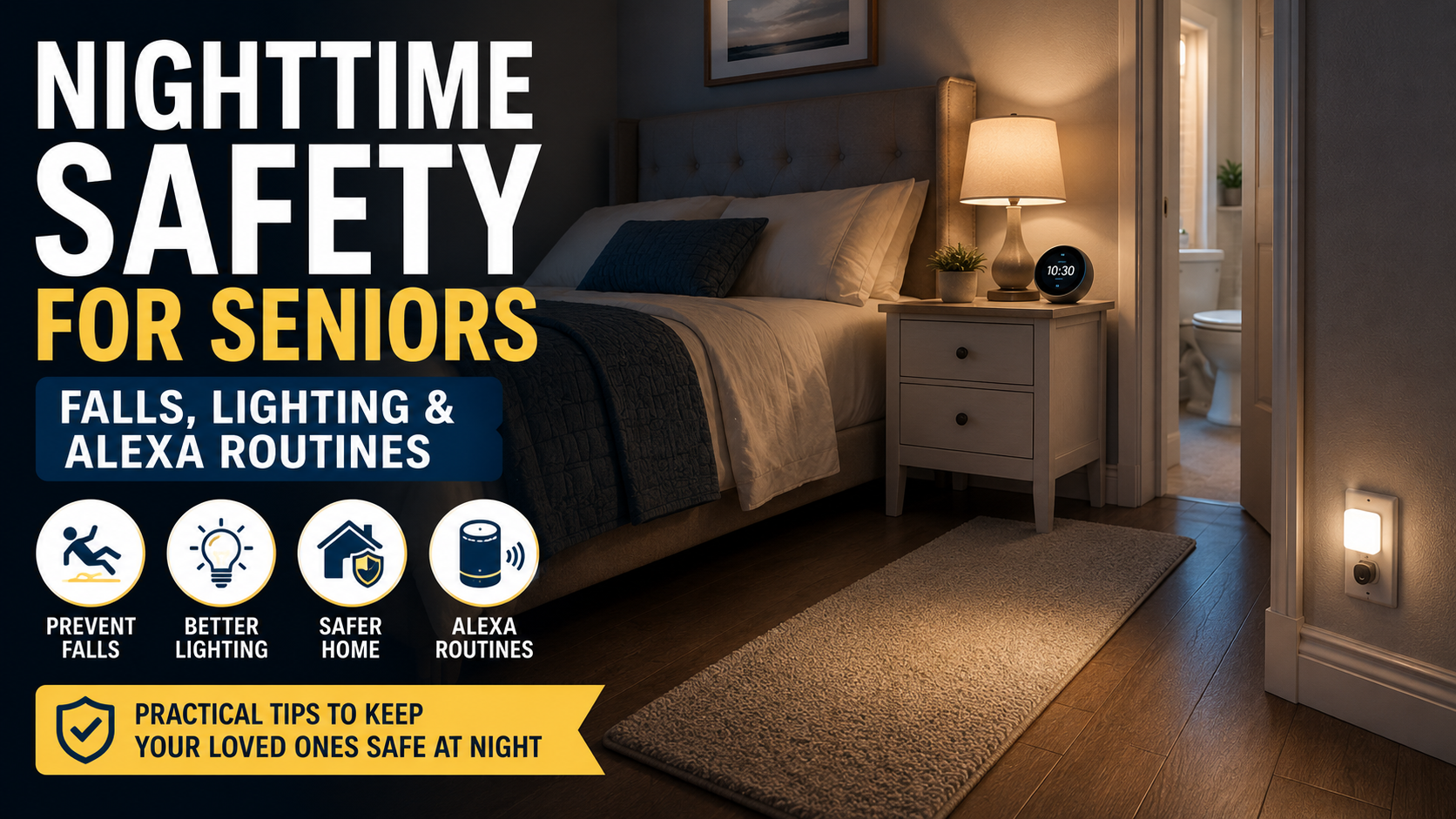
Senior-friendly bedroom with warm nighttime lighting, illuminated walkway, and Alexa routine support for safer movement at night

Nighttime Safety for Seniors at Home: A Practical Evening Checklist

Nighttime Safety for Seniors at Home: A Practical Evening Checklist

Quick Answer

Nighttime safety for seniors starts with clear walking paths, soft lighting, easy bathroom access, stable support, and simple evening routines. Families should focus first on the bedroom-to-bathroom route, loose rugs, poor lighting, clutter, footwear, and anything an older parent may reach for when tired or half-awake.

Many families first notice nighttime safety issues in small ways. A parent leaves the bedroom lights off to avoid waking fully. They walk to the bathroom slowly, hold furniture for balance, or step around shoes, rugs, laundry, or cords. The home may feel safe during the day but much harder to navigate after dark.

This guide focuses only on nighttime routines and movement at home. For a broader safety review, use our room-by-room home safety checklist for seniors.

Table of Contents

  • Why nighttime can be harder
  • Nighttime safety checklist
  • What to look for
  • Highest-priority changes
  • Decision path
  • FAQ
  • 30-minute evening review

Why Nighttime Can Be Harder for Older Adults

At night, ordinary obstacles can become more difficult to see and avoid. A rug edge, a pet toy, a laundry basket, or a dark hallway may increase risk because the person is tired, moving more slowly, or trying not to turn on bright lights.

Nighttime safety is not about making the home look clinical. It is about making the most common evening and overnight movements easier: getting out of bed, finding glasses or a walker, reaching the bathroom, turning on lights, and returning to bed without rushing.

Nighttime Safety Checklist for Seniors

  • Clear the path from bed to bathroom.
  • Remove loose rugs, shoes, cords, baskets, and low furniture from the route.
  • Add soft motion lights near the bed, hallway, bathroom entry, and toilet area.
  • Keep glasses, phone, water, and mobility aids in the same place every night.
  • Make sure slippers or shoes have secure backs and non-slip soles.
  • Check that the bathroom floor is dry before bedtime.
  • Use night lights that turn on quickly enough.
  • Keep the toilet route simple and predictable.
  • Review whether furniture is being used as support.
  • Consider voice-controlled lights if switches are hard to reach.

What to Look For

Area Why It Matters What to Check
Bedroom Most nighttime trips start here Bed height, lighting, footwear, glasses, phone, mobility aid location
Hallway Dark paths can hide obstacles Rugs, cords, furniture corners, light switches, motion lighting
Bathroom entry Transitions can be awkward when tired Door swing, threshold, mat placement, floor dryness
Toilet area Standing and turning require balance Lighting, support, toilet height, nearby clutter
Return path People may be groggy after waking Consistent route, no new objects, soft lighting back to bed

Highest-Priority Changes

Improve the bed-to-bathroom route

Walk the route at night with the same lighting your parent normally uses. If you cannot see the floor clearly, the lighting needs improvement.

Add soft motion lighting

Motion lights can help if they turn on quickly and do not glare. Test them from the bed, hallway, and bathroom doorway.

Remove small obstacles

Nighttime safety often improves when families remove things rather than add products. Shoes, baskets, cords, stools, and loose rugs should not sit in the walking path.

Make bathroom access easier

Bathroom trips are one of the most common overnight movements. Keep the route simple, dry, well lit, and free of loose mats or clutter. A dedicated bathroom checklist can be linked here after that article is live.

Use simple voice support carefully

Voice assistants may help with lights or reminders, but they should not replace safe flooring, support, or family planning. For basic voice phrases, see our Alexa commands for seniors guide.

Decision Path

  • If the main issue is darkness: start with motion lighting and visible switches.
  • If the main issue is tripping: remove rugs, cords, clutter, and unstable furniture.
  • If the main issue is bathroom urgency: review the shortest safe route and whether bathroom support is adequate.
  • If the main issue is standing from bed: review bed height, footwear, and mobility support.
  • If there have already been falls: seek a professional home safety or healthcare assessment.

When Products May Not Be Enough

Lighting, mats, and smart devices can add support, but repeated falls, dizziness, confusion, sudden weakness, or major balance changes require professional guidance. This article is educational and is not medical advice.

Nighttime safety also belongs inside a broader aging plan. Our aging in place checklist can help families review daily routines, support, communication, and home layout together.

Frequently Asked Questions

What is the most important nighttime safety change for seniors?

For many homes, the most important first change is a clear, well-lit route from bed to bathroom.

Are night lights enough?

Sometimes, but they should be bright enough to show the floor without creating glare. Motion lights may work better in hallways or bathrooms.

Can Alexa help with nighttime safety?

Alexa can help turn on lights or start simple routines, but it should not replace safe flooring, support, or emergency planning.

Should rugs be removed at night?

Loose rugs or curled edges should be removed or replaced with secure, flat, non-slip options.

What if my parent has already fallen at night?

Do not rely only on products. Ask a healthcare professional, occupational therapist, or qualified home safety specialist for guidance.

30-Minute Evening Review

  • Walk from bed to bathroom with nighttime lighting only.
  • Remove anything from the route that touches your foot.
  • Check whether lights turn on before the first step.
  • Place glasses, phone, and mobility aids consistently.
  • Ask your parent what feels hardest after dark.
  • Write down the top three fixes and start with the simplest one tonight.
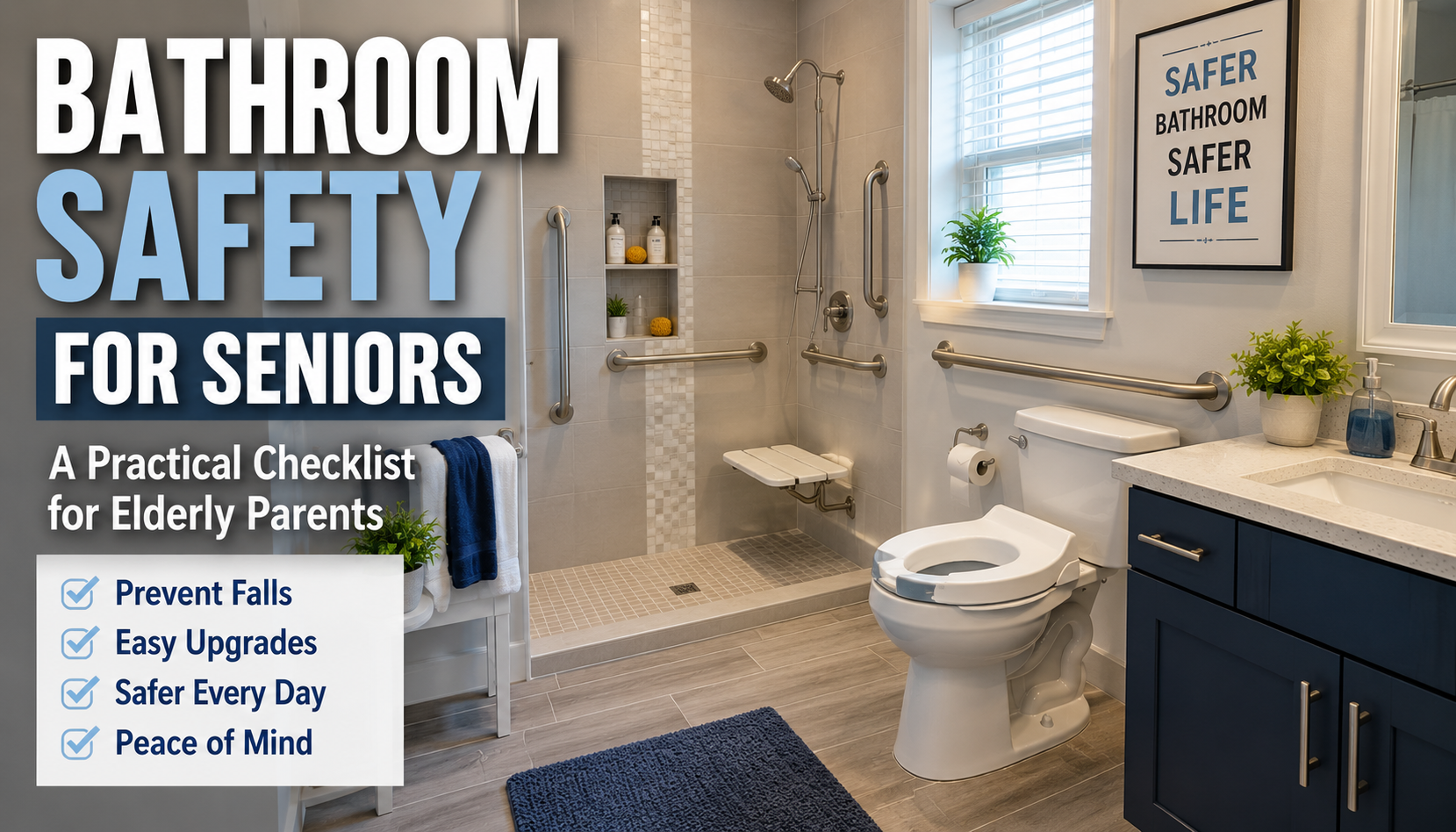
Senior-friendly American bathroom with grab bars, walk-in shower, shower seat, non-slip flooring, and bright lighting

Bathroom Safety for Seniors: A Practical Checklist for Elderly Parents

Bathroom Safety for Seniors: A Practical Checklist for Elderly Parents

Quick Answer

Bathroom safety for seniors starts with reducing slips, improving support, making the room easier to see at night, and keeping daily items within easy reach. For many families, the highest-priority changes are properly installed grab bars, non-slip surfaces, a stable shower chair, better lighting, and a clear path in and out of the bathroom.

A family may first notice the problem in small moments. An older parent hesitates before stepping into the tub. Getting up from the toilet takes more effort than it used to. Wet flooring feels more intimidating. A towel, bath mat, or shampoo bottle that once seemed harmless suddenly feels like one more thing that could get in the way.

This guide is for adult children who want to make a bathroom safer for an elderly parent without turning the project into a full remodel. The goal is not to make dramatic promises or create fear. The goal is to identify common bathroom hazards, make practical improvements, and know when a family should ask for professional guidance.

If you are doing a full-home review, start with our room-by-room home safety checklist for seniors. This article goes deeper on one specific room: the bathroom.

Table of Contents

Why Bathrooms Are High-Risk for Older Adults

Bathrooms combine several conditions that may increase risk for seniors: water, hard surfaces, tight spaces, changing positions, low lighting, and sometimes rushing. A person may be stepping over a tub wall, turning on a wet floor, reaching for a towel, or standing up from a low toilet in a small area with very little room to recover balance.

That does not mean every bathroom is unsafe. It means the bathroom deserves a careful review. Small changes can add a layer of safety and make everyday routines feel less stressful for an older adult.

Bathroom safety also connects closely with broader fall prevention. If your family is reviewing the whole home, our fall prevention checklist for seniors can help you identify risks beyond the bathroom.

Bathroom Safety Checklist for Seniors

Use this checklist while standing inside the bathroom with your parent if possible. Try to observe the room as it is actually used in the morning, at night, and after bathing.

  • Check whether the floor becomes slippery when wet.
  • Remove loose rugs or replace them with secure, non-slip options.
  • Confirm that bath mats do not slide or bunch up.
  • Look for stable grab bars near the shower, tub, and toilet.
  • Make sure towel bars are not being used as support handles.
  • Check whether the shower or tub entry requires stepping too high.
  • Consider whether a shower chair would reduce fatigue while bathing.
  • Review whether the toilet is too low for comfortable sitting and standing.
  • Improve lighting at the doorway, vanity, shower area, and nighttime route.
  • Keep soap, shampoo, towels, and daily items within easy reach.
  • Move cords, scales, hampers, and storage baskets away from walking paths.
  • Check whether the bathroom door can be opened easily in an urgent situation.
  • Review water temperature to reduce the chance of accidental scalding.
  • Confirm that frequently used items are not stored too high or too low.
  • Ask your parent what feels hardest, most tiring, or most worrying.

Highest-Priority Bathroom Safety Changes

Properly installed grab bars

Grab bars are often one of the most important bathroom safety changes for seniors. They can provide support when stepping into a shower, turning around, standing from the toilet, or stabilizing after bathing.

Important: incorrectly installed grab bars may be more dangerous than none. A bar that pulls loose can create false confidence and lead to a serious fall. Where appropriate, use qualified installation and make sure bars are anchored correctly into suitable wall structure.

Non-slip surfaces

Wet tile, smooth tubs, and loose mats can make slipping more likely. Non-slip bath mats, adhesive strips, textured flooring, or secure shower surfaces can help reduce that risk. The key is stability: anything placed on the floor should stay flat and should not slide when weight shifts.

Shower chair or bath seat

A shower chair can help seniors who become tired while standing, feel unsteady while washing, or need a more controlled bathing routine. It should be stable, sized for the space, and used with a layout that still allows safe entry and exit.

Raised toilet seat when appropriate

If standing up from the toilet has become difficult, a raised toilet seat or toilet safety frame may help. This is most useful when the main issue is the transition from sitting to standing. Families should choose stable options and avoid anything that wobbles.

Better lighting

Bathroom lighting should make the floor, toilet, shower edge, and doorway easy to see. Nighttime lighting matters because many falls happen when someone is tired, half-awake, or trying not to turn on bright lights. Motion night lights can help, but they should be tested to make sure they turn on quickly enough.

Clutter removal

A bathroom does not need to be empty, but walking paths should be clear. Extra baskets, scales, cords, laundry, cleaning supplies, and decorative items can create unnecessary obstacles in a small room.

Accessible storage

Daily items should be easy to reach without bending deeply, stretching overhead, or stepping onto anything. Store shampoo, soap, towels, medication-related supplies, and grooming items at comfortable height.

Water temperature controls

Review whether hot water becomes too hot too quickly. Anti-scald settings or temperature control devices may add a layer of safety, especially if an older adult has slower reaction time or reduced sensation.

Door access

Bathroom doors should be easy to open, and families should think about what would happen if a parent needed help inside. This does not mean removing privacy. It means avoiding locks or layouts that make assistance difficult during a real problem.

What to Look For

Feature Why It Matters What to Check
Grab bars Support during transfers and turning Secure installation, correct placement, no loose movement
Flooring Wet floors can make slipping more likely Non-slip surface, flat mats, no curling edges
Shower or tub entry Stepping over a high edge can be difficult Height, available support, fatigue, confidence entering
Toilet height Low seating can make standing harder Effort needed to sit and stand, nearby support
Lighting Visibility affects balance and confidence Night route, shower area, doorway, shadows
Storage Reaching and bending can add risk Daily items at comfortable height and distance
Door access Help may be needed quickly Door swing, lock type, blocked access, privacy balance

Room Zones to Review

Bathtub and shower

The bathtub or shower is usually the first area to inspect. Look at how your parent enters, exits, turns, reaches for soap, rinses, and dries off. Watch for hesitation, grabbing towel bars, leaning on glass doors, or avoiding the shower altogether.

Helpful changes may include grab bars, non-slip flooring, a shower chair, a handheld showerhead, or a lower-threshold entry when remodeling is already being considered. Keep the focus on the specific difficulty your parent is experiencing.

Toilet area

The toilet area matters because sitting down and standing up require strength, balance, and confidence. If your parent pushes on the sink, towel rack, or wall to stand, that is a sign the area may need better support.

A raised toilet seat, toilet safety frame, or nearby grab bar may help, depending on the layout and the person’s mobility. Stability is more important than appearance.

Sink and vanity

The sink area should be easy to use without bending, stretching, or leaning heavily on unstable surfaces. Keep daily items close, remove clutter, and make sure the area is well lit.

If your parent takes medication or does grooming tasks at the sink, consider whether they have enough space and support to do those tasks calmly.

Floor and walkway

The walking path should be simple and predictable. Remove laundry piles, scales, trash cans, cords, and loose rugs from the route between the door, toilet, shower, and sink.

Check the floor when it is dry and when it is damp. Some surfaces feel safe until they are wet.

Lighting and entry

Good lighting is especially important at night. The route into the bathroom, the floor, and the toilet area should be visible before a person has to step fully into the room.

Motion lights, brighter bulbs, illuminated switches, or a soft night light may help. Test any lighting change at the actual time your parent normally uses the bathroom overnight.

Bathroom Safety Decision Path

If bathroom changes are part of a wider fall-prevention review, families should also look at stair fall risks before treating one room as the whole problem.

  • If the main issue is slipping: start with non-slip surfaces, secure mats, better drying routines, and checking whether the shower or tub floor becomes slick.
  • If the main issue is standing up: review toilet height, grab bar placement, shower chair options, and whether a professional should assess transfers.
  • If the issue is nighttime visibility: start with the route to the bathroom, motion lighting, door visibility, and removing floor obstacles.
  • If the issue is reaching: move daily items to easy height and avoid storage that requires bending, stretching, or stepping on anything.
  • If there have already been falls: seek professional assessment rather than relying only on products or quick fixes.

Professional Installation Warning

Some bathroom safety changes are simple. Others should be treated more carefully. Grab bars, wall-mounted supports, shower modifications, and some toilet safety products may need qualified installation or professional advice.

Incorrectly installed grab bars may be more dangerous than none because they can fail exactly when a person depends on them. If you are unsure what is behind the wall, where the bar should go, or whether the product is appropriate, get help from a qualified installer, contractor, occupational therapist, or relevant professional.

When Products May Not Be Enough

Bathroom products can add support, but they cannot solve every situation. If your parent has repeated falls, dizziness, sudden mobility changes, balance problems, confusion, or difficulty transferring safely, the next step should be professional guidance.

An occupational therapist, healthcare professional, or qualified home safety specialist may be able to recommend changes based on how your parent actually moves, not just how the bathroom looks. This article is educational and should not be treated as medical advice.

Bathroom improvements also work best as part of a broader plan. Our aging in place checklist can help families review routines, safety, support, communication, and technology together.

Frequently Asked Questions

What is the most important bathroom safety change for seniors?

For many families, the most important first change is secure support where the parent needs it most, often near the shower, tub, or toilet. Properly installed grab bars, non-slip surfaces, and better lighting are usually high-priority items.

Where should grab bars be installed?

Common locations include the shower or tub entry, inside the shower area, and near the toilet. The right placement depends on the bathroom layout and how the person moves. Grab bars should be properly anchored and installed where they will actually be used.

Are shower chairs safe for elderly adults?

A stable shower chair can be helpful for seniors who tire while standing or feel unsteady while bathing. It should fit the shower area, stay firmly in place, and allow safe entry and exit. If transfers are difficult, ask a professional for guidance.

How can I make a bathroom safer without remodeling?

Start with practical changes: remove loose rugs, improve lighting, add secure non-slip surfaces, keep daily items within reach, clear the walkway, and consider properly installed grab bars. Many useful improvements do not require a full remodel.

What bathroom flooring is safest for seniors?

There is no single perfect flooring for every home, but bathroom flooring should be slip-resistant, even, easy to see, and not covered by loose rugs that slide or curl. Families should test how the surface feels when damp, not only when dry.

How do I talk to an elderly parent about bathroom safety?

Start with comfort and independence, not fear. You might say, “I want to make this room easier and more comfortable for you to use.” Ask what feels difficult before suggesting products. That keeps the conversation respectful and practical.

Final Action Plan: A 30-Minute First Inspection

If you only have half an hour, use this simple first pass:

  • Stand at the doorway and check whether the path is clear.
  • Look for loose rugs, slippery mats, cords, clutter, or storage on the floor.
  • Turn the lights on and check for shadows around the toilet, shower, and walkway.
  • Ask your parent to show how they enter the shower or tub, without rushing.
  • Check whether they use towel bars, sink edges, or walls for support.
  • Review whether soap, shampoo, towels, and daily items are easy to reach.
  • Check whether the toilet feels too low or difficult to stand from.
  • Look at the door and consider whether help could reach them if needed.
  • Write down the top three issues instead of trying to fix everything at once.
  • Decide which items are simple family fixes and which need professional help.

Bathroom safety for seniors is not about creating a perfect room overnight. It is about reducing obvious hazards, adding reliable support, and helping an elderly parent use the bathroom with more confidence. Start with the biggest daily friction point, make one improvement, and then review the room again as needs change.

For the next step, compare this bathroom review with our broader guide on how to make a home safer for an elderly parent living alone.

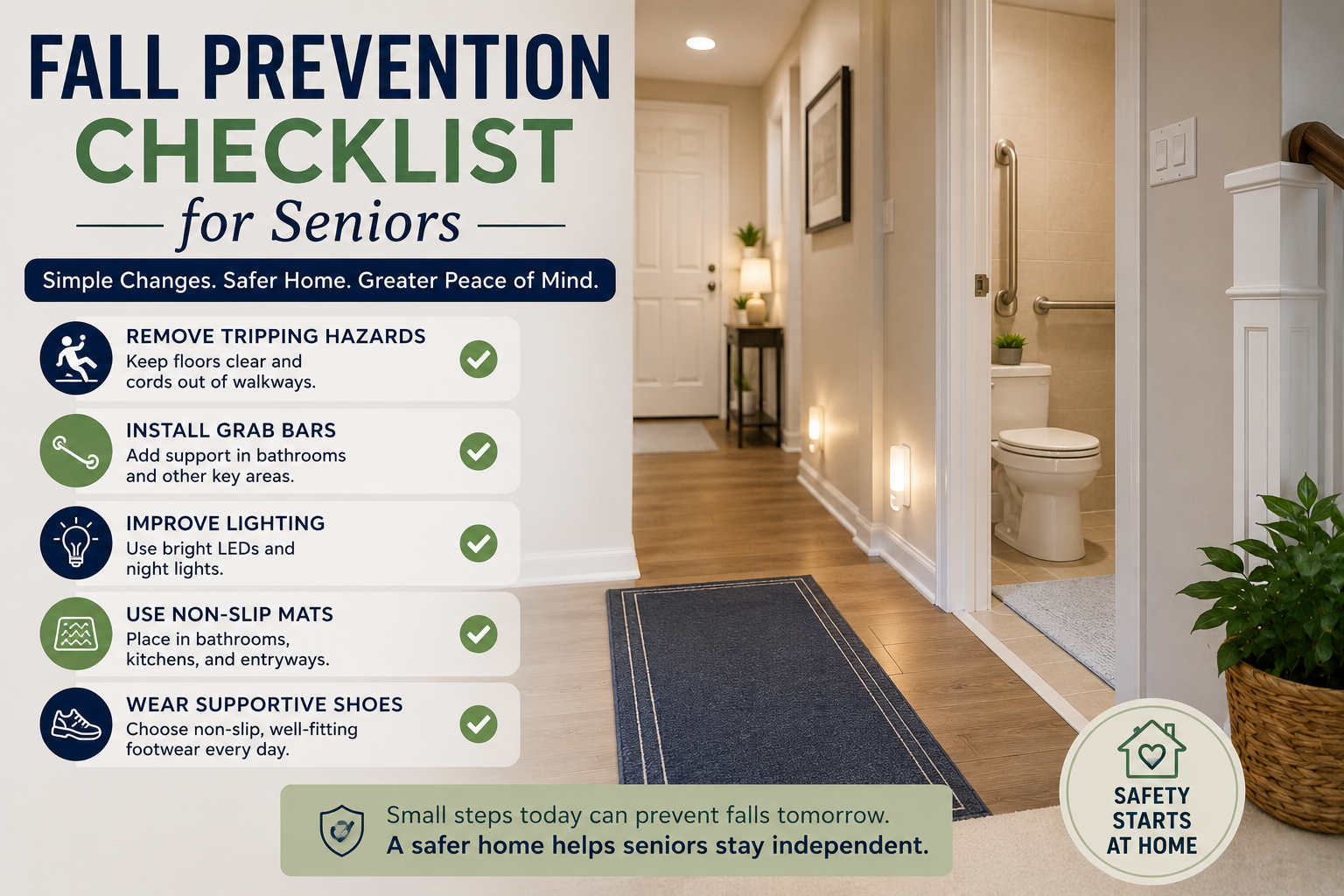
Fall prevention checklist for seniors showing a safe home with grab bars, non-slip mats, good lighting and practical safety tips

Fall Prevention Checklist for Seniors: A Room-by-Room Safety Guide

Fall Prevention Checklist for Seniors: A Room-by-Room Safety Guide

Quick Answer

A good fall prevention checklist for seniors should focus on the places where falls are most likely to happen: entrances, bathrooms, bedrooms, kitchens, hallways, stairs, and outdoor walkways. Families should look for loose rugs, poor lighting, clutter, slippery floors, missing handrails, unstable furniture, high thresholds, and items stored out of easy reach.

The safest approach is simple: remove trip hazards, improve lighting, add hand support where needed, keep everyday items within reach, and review the home room by room. Fall prevention does not have to make a home feel clinical. Small, practical changes can make a parent’s home safer while still helping them feel independent.

For a broader safety review beyond falls, start with our room-by-room home safety checklist for seniors. This guide goes deeper on one specific issue: preventing falls at home.

Table of Contents

  • Why falls are a major home safety risk
  • Common causes of falls at home
  • Room-by-room fall prevention checklist for seniors
  • Simple safety products that can help
  • Printable fall prevention checklist
  • Frequently asked questions

Why Falls Are One of the Biggest Risks for Older Adults

Falls are one of the most common safety concerns for older adults living at home. The goal is not to scare families. The goal is to notice small hazards before they turn into emergencies.

A fall can happen during ordinary moments:

  • Walking to the bathroom at night
  • Reaching for a pan in the kitchen
  • Stepping over a threshold
  • Carrying laundry down stairs
  • Getting out of bed too quickly
  • Walking across a wet bathroom floor
  • Opening the front door while holding bags

Many fall risks are not dramatic. They are small, repeated friction points in the home. A rug corner curls up. A hallway is too dim. A towel is stored too high. A parent keeps using a wobbly chair for support because it has always been there.

That is why a room-by-room fall prevention checklist can help. It gives families a calm way to review the home, make simple changes, and support aging in place without turning the house upside down.

If your family is planning long-term home safety, pair this checklist with our aging in place checklist.

Common Causes of Falls at Home

Most falls at home are not caused by one single problem. They often happen when several small risks come together.

Fall RiskWhy It MattersFirst Fix to Consider
Poor lightingMakes steps, rugs, pets, cords, and thresholds harder to seeAdd night lights or motion sensor lights
Loose rugsEdges can curl or slideRemove rugs or secure them with non-slip backing
ClutterCreates obstacles in walking pathsClear floors and simplify layouts
Slippery floorsBathrooms, kitchens, and entryways can become slickUse non-slip mats and clean spills quickly
Missing hand supportSeniors may grab unstable furnitureAdd grab bars or handrails where appropriate
Items stored too high or lowReaching and bending can affect balanceMove daily items to waist-to-shoulder height
Pets and cordsEasy to trip over unexpectedlyReroute cords and create safer pet routines
RushingUrgency increases risk, especially at nightImprove access, lighting, and bathroom paths

Families should also consider health, vision, footwear, medications, and mobility changes. This article focuses on the home environment, not medical advice. If falls, dizziness, balance changes, or medication side effects are a concern, speak with a qualified professional.

Room-by-Room Fall Prevention Checklist for Seniors

Bathroom checks often deserve extra attention, so families should also review how to reduce bathroom fall risks before treating the checklist as complete.

Use this checklist slowly. You do not have to fix everything in one day. Start with the rooms your parent uses most often and the paths they walk every day.

Entrance

The entrance is often overlooked, but it can be risky because people are carrying keys, mail, groceries, bags, or packages.

Risks

  • Uneven thresholds
  • Loose mats
  • Poor lighting
  • Wet or slippery flooring
  • Shoes left near the door
  • Packages blocking the walkway
  • No place to sit while removing shoes

What to check

  • Can your parent enter without stepping over clutter?
  • Is the doorway bright enough at night?
  • Does the doormat slide?
  • Is there a stable surface for balance?
  • Are shoes stored safely, not scattered on the floor?

Easy improvements

  • Use a low-profile, non-slip mat.
  • Add a motion sensor porch light.
  • Keep the entry floor clear.
  • Place a sturdy chair or bench nearby if your parent changes shoes.
  • Make sure packages are moved quickly.
  • Repair or mark uneven thresholds if needed.

Example: If your mother carries groceries inside and sets them near the door, create a small landing spot at waist height. That may reduce bending, twisting, and stepping around bags.

Living Room

The living room should be comfortable, but comfort can create hidden fall risks: low tables, cords, soft rugs, pets, and furniture arranged too tightly.

Risks

  • Coffee tables in walking paths
  • Extension cords
  • Loose rugs
  • Low furniture
  • Poor lighting near seating
  • Unstable chairs used for support
  • Pet toys on the floor

What to check

  • Is there a clear path from the chair to the hallway?
  • Can your parent stand up from their favorite chair without pulling on a table?
  • Are cords tucked away?
  • Are rugs flat and secure?
  • Is there enough light near the chair?

Easy improvements

  • Remove unnecessary small tables from walking paths.
  • Route cords behind furniture.
  • Use lamps that are easy to turn on, or add smart plugs.
  • Choose stable seating with arms.
  • Keep remote controls, glasses, and phones within reach.
  • Remove or secure loose rugs.

Smart plugs and voice-controlled lights can help if your parent has trouble reaching switches. For broader technology ideas, see our guide to smart home devices that help seniors stay independent.

Kitchen

Kitchen falls often happen because of reaching, bending, spills, or moving too quickly while cooking.

Risks

  • Wet floors
  • Items stored too high
  • Heavy pots in low cabinets
  • Step stools
  • Poor lighting under cabinets
  • Loose floor mats
  • Cluttered counters

What to check

  • Can your parent reach everyday dishes without stretching?
  • Are heavy items stored at a safe height?
  • Are spills cleaned quickly?
  • Are mats flat and non-slip?
  • Is the path between sink, stove, and refrigerator clear?

Easy improvements

  • Move daily items to waist-to-shoulder height.
  • Store heavy cookware where it can be lifted safely.
  • Avoid step stools unless specifically recommended and safely used.
  • Use non-slip mats only if they stay flat.
  • Add under-cabinet lighting if the counter area is dim.
  • Keep commonly used items on lower shelves, not top cabinets.

Example: If your father uses a chair to reach a high cabinet, that is a major warning sign. Move the items he uses most often to a safe shelf immediately.

Bathroom

The bathroom is one of the most important rooms to review because water, hard surfaces, and movement in small spaces can increase fall risk.

Risks

  • Wet floors
  • Slippery tub or shower
  • No grab bars
  • Low toilet height
  • Poor nighttime lighting
  • Towels or toiletries out of reach
  • Loose bath mats

What to check

  • Is there a secure handhold near the shower or tub?
  • Does the bath mat slide?
  • Can your parent reach soap and towels without bending or twisting?
  • Is the toilet easy to sit on and stand from?
  • Is the bathroom path lit at night?

Easy improvements

  • Install properly mounted grab bars.
  • Use non-slip strips or mats in the shower.
  • Add a night light or motion sensor light.
  • Keep towels and toiletries within easy reach.
  • Remove loose rugs.
  • Consider a shower chair if recommended by a professional.

Do not rely on towel bars as grab bars. They are not designed to hold body weight.

Bedroom

Many falls happen at night or early morning when a person is sleepy, the room is dark, or they stand up too quickly.

Risks

  • No light within reach
  • Clutter near the bed
  • Loose slippers
  • Bed height too high or too low
  • Cords near the nightstand
  • Rugs beside the bed
  • Urgent trips to the bathroom

What to check

  • Can your parent turn on a light before getting up?
  • Is there a clear path from bed to bathroom?
  • Are slippers supportive and easy to put on?
  • Is the bed stable?
  • Are phone, glasses, and water within reach?

Easy improvements

  • Add a bedside lamp or voice-controlled light.
  • Use motion sensor night lights.
  • Remove rugs beside the bed if they slide.
  • Keep the floor clear.
  • Place essentials on a stable nightstand.
  • Make sure footwear has a non-slip sole.

Example: A simple motion light between the bedroom and bathroom may be more useful than an expensive gadget if nighttime bathroom trips are the biggest concern.

Hallways

Hallways connect the home. If they are narrow, dim, or cluttered, they can become fall-risk zones.

Risks

  • Poor lighting
  • Clutter along the wall
  • Loose runners
  • Uneven flooring
  • Pets lying in the path
  • Laundry baskets or boxes

What to check

  • Is the hallway bright from end to end?
  • Are there any cords crossing the path?
  • Are rugs or runners secure?
  • Can your parent walk through without turning sideways?
  • Are handrails needed in long hallways?

Easy improvements

  • Add plug-in or motion sensor night lights.
  • Remove hallway runners if they curl or slide.
  • Keep laundry and boxes out of walking paths.
  • Repair uneven flooring.
  • Add contrast tape to thresholds if visibility is poor.

Hallway lighting is one of the simplest upgrades for aging in place fall prevention.

Stairs

Stairs deserve special attention because a small misstep can have serious consequences.

Risks

  • Missing or loose handrails
  • Poor lighting
  • Items left on steps
  • Worn carpeting
  • Uneven stair edges
  • No contrast between steps
  • Carrying too much at once

What to check

  • Is there a sturdy handrail?
  • Is lighting strong at top and bottom?
  • Are steps clear every day?
  • Are stair edges easy to see?
  • Is carpet secure?
  • Does your parent avoid stairs because they feel unsafe?

Easy improvements

  • Install or repair handrails.
  • Add bright lighting at both ends.
  • Keep stairs completely clear.
  • Use contrast strips if step edges are hard to see.
  • Avoid storing items on stairs.
  • Consider whether important items can be moved to one level.

If stairs are becoming a daily concern, it may be time to discuss larger home modifications with a professional.

Garage

Garages often combine poor lighting, uneven surfaces, tools, boxes, and steps.

Risks

  • Clutter
  • Oil or water on the floor
  • Poor lighting
  • Uneven steps into the house
  • Tools or cords
  • Heavy storage items

What to check

  • Is the path from car to door clear?
  • Is there enough light?
  • Are tools stored safely?
  • Is the step into the house easy to see?
  • Are floors dry and clean?

Easy improvements

  • Clear a wide walking path.
  • Add brighter overhead lighting.
  • Mark steps with contrast tape.
  • Store tools on shelves or wall hooks.
  • Keep frequently used items at easy height.
  • Clean spills quickly.

Example: If your parent parks in the garage and walks through a narrow path between boxes, that path should be widened before adding any new technology.

Outdoor Areas

Outdoor falls can happen because of weather, uneven ground, steps, poor lighting, or rushed movement.

Risks

  • Uneven walkways
  • Wet leaves
  • Ice or snow
  • Poor porch lighting
  • Loose railings
  • Garden hoses
  • Cracked pavement

What to check

  • Is the walkway even?
  • Are railings secure?
  • Is the porch bright at night?
  • Are hoses or tools stored away?
  • Are steps easy to see?
  • Is there a plan for leaves, rain, ice, or snow?

Easy improvements

  • Add outdoor motion lighting.
  • Repair cracks and uneven surfaces.
  • Keep hoses and tools out of paths.
  • Add or repair railings.
  • Use non-slip outdoor mats.
  • Arrange help for snow, ice, or heavy yard tasks if needed.

Outdoor safety is especially important for seniors who still drive, garden, walk the dog, or get the mail independently.

Simple Safety Products That Can Help

Products do not replace judgment, but the right simple tools can reduce risk.

ProductWhat It Helps WithBest Place to Use It
Grab barsStable support near wet areasBathroom, shower, toilet
Motion sensor lightsBetter visibility without reaching for switchesHallways, bedroom, bathroom, entry
Non-slip matsReducing slipping on wet floorsShower, tub, entry
Night lightsSafer nighttime movementBedroom, bathroom path, hallway
HandrailsSupport on stairs or stepsStairways, outdoor steps
Medical alert devicesCalling for help after a fall or emergencyWorn by the senior
Smart lightsVoice or scheduled lightingBedroom, hallway, living room

Grab bars

Grab bars should be properly installed into secure supports. Do not rely on towel bars, shower doors, or furniture for body weight.

Motion sensor lights

Motion sensor lights are helpful because they work even when someone forgets to turn on a switch. They are especially useful between bedroom and bathroom.

Non-slip rugs and mats

If a rug cannot be secured, remove it. A beautiful rug is not worth keeping if it creates daily fall risk.

Night lights

Night lights are inexpensive and practical. Use them in hallways, bathrooms, bedrooms, and entry areas.

Handrails

Handrails should be sturdy, easy to grip, and placed where the person naturally reaches.

Medical alert devices

For seniors with higher fall risk, a medical alert device may be more appropriate than relying on phones, voice assistants, or family calls alone.

Smart cameras as support

Smart cameras may help some families monitor entrances or shared areas, but they raise privacy concerns. They should be used carefully, with consent, and never as a substitute for human care.

Printable Fall Prevention Checklist

This section is designed so families can later turn it into a printable PDF.

Quick home review

  • Remove loose rugs or secure them properly
  • Clear all walking paths
  • Add night lights between bedroom and bathroom
  • Improve lighting at entrances and stairs
  • Move daily items to easy reach
  • Check bathroom grab bars and non-slip surfaces
  • Keep floors dry
  • Remove cords from walkways
  • Make stair edges visible
  • Keep phones or help options accessible

Entrance

  • Non-slip mat
  • Clear doorway
  • Bright light
  • Stable place for bags or shoes
  • No packages blocking path

Living room

  • Clear path to seating
  • Cords tucked away
  • Stable chair with arms
  • Rugs removed or secured
  • Lamp or smart light easy to use

Kitchen

  • Heavy items stored safely
  • No step stool dependence
  • Spills cleaned quickly
  • Non-slip mat if needed
  • Good counter lighting

Bathroom

  • Grab bars installed where needed
  • Non-slip shower surface
  • Night light
  • Towels and toiletries within reach
  • No loose bath rugs

Bedroom

  • Light reachable from bed
  • Clear path to bathroom
  • Supportive footwear nearby
  • No loose rugs
  • Essentials on stable nightstand

Hallways and stairs

  • Bright lighting
  • No clutter
  • Secure handrails
  • Step edges visible
  • No items stored on stairs

Outdoors

  • Walkways even and clear
  • Railings secure
  • Porch light working
  • Hoses and tools stored away
  • Weather plan for ice, snow, leaves, or rain

Common Mistakes Families Make

Mistake 1: Only checking the bathroom

Bathrooms are important, but falls can happen anywhere. Bedrooms, hallways, stairs, and entrances also matter.

Mistake 2: Leaving rugs because they look nice

If a rug slides, bunches, curls, or catches a foot, it is a risk. Secure it properly or remove it.

Mistake 3: Buying gadgets before fixing basics

Smart lights are helpful, but they will not fix a cluttered hallway or loose stair rail.

Mistake 4: Forgetting nighttime routines

Many falls happen when someone is tired or walking in low light. Check the path from bed to bathroom first.

Mistake 5: Not involving the parent

Your parent needs to feel respected. Walk through the home together when possible. Ask what feels difficult, slippery, dark, or frustrating.

Mistake 6: Ignoring medication-related fall risk

Some medication schedules or side effects may affect alertness, dizziness, or bathroom urgency. Do not make medical assumptions, but do talk with a qualified professional if you notice changes. For reminder tools, see our guide to medication reminder devices for seniors.

Mistake 7: Treating fall prevention as a one-time project

Homes change. Health changes. Habits change. Review the checklist again every few months or after any fall, illness, hospital stay, or mobility change.

Voice assistants are not fall detection systems, but simple voice commands that may help in urgent situations can be useful as an extra support layer when a senior already feels comfortable using Alexa.

Quick Tips for Families

  • Start with the bedroom-to-bathroom path.
  • Remove one fall hazard today, even if the full project takes longer.
  • Improve lighting before buying complicated devices.
  • Put daily items within easy reach.
  • Watch how your parent actually moves through the home.
  • Ask what feels unsafe instead of assuming.
  • Keep safety changes subtle and respectful.
  • Revisit the home after any change in mobility, vision, medication, or confidence.

For a wider home safety strategy, read how to make a home safer for an elderly parent living alone.

Frequently Asked Questions

How can seniors reduce the risk of falling?

Seniors can reduce fall risk by keeping walkways clear, improving lighting, removing loose rugs, using stable footwear, adding grab bars or handrails where needed, keeping daily items within reach, and reviewing the home regularly. Families should also discuss balance, vision, medication, or dizziness concerns with qualified professionals.

What room causes the most falls?

Bathrooms are often one of the highest-risk rooms because of water, hard surfaces, and movement in small spaces. However, falls can also happen in bedrooms, hallways, stairs, kitchens, entrances, and outdoor areas. The safest approach is to check the entire home.

Should older adults remove rugs?

Older adults should remove rugs that slide, curl, bunch, or create a tripping edge. If a rug is important, it should be low-profile and securely backed. When in doubt, removing a risky rug is usually safer than trying to work around it.

What lighting is best for fall prevention?

The best lighting is bright, even, and easy to activate. Motion sensor lights, night lights, bedside lamps, and smart lights can help seniors see paths clearly, especially from bedroom to bathroom, at entrances, and near stairs.

When should I consider home modifications?

Consider home modifications when your parent has trouble using stairs, getting in or out of the shower, standing from the toilet, walking through the home, or recovering after a fall. Larger modifications may require advice from an occupational therapist, contractor, or qualified professional.

What causes most falls in seniors at home?

Falls often happen because of a mix of factors: poor lighting, loose rugs, clutter, slippery floors, stairs, reaching or bending, pets, cords, medication effects, vision changes, balance issues, or rushing. Home changes can reduce environmental risks, but health-related concerns should be reviewed professionally.

What should I remove from the house to prevent falls?

Start with loose rugs, clutter in walking paths, cords across floors, unstable furniture, slippery mats, and items stored on stairs. Also remove or relocate anything your parent has to step over, reach awkwardly for, or walk around every day.

What safety devices really help prevent falls?

Simple devices often help most: grab bars, night lights, motion sensor lights, handrails, non-slip shower surfaces, stable seating, and medical alert devices for higher-risk seniors. Smart lights and smart plugs can also help by making lighting easier to control.

Conclusion

Fall prevention for seniors is not about making a home feel restrictive. It is about helping an older adult move through familiar spaces with more confidence.

Start with the highest-risk paths: entrance, bedroom to bathroom, stairs, hallway, and shower. Remove loose rugs, improve lighting, add stable support, and keep everyday items within easy reach.

Then review the home again over time. A fall prevention checklist is not a one-time task. It is part of supporting safer aging in place.

For the next step, use this article alongside our room-by-room home safety checklist for seniors and the broader aging in place checklist.

Alexa commands cheat sheet for seniors with simple voice command examples and daily support icons

How to Create an Alexa Emergency Routine for Elderly Parents

How to Create an Alexa Emergency Routine for Elderly Parents

Quick Answer

An Alexa emergency routine for elderly parents can help by turning on lights, announcing a message, reminding your parent what to do, and making it easier to contact family. Alexa may also support calling features depending on the device, account setup, contacts, and available services.

But Alexa should not be treated as a replacement for 911, a medical alert system, a fall detection device, a caregiver, or a professional safety plan. The safest approach is to use Alexa as one helpful layer inside a broader home safety setup.

If your parent is still learning basic voice phrases, review our Alexa commands for seniors first. A routine only helps if the command is simple enough to remember during stress.

Table of Contents

  • Can Alexa help during an emergency?
  • What Alexa can do
  • What Alexa cannot do
  • How to create an Alexa emergency routine for elderly parents
  • Recommended routine example
  • Frequently asked questions

Important safety note: Use Alexa as a backup layer, not as the emergency plan itself. Families should still have a clear plan for 911, medical alert systems, caregiver support, neighbors, and direct family contact when serious risk is present.

Can Alexa Help During an Emergency?

Alexa can help in some urgent situations, but only within limits.

For example, Alexa may help an older adult call a family member, turn on lights, play a loud announcement, or trigger a reminder about what to do next. That can be useful if your parent feels unwell, hears a noise at night, needs help getting oriented, or wants to quickly contact someone.

However, families need to be honest about what Alexa is and what it is not.

Alexa is a voice assistant. It is not a guaranteed emergency response system. It does not automatically detect every fall, does not replace a medical alert pendant, and may not work if the internet is down, power is out, the device cannot hear your parent, or the account is not configured correctly.

Think of Alexa as a helper, not the whole safety plan.

If your family is building a broader aging-in-place setup, pair this guide with our aging in place checklist so the technology supports the home environment instead of standing alone.

What Alexa Can Do

Alexa can support emergency preparedness in several practical ways.

Alexa Safety FunctionHow It May HelpImportant Limitation
Voice-triggered routineStarts several helpful actions from one phraseYour parent must be able to speak clearly enough for Alexa to hear
Family callingMay help contact approved family membersCalling features depend on setup, contacts, device, and connectivity
Smart lightsCan turn on lights during a stressful momentRequires compatible bulbs, plugs, or switches
AnnouncementsCan play a loud message on Echo devicesOnly useful if devices are placed where people can hear them
RemindersCan tell your parent what step to take nextCannot confirm the step was completed
Smart home triggersCan connect with some sensors or devicesCompatibility varies and setup may be more complex

Alexa can make one command do several things

During stress, asking your parent to remember multiple steps is unrealistic. A simple phrase such as "Alexa, I need help" is easier than remembering who to call, which light to turn on, and what to do next.

An emergency-style routine can combine several actions:

  • Turn on living room lights
  • Set Alexa volume higher
  • Say a clear message
  • Remind your parent to sit down if they feel unsafe
  • Prompt them to call a family member
  • Announce a message on other Echo devices in the home

Alexa can support family communication

Depending on the device and setup, Alexa may help your parent contact family through calling or drop-in style features. Families should test this carefully and confirm that contacts, permissions, and devices are configured correctly.

This is not the same as calling emergency services. It is family communication support.

Alexa can support visibility

Smart lights are one of the most practical safety uses. If your parent hears something at night, feels unsteady, or needs to move through a hallway, a voice routine can turn on lights without requiring them to walk in the dark.

For broader room-by-room safety planning, use our room-by-room home safety checklist for seniors alongside any Alexa setup.

Alexa can give simple instructions

In a stressful moment, Alexa can say a short custom message:

"Sit down if you feel dizzy. Take slow breaths. Call your daughter if you need help."

Keep messages calm, short, and specific. Alexa should not overwhelm your parent during the exact moment they need clarity.

What Alexa Cannot Do

This is the most important part of the article.

Understanding Alexa’s limitations in an emergency matters because it cannot replace emergency services, caregivers, medical alert systems, or direct family responsibility. It can support a safety plan, but it should not be the safety plan.

Alexa does not replace 911

Do not assume Alexa will reliably call 911 in every situation. Emergency calling features vary by device, service, location, account setup, and available subscriptions. Families should verify current capabilities directly in the Alexa app and with official service information before relying on any emergency calling feature.

If your parent has serious fall risk, medical risk, or lives alone with limited support, Alexa should be considered supplemental.

Alexa does not reliably detect falls by itself

Alexa is not the same as a wearable fall detection device. Some smart home ecosystems may connect with motion sensors or third-party devices, but Alexa alone should not be treated as automatic fall detection.

If fall response is a major concern, consider a dedicated medical alert device, fall detection wearable, or professional monitoring option.

Alexa cannot confirm medication was taken

Alexa can remind your parent about medication. It cannot confirm the right pill, dose, or timing. For medication safety, families may need a pill organizer, caregiver check-in, pharmacy packaging, or dedicated reminder device.

Our guide to medication reminder devices for seniors explains when a dedicated option may be safer than a simple voice reminder.

Alexa may fail if power, Wi-Fi, or hearing conditions fail

Alexa depends on electricity, internet, device placement, microphone pickup, account settings, and your parent’s ability to speak clearly. A routine that works during testing may not work during every real emergency.

That is why families should test routines and keep backup plans.

Alexa cannot replace human judgment

If your mother sounds confused, if your father stops answering calls, or if something feels wrong, do not rely on a routine alone. Call, visit, ask a neighbor to check, or contact emergency services as appropriate.

Step-by-Step: Create an Alexa Emergency Routine for Elderly Parents

Before creating a routine, talk with your parent. Explain what the routine is meant to do, what it cannot do, and when they should still call emergency services directly.

Step 1: Choose one simple trigger phrase

Pick a phrase your parent can remember under stress.

Good examples:

  • "Alexa, I need help"
  • "Alexa, call for help"
  • "Alexa, emergency help"
  • "Alexa, help me"

Avoid phrases that sound too technical:

  • "Alexa, activate safety protocol"
  • "Alexa, launch emergency automation"
  • "Alexa, initiate response sequence"

The phrase should sound natural.

If your parent is practicing voice phrases, connect this routine to the simpler command ideas in our Alexa commands for seniors article.

Step 2: Open the Alexa app and go to Routines

A family member will usually manage this in the Alexa app.

The exact app layout may change, but the general process is:

  • Open the Alexa app
  • Go to More
  • Choose Routines
  • Tap the plus sign or create option
  • Name the routine clearly, such as "Emergency Help"

Use a name you will recognize later. Do not call it something vague like "Routine 3."

Step 3: Set the trigger

Choose "Voice" as the trigger if you want the routine to start when your parent says a phrase.

Example trigger:

"Alexa, I need help."

Test different phrases with your parent. If Alexa misunderstands, choose a simpler phrase.

Step 4: Add a calm spoken message

Add a custom Alexa response.

Example:

"I will help you start your safety routine. Sit down if you feel dizzy. If this is a serious emergency, call 911 now."

Keep it calm. Avoid loud, alarming language that might make your parent more anxious.

Step 5: Turn on key lights

If your parent uses smart bulbs or smart plugs, add an action that turns on important lights.

Good choices:

  • Living room lamp
  • Bedroom lamp
  • Hallway light
  • Entryway light

Do not try to automate every light in the house at first. Start with the areas most likely to matter.

Step 6: Increase Alexa volume

If the routine includes spoken instructions, set the Alexa volume to a level your parent can hear.

Example:

  • Set volume to 7
  • Alexa says the safety message
  • Optional: return volume to normal later

Test this in the room where the device will be used.

Step 7: Prompt a family call or check-in

Depending on the available calling setup, you may be able to guide your parent to call a family member or use Alexa communication features.

Example spoken prompt:

"Would you like to call Sarah now?"

Be careful with automation here. Families should test what actually happens on their devices. If calling requires a separate confirmation, make sure your parent knows what to say next.

Step 8: Add an announcement if there are multiple Echo devices

If there are Echo devices in different rooms, an announcement may help someone else in the home hear that help is needed.

Example:

"Help is needed in the living room."

This is most useful if another person lives in the home. For a senior living alone, family calling or external support matters more.

Step 9: Save and test the routine

Test the routine with your parent present.

Ask:

  • Did Alexa hear the phrase?
  • Was the message clear?
  • Was the volume right?
  • Did the lights turn on?
  • Did the next step make sense?
  • Did anything feel scary or confusing?

Do not skip testing. A safety routine that nobody has practiced is not reliable.

Step 10: Write down the phrase

Place a small card near the Alexa device:

"Say: Alexa, I need help."

Keep the card large, high contrast, and easy to read. If your parent has multiple Alexa commands, do not crowd the card with too many phrases.

Recommended Routine

Here is a practical example families can adapt.

Routine name

Emergency Help

Trigger

"Alexa, I need help."

Actions

StepActionPurpose
1Set Alexa volume to 7Makes instructions easier to hear
2Turn on living room and hallway lightsImproves visibility
3Alexa says a calm safety messageGives simple next steps
4Alexa prompts the parent to call familyEncourages contact
5Optional announcement on other Echo devicesAlerts anyone else in the home

Example Alexa message

"I am starting your help routine. Please sit down if you feel dizzy or unsafe. If this is a serious emergency, call 911 now. If you need family help, say, Alexa, call Sarah."

Why this routine works

This routine does not pretend Alexa can solve the emergency. It focuses on visibility, calm instructions, and family contact. Those are realistic ways Alexa may help.

Case example

Imagine your father lives alone and sometimes feels unsteady at night. He hears a noise, stands up too quickly, and feels dizzy. Instead of walking across a dark room to find a switch or phone, he says, "Alexa, I need help."

Alexa turns on the lamp, raises the volume, reminds him to sit down if dizzy, and prompts him to call you. That does not replace emergency care, but it can make the next step easier.

For a broader list of everyday Alexa uses beyond safety routines, see what Alexa can do for seniors.

Devices That Work Well With Alexa

Families choosing devices for an emergency routine should also consider low-vision Alexa setup tips so prompts, lights, and screens are easy to use under stress.

You do not need every smart home device to create a useful safety routine. Start with the devices that solve a real problem.

DeviceHow It HelpsBest Use CaseCaution
Echo speakerRuns voice routines and spoken promptsBasic safety routineNeeds Wi-Fi and power
Echo ShowAdds screen, video calling, visual remindersFamily communicationMay feel more complex
Smart lightsTurns on lights by voice or scheduleNight visibilityRequires compatible setup
Smart plugsControls lamps without rewiringSimple lamp automationWall switch habits can confuse users
Motion sensorsMay trigger lights or alertsHallway or entry movementCan feel intrusive if not discussed
Video doorbellsShows or alerts about front-door activityEntryway awarenessPrivacy and notification settings matter

Echo speaker

A basic Echo-style speaker can run routines, speak messages, and support voice commands. It is often enough for a first safety routine.

Echo Show

An Echo Show-style smart display can be helpful for video calls, visual reminders, and seeing who is at the door if connected devices support it. It may be a good fit for seniors who like screens, photos, or video calls.

Smart lights

Smart lights are one of the most useful additions because visibility affects safety. A hallway or living room lamp that turns on by voice can reduce stress at night.

Smart plugs

A smart plug can control a regular lamp. This is often simpler than replacing bulbs or switches.

Motion sensors

Motion sensors can trigger lights or other actions, but they require careful setup and consent. Some families like them. Some older adults may feel uncomfortable with them.

Video doorbells

Video doorbells can support front-door awareness, but they are not emergency systems. They work best as part of a broader home safety plan, especially for entryway visibility and family awareness.

Additional Safety Tips

An Alexa emergency routine should sit inside a larger safety plan.

Use this checklist before relying on the routine:

  • Test the routine in the actual room where it will be used
  • Confirm Alexa can hear your parent from normal sitting positions
  • Keep the trigger phrase short and visible
  • Place the device where your parent spends the most time
  • Add smart lighting only where it solves a real problem
  • Confirm family contacts are correct
  • Review emergency plans with your parent
  • Keep a phone accessible
  • Consider a medical alert system if fall or health risk is high
  • Recheck the routine after Wi-Fi, account, or device changes

For home hazards beyond Alexa, use our room-by-room home safety checklist for seniors to review lighting, floors, bathrooms, stairs, bedrooms, and entryways.

Mistakes Families Should Avoid

Mistake 1: Assuming Alexa will call 911

Do not assume this. Verify current emergency calling options, limitations, and account settings. If emergency response is essential, use a dedicated emergency solution.

Mistake 2: Using a phrase your parent cannot remember

"Alexa, I need help" is better than a complicated phrase. Stress makes memory harder.

Mistake 3: Creating a routine without testing it

Test it more than once. Test it when your parent is sitting, standing, and in the room where they would actually use it.

Mistake 4: Making the message too long

During stress, long instructions are hard to process. Keep Alexa’s message short.

Mistake 5: Skipping consent

If the routine includes family notifications, drop-in features, sensors, or cameras, discuss it openly. Safety should not feel like surveillance.

Mistake 6: Ignoring non-technology fixes

Sometimes the safest fix is not another device. It may be better lighting, removing a rug, adding grab bars, or changing furniture placement.

Use the aging in place checklist to review the full home, not just Alexa.

Mistake 7: Treating medication reminders as medication management

Alexa can remind. It cannot manage medication safety by itself. If mistakes would be dangerous, consider dedicated tools and professional guidance.

Frequently Asked Questions

How can Alexa help in an emergency?

Alexa can help by starting a voice routine, turning on lights, playing a spoken message, prompting a family call, or announcing that help is needed on other Echo devices. It can make the next step easier, but it should not be treated as a full emergency response system.

Can Alexa call someone automatically?

Alexa may support calling family or approved contacts depending on the device, account, permissions, and setup. Families should test this carefully. Do not assume Alexa will automatically contact the right person unless you have verified the exact behavior.

Can Alexa help after a fall?

Alexa may help after a fall if your parent can speak clearly and the device can hear them. For example, they may be able to trigger a routine or call a family member. Alexa alone should not be considered reliable fall detection. If fall risk is high, consider a dedicated fall detection or medical alert system.

Can Alexa contact family members?

Alexa may help contact family members through supported calling or communication features. The setup must be tested in advance, and your parent should know the correct phrase to use.

Can Alexa replace a medical alert system?

No. Alexa should not replace a medical alert system for someone with serious fall risk, medical risk, or emergency response needs. It can be a helpful extra layer, but it is not a dedicated monitored safety device.

How should I configure Alexa for an elderly parent?

Start with one simple routine, such as "Alexa, I need help." Add only a few actions: turn on lights, say a calm message, and prompt a family call. Test it with your parent and keep a printed phrase card near the device.

What is the best Alexa emergency routine for elderly parents?

A practical starter routine turns on key lights, raises Alexa volume, gives a calm safety message, and prompts the parent to contact family or emergency services depending on the situation. Keep the routine simple and test it regularly.

Is Alexa good for elderly parents living alone?

Alexa can be useful for elderly parents living alone when it supports reminders, lights, communication, and simple routines. It should be combined with family check-ins, home safety improvements, and appropriate emergency tools.

Conclusion

An Alexa emergency routine for elderly parents can be useful, but only when families understand its limits.

The best setup is simple: one memorable phrase, a calm spoken message, key lights turning on, and a clear path to contact family or emergency help. Alexa can make those steps easier. It cannot replace 911, caregivers, medical alert systems, or a real safety plan.

Start with one routine. Test it with your parent. Write down the phrase. Then review the rest of the home with a broader safety checklist.

If your parent is still learning Alexa, begin with Alexa commands for seniors. If your family needs the basics first, read the Alexa for seniors beginner guide. Then use this routine as one layer in a safer aging-in-place plan.

Alexa routine ideas for seniors showing daily reminders, lights, weather and helpful routines on an Echo Show

Alexa Routine Ideas for Seniors: Simple Daily Routines That Actually Help

Alexa Routine Ideas for Seniors: Simple Daily Routines That Actually Help

Quick Answer

The best Alexa routines for seniors are simple, repeatable automations that support daily life without making technology feel overwhelming. Good starting routines include a morning routine, medication reminder routine, good night routine, weather update, family check-in, hydration reminder, light control routine, calendar reminder, news update, and gentle movement reminder.

Alexa routines should not replace caregivers, medical advice, emergency systems, or family support. But when they are set up thoughtfully, they can make small daily tasks easier for older adults and give families a little more peace of mind.

If your parent is still learning basic voice commands, start with our Alexa commands for seniors guide first, then come back to routines once those commands feel familiar.

Table of Contents

  • What Alexa routines are
  • Why routines can help older adults
  • 10 Alexa routines for seniors
  • How to create a routine step by step
  • Common mistakes families should avoid
  • Frequently asked questions

What Are Alexa Routines?

Alexa routines are simple automations that make Alexa do one or more actions after a trigger.

For example, your mother might say, "Alexa, good morning," and Alexa could respond by turning on a lamp, reading the weather, sharing the day’s calendar, and reminding her to drink water.

A routine can be triggered by:

  • A voice phrase
  • A scheduled time
  • Sunrise or sunset
  • A smart home device
  • A motion sensor
  • An alarm being dismissed

For seniors, the goal is not to create a complicated smart home. The goal is to reduce friction in everyday moments. A good routine should feel like a helpful nudge, not like a system your parent has to manage.

If your family is new to Alexa, our Alexa for seniors beginner guide explains the basics before you start building routines.

Why Alexa Routines Can Help Older Adults

A routine can also be useful for stressful moments; families can create an emergency routine for elderly parents that uses one memorable phrase and a short set of support actions.

Many families buy an Alexa device because they want a parent to have easier access to reminders, music, calls, or smart lights. The problem is that remembering individual commands can be difficult at first.

Routines solve part of that problem.

Instead of asking your parent to remember five different commands, you can group helpful actions into one phrase or schedule. That can be especially useful for older adults who prefer predictable habits.

Alexa routines may help with:

  • Morning structure
  • Medication reminders
  • Bedtime habits
  • Weather awareness
  • Family check-ins
  • Hydration prompts
  • Lighting
  • Calendar reminders
  • Gentle activity
  • Reducing small daily frustrations

Imagine your father wakes up and is not sure whether he has anything on the calendar. A simple morning routine can tell him the day, the weather, and his first appointment. That small moment can make the day feel more organized.

Still, routines have limits. Alexa cannot verify that medication was taken correctly, cannot detect every emergency, and cannot replace regular contact from family or caregivers. For medication-specific needs, families may also want to compare medication reminder devices for seniors.

10 Alexa Routines for Seniors That Families Can Set Up

Use the table below as a starting point. The best routine is the one your parent will actually understand, accept, and use.

RoutineWhat It DoesBest ForSetup Difficulty
Morning routineStarts the day with weather, calendar, lights, and remindersDaily structureEasy
Medication reminder routineGives scheduled medication promptsRoutine medication habitsEasy to moderate
Good night routineTurns off lights, lowers volume, and gives bedtime remindersEvening calmEasy
Weather routineShares daily weather before errands or walksPlanning the dayEasy
Family check-in routinePrompts a call, message, or reminder to contact familyStaying connectedModerate
News routinePlays a short news update or favorite stationFamiliar daily habitEasy
Hydration reminderReminds your parent to drink waterGentle wellness promptsEasy
Light control routineTurns on hallway or living room lightsVisibility and comfortModerate
Calendar reminder routineReads upcoming appointments or eventsReducing missed plansEasy
Gentle movement reminderEncourages a short walk, stretch, or chair movementDaily activity promptsEasy

Best First 3 Alexa Routines for Seniors

If your family only sets up three routines at first, choose routines that are useful every day and easy to understand. The goal is not to impress your parent with technology. The goal is to make one or two normal moments feel smoother.

Starter RoutineTriggerActionsWhy Start Here
Morning check-in"Alexa, start my day"Weather, calendar, gentle hydration reminder, living room lamp onHelps the day feel organized without asking your parent to remember several commands
Medication promptScheduled time, such as 8:00 AMCalm reminder, optional follow-up phrase, volume set clearlySupports a daily habit while reminding families that Alexa cannot confirm medication was taken
Good night routine"Alexa, good night"Turn off selected lights, lower volume, remind parent to check doors, play calming audioCreates a simple evening rhythm and reduces small bedtime worries

Example 1: Simple Morning Routine

Trigger: "Alexa, start my day."

Actions: Alexa turns on a lamp, reads the weather, mentions the first calendar event, and says, "Remember to take your time this morning."

Why it works: It gives your parent useful information without making the routine feel medical, controlling, or complicated.

Example 2: Medication Reminder Routine

Trigger: 8:00 AM every day.

Actions: Alexa says, "Good morning. It may be time to check your pill organizer." If the reminder is important, a family member can also use a separate medication system or caregiver check-in.

Why it works: The reminder is gentle and predictable. It supports a habit but does not pretend Alexa can verify the right medication or dosage.

Example 3: Good Night Routine

Trigger: "Alexa, good night."

Actions: Alexa turns off the living room lamp, turns on a bedroom lamp if connected, lowers the volume, and says, "Sleep well. Please move slowly if you get up during the night."

Why it works: It helps with lighting and calm transitions, two areas that can matter for older adults who move around in the evening.

1. Morning Routine

What it does: A morning routine can greet your parent, turn on a lamp, read the weather, mention the calendar, and give one or two simple reminders.

Why it helps: Mornings can set the tone for the day. A predictable start can help an older adult feel more oriented and less rushed.

Example: Imagine your mother wakes up and says, "Alexa, start my day." Alexa turns on the living room lamp, says the weather, reads the first calendar event, and reminds her to have breakfast.

Setup difficulty: Easy.

Start simple. Do not add ten actions on the first day. A short morning routine is more likely to become a habit.

2. Medication Reminder Routine

What it does: Alexa can announce a scheduled reminder such as, "It is time for your morning medication."

Why it helps: Many older adults benefit from consistent prompts, especially when routines happen at the same time each day.

Example: At 8:00 AM, Alexa says, "Good morning. It is time for your morning medication. Please check your pill organizer."

Setup difficulty: Easy to moderate.

Important limitation: Alexa can remind, but it cannot confirm that the right medication was taken correctly. If medication safety is a major concern, pair Alexa reminders with a pill organizer, caregiver check-in, or a dedicated medication device.

3. Good Night Routine

What it does: A bedtime routine can turn off selected lights, lower device volume, remind your parent to lock the door, and play calming music.

Why it helps: Evening habits can be easy to forget. A gentle routine can reduce small worries before sleep.

Example: Your father says, "Alexa, good night." Alexa turns off the living room light, reminds him to check the front door, and plays soft music for 20 minutes.

Setup difficulty: Easy.

Avoid making the routine too long. At bedtime, simple is better.

4. Weather Routine

What it does: Alexa gives the weather at a scheduled time or after a phrase such as, "Alexa, what’s my day like?"

Why it helps: Weather can affect clothing, errands, walks, transportation, and fall risk outside the home.

Example: At 8:30 AM, Alexa says, "Today’s weather is cool and rainy. You may want a jacket and umbrella."

Setup difficulty: Easy.

This is one of the easiest routines to test because it does not require smart home devices.

5. Family Check-In Routine

What it does: Alexa can remind your parent to call or message a family member. In some setups, Alexa calling can help start a call with approved contacts.

Why it helps: A routine can support connection without making your parent feel watched.

Example: Every evening at 7:00 PM, Alexa says, "Would you like to call Sarah?" Your parent can choose whether to call.

Setup difficulty: Moderate.

This routine should be discussed with your parent first. It works best when it feels supportive, not controlling.

6. News Routine

What it does: Alexa can play a short news briefing, local update, radio station, or favorite audio source.

Why it helps: Familiar audio can be comforting and can help some older adults feel connected to the outside world.

Example: After breakfast, Alexa plays a brief news update and then stops automatically.

Setup difficulty: Easy.

Choose sources carefully. Some news briefings may feel too fast, stressful, or noisy. Test the experience with your parent.

7. Hydration Reminder

What it does: Alexa can give a gentle reminder to drink water during the day.

Why it helps: A simple reminder can support daily habits, especially for seniors who get busy, distracted, or do not feel thirsty often.

Example: At 11:00 AM and 3:00 PM, Alexa says, "This is a gentle reminder to drink some water."

Setup difficulty: Easy.

Keep the language kind. A reminder should sound like help, not a command.

8. Light Control Routine

What it does: Alexa can turn smart bulbs, smart plugs, or compatible lights on and off at certain times or with a voice phrase.

Why it helps: Lighting matters for comfort and safety. A hallway light routine can make evening movement easier.

Example: At sunset, Alexa turns on a hallway lamp and a living room lamp.

Setup difficulty: Moderate.

This routine requires compatible smart bulbs, smart plugs, or connected switches. If your parent is new to smart home devices, start with one lamp rather than the whole house.

9. Calendar Reminder Routine

What it does: Alexa can read calendar events or remind your parent about appointments.

Why it helps: Missed appointments are frustrating for seniors and families. A calendar routine can create one more layer of support.

Example: At 9:00 AM, Alexa says, "You have a dentist appointment today at 2:00 PM."

Setup difficulty: Easy to moderate.

The setup depends on whether your family uses Google Calendar, Apple Calendar, Microsoft, or another service. Keep privacy in mind when connecting accounts.

10. Gentle Movement or Exercise Reminder

What it does: Alexa can remind your parent to stand, stretch, walk around the room, or do a short chair movement routine if that is safe for them.

Why it helps: Gentle movement reminders can support daily rhythm, but they should always match the person’s health, mobility, and professional guidance.

Example: At 10:30 AM, Alexa says, "If you feel steady and comfortable, this may be a good time to stand up and move for a minute."

Setup difficulty: Easy.

Use careful language. Alexa should not pressure a person to move if they feel dizzy, weak, or unsafe.

How to Create an Alexa Routine Step by Step

You do not need to set up every routine at once. Start with one routine, test it for a week, and adjust it based on your parent’s reaction.

Step 1: Choose one real problem

Pick one daily moment that causes friction.

For example:

  • Forgetting the weather before going outside
  • Missing a medication reminder
  • Leaving a lamp off in the evening
  • Forgetting an appointment
  • Feeling unsure how to start the day

Do not begin with a complicated smart home plan. Begin with one useful habit.

Step 2: Open the Alexa app

On a smartphone, open the Alexa app and look for "Routines." The exact menu may change over time, but it is usually found under "More" or a similar settings area.

If your parent does not use a smartphone, a family member can usually manage routines from their own phone if the account and device are set up appropriately.

Step 3: Choose the trigger

Decide what starts the routine.

Common triggers include:

  • A voice phrase like "Alexa, good morning"
  • A scheduled time like 8:00 AM
  • Sunset
  • An alarm being dismissed
  • Motion from a compatible sensor

For seniors, voice phrases and scheduled times are usually easiest.

Step 4: Add actions

Choose what Alexa should do.

Simple actions include:

  • Say a custom phrase
  • Read the weather
  • Read the calendar
  • Set volume
  • Play music
  • Turn on a light
  • Announce a reminder

Limit the first routine to two or three actions. If the routine feels too busy, your parent may ignore it.

Step 5: Test it with your parent

Do not set up routines privately and hope they work. Sit with your parent and test the routine together.

Ask:

  • Does this feel helpful?
  • Is the voice too loud?
  • Is the phrase easy to remember?
  • Is the reminder too early or too late?
  • Would you rather remove anything?

This step matters because routines should support independence, not take control away.

Step 6: Write the phrase down

If the routine uses a voice trigger, write the phrase on a small card. Keep it near the Alexa device.

For example:

  • "Alexa, start my day"
  • "Alexa, good night"
  • "Alexa, call my daughter"

This pairs well with a printed command sheet. See our guide to Alexa commands for seniors for more examples.

Common Mistakes Families Should Avoid

Alexa routines can be helpful, but families often make them too complicated too quickly.

Mistake 1: Setting up too many routines at once

If you add ten routines in one afternoon, your parent may feel overwhelmed. Start with one or two.

Mistake 2: Using phrases your parent will not remember

Use natural phrases. "Alexa, start my day" is easier than "Alexa, activate morning automation."

Mistake 3: Making reminders sound bossy

Tone matters. A reminder like "It may be time to drink some water" feels better than "Drink water now."

Mistake 4: Treating Alexa like a safety system

Alexa can support routines, reminders, and communication. It is not a medical alert system, fall detection system, or emergency response plan by itself.

Mistake 5: Ignoring privacy and consent

Talk with your parent before setting up routines that involve calls, reminders, sensors, or family check-ins. The goal is support, not surveillance.

Mistake 6: Forgetting to maintain routines

Appointments change. Medication schedules change. Family phone numbers change. Review routines every month or two so they stay accurate.

Best Alexa Devices for Running Routines

The best device depends on what your parent will actually use. This section is not about buying the most expensive option. It is about choosing a device that matches the routine.

Echo speaker

A basic Echo-style speaker is often enough for reminders, weather, timers, music, and voice routines. It works well for a bedroom, kitchen, or living room.

Echo Show-style smart display

A smart display may help if your parent benefits from seeing the time, weather, reminders, photos, or video calls. It can be useful for family connection, but it may also feel more complicated for some seniors.

Smart plug

A smart plug can make one lamp easier to control. This is a simple way to test light routines without changing wiring.

Smart bulbs

Smart bulbs can support evening lighting routines, but they require setup and may confuse someone if wall switches are turned off. Use them carefully.

Motion sensor

Motion sensors can trigger lights or routines, but they should be introduced thoughtfully. Some families like them for hallway lighting. Others may feel they are too intrusive.

For broader examples beyond routines, see what Alexa can do for seniors.

Alexa Routine Setup Checklist for Families

Testing routines with the older adult also helps families notice whether Alexa commands for hearing support are needed before a routine becomes part of daily life.

Before you call the setup finished, review this quick checklist:

  • Choose one routine to start
  • Use a simple trigger phrase or scheduled time
  • Keep the routine to two or three actions
  • Test the routine with your parent present
  • Adjust volume and timing
  • Write down any voice phrase
  • Avoid emergency promises Alexa cannot fulfill
  • Review medication-related routines carefully
  • Ask for consent before check-ins or sensor-based routines
  • Revisit routines every month or when care needs change

Frequently Asked Questions

Are Alexa routines good for seniors?

Alexa routines can be useful for seniors when they are simple, predictable, and built around real daily needs. The best routines help with reminders, weather, lights, bedtime habits, and family connection. They should not replace caregivers, medical advice, or emergency systems.

Can Alexa remind seniors to take medication?

Yes, Alexa can give scheduled medication reminders. However, Alexa cannot verify that the correct medication was taken, confirm dosage, or replace a caregiver or medical professional. For higher-risk medication needs, families may want a dedicated medication reminder device in addition to Alexa.

Can Alexa routines help someone living alone?

Alexa routines may help someone living alone by supporting daily structure, reminders, lighting, and family check-ins. They are best used as one layer of support, not as the only safety plan.

Do Alexa routines work without a smartphone?

Once routines are set up, many can run without the senior using a smartphone. However, a family member usually needs the Alexa app on a smartphone to create and manage routines.

Are Alexa routines safe for older adults?

Alexa routines are generally safe when used for simple reminders and convenience tasks. Families should avoid using Alexa as a substitute for medical monitoring, emergency response, or direct caregiving. Privacy, consent, and simplicity are important.

What is the best Alexa morning routine for seniors?

A good Alexa morning routine for seniors might include turning on a lamp, reading the weather, sharing the day’s first calendar event, and giving one gentle reminder. Keep it short so it does not feel overwhelming.

What is the easiest Alexa routine for seniors to start with?

The easiest Alexa routine for seniors to start with is usually a morning routine or bedtime routine because both connect to habits your parent already has. Avoid complex automations at first. One phrase, two or three actions, and a clear benefit are enough.

Can Alexa create bedtime routines for older adults?

Yes. A bedtime routine can turn off selected lights, lower volume, play calming audio, and remind the person to check doors or prepare for sleep. The routine should be calm, brief, and easy to understand.

Conclusion

Alexa routines for seniors work best when they are simple, respectful, and tied to real daily moments. A morning routine, medication reminder, good night routine, weather update, and family check-in are often better starting points than a complicated smart home setup.

Start with one routine. Test it with your parent. Keep the language gentle. If it helps, build from there.

For the next step, review our Alexa commands for seniors so your parent has easy phrases to practice. If your family is still setting up the basics, start with the Alexa for seniors beginner guide before adding more routines.

Adult daughter helping her elderly mother learn how to use Alexa at home without frustration

How to Introduce Alexa to an Elderly Parent Without Frustration

How to Introduce Alexa to an Elderly Parent Without Frustration

Quick Answer

The best way to introduce Alexa to an elderly parent is to set it up before handing it over, start with only two or three useful commands, and connect Alexa to one daily habit your parent already has. Do not begin with every feature. Begin with something simple, like weather, music, reminders, or calling family.

Older adults are more likely to use Alexa when it feels helpful, respectful, and easy. They are less likely to use it if the family rushes setup, explains too much at once, or makes the device feel like surveillance.

If your parent is completely new to voice assistants, start with our Alexa for seniors beginner guide first. Then use this article to make the first week feel calm and successful.

Why Some Seniors Reject New Technology

When an older parent resists Alexa, it does not always mean they are "bad with technology." Often, the real problem is emotional, not technical.

Your parent may be thinking:

  • "I don’t want another thing to learn."
  • "What if I say the wrong thing?"
  • "Is it listening to me all the time?"
  • "I don’t want my children monitoring me."
  • "I have lived without this for years."
  • "I do not want to feel dependent."

Those concerns are reasonable. A smart speaker can feel strange at first, especially if someone did not grow up talking to devices.

Families sometimes make the mistake of presenting Alexa as a solution before listening to the parent’s concern. That can make the device feel imposed instead of helpful.

A better approach is to connect Alexa to something your parent already cares about.

For example:

  • If your mother likes music, start with music.
  • If your father checks the weather every morning, start with weather.
  • If your parent worries about missed appointments, start with reminders.
  • If family connection matters most, start with calling.

The first goal is not to teach Alexa. The first goal is to create one positive moment.

This Is an Adoption Guide, Not a Setup Manual

Before teaching features, families need to earn trust. This article is not meant to replace a technical setup guide. It is about helping an older parent feel comfortable enough to try Alexa without embarrassment, pressure, or the sense that technology is being forced into their home.

Think of the first week as a confidence-building period. Your parent does not need to understand routines, skills, smart plugs, or every setting. They only need to experience one or two moments where Alexa feels useful and respectful.

For example, a parent who says, "I don’t need that thing," may still enjoy hearing a favorite song, checking the weather without standing up, or calling a daughter hands-free. The emotional doorway often opens before the technical one.

If your family needs device setup instructions, use the Alexa for seniors beginner guide. Then return here for the softer part: helping your parent actually accept and use it.

Choose the Right Alexa Device

If vision is part of the challenge, families should also review Alexa accessibility for seniors with low vision before deciding between a speaker and a display.

You do not need the most advanced device to help an older adult. The best Alexa device is the one your parent will actually accept and use.

Device TypeBest ForWhy Families Choose ItPossible Downside
Echo Dot-style speakerSimple voice commands, weather, music, remindersSmall, affordable, not visually overwhelmingNo screen for visual prompts
Echo speakerBetter sound for music and voice responsesClearer audio in larger roomsStill voice-only
Echo Show-style displayVideo calls, visual reminders, photos, screen promptsHelpful for family connection and visibilityCan feel more complicated
Smart display in kitchen or living roomDaily routines, calendars, video callsEasy to place in a central areaNeeds careful setup and explanation

Echo Dot-style speaker

A small speaker is often the easiest first device. It does not look intimidating, and it can handle basic commands such as weather, music, timers, reminders, and simple questions.

This can be a good fit if your parent is hesitant about screens.

Echo Show-style display

A smart display may be better if your parent likes seeing information. It can show the time, weather, photos, reminders, and video calls.

However, a screen can also make the device feel more complicated. If your parent is easily overwhelmed, keep the home screen simple and avoid adding too many features.

Which one should families choose first?

If your parent is nervous about technology, start with a simple Echo speaker. If your parent already uses a smartphone or enjoys video calls, an Echo Show-style display may be useful.

Do not buy the device based only on features. Buy it based on your parent’s comfort.

Set Up Alexa Before Giving It to Your Parent

One of the biggest mistakes families make is handing over a boxed device and saying, "Don’t worry, it’s easy."

It may be easy for you. That does not mean it feels easy for your parent.

Set up the basics first:

  • Connect Wi-Fi.
  • Choose the right room.
  • Set the volume.
  • Add family contacts if appropriate.
  • Disable or simplify features your parent does not need.
  • Test weather, music, timers, and reminders.
  • Write down the first few commands.

The first experience should feel smooth. If your parent watches you struggle through setup, passwords, apps, permissions, and updates, they may decide the device is too complicated before they ever use it.

Choose the right location

Place Alexa where your parent naturally spends time.

Good locations:

  • Kitchen counter
  • Living room side table
  • Bedroom nightstand
  • Small table near a favorite chair

Avoid locations where the device cannot hear clearly or where your parent has to walk across the room to use it.

Set the volume carefully

Test the volume with your parent in the room. Many older adults need Alexa to speak clearly, but not loudly enough to feel startling.

Ask:

  • "Can you hear it comfortably?"
  • "Is it too loud?"
  • "Does the voice sound clear?"

Small adjustments matter.

Remove unnecessary friction

If there are too many notifications, skills, shopping prompts, or confusing features, simplify the setup. Your parent does not need everything on day one.

Think of the first setup as a quiet introduction, not a technology demonstration.

Teach Only a Few Commands First

The easiest way to teach seniors Alexa is to begin with a tiny command set.

Do not teach 25 commands in one afternoon. That turns a helpful device into homework.

Start with three commands:

First CommandWhy It WorksExample
WeatherUseful every day"Alexa, what’s the weather?"
MusicPositive and familiar"Alexa, play Frank Sinatra."
Timer or reminderPractical and easy"Alexa, set a timer for 10 minutes."

Once those feel natural, add more.

For a larger printable list, use our Alexa commands for seniors guide.

Say the command together

Do not just explain the command. Practice it together.

Example:

"Mom, try saying: Alexa, what’s the weather?"

Then wait. Let her say it. Let Alexa respond. Let the small success happen.

Let your parent make mistakes

If Alexa misunderstands, stay calm. Laugh gently if your parent laughs. Do not take over too quickly.

The goal is not perfect command pronunciation. The goal is comfort.

Write commands on a simple card

Use large print and only a few commands.

Example:

  • Alexa, what’s the weather?
  • Alexa, play music.
  • Alexa, set a timer for 10 minutes.
  • Alexa, call Sarah.

Keep the card near the device. Do not make it look like a complicated manual.

Create a Positive Daily Habit

Alexa becomes useful when it becomes part of something your parent already does.

Do not start with abstract benefits. Start with a habit.

Morning habit

If your parent checks the weather every morning, make Alexa part of that moment.

Example:

"After breakfast, just ask Alexa for the weather."

This is easier than saying, "Alexa can help you manage your day."

Music habit

Music is often the best emotional entry point.

Imagine your father hears a favorite song from his younger years. Suddenly Alexa is not a strange gadget. It is a way to bring back something familiar.

Example:

"Alexa, play 1960s jazz."

Kitchen habit

Timers are simple and useful.

Example:

"Alexa, set a timer for 15 minutes."

This can help with tea, cooking, laundry, or short tasks.

Family connection habit

If calling is set up correctly, Alexa can make family contact easier.

Example:

"Alexa, call my daughter."

Test this before relying on it. Make sure contacts and permissions are correct.

Reminder habit

Reminders can be helpful for appointments, trash day, meals, or daily tasks.

For medication-related needs, keep expectations realistic. Alexa can remind, but it cannot confirm that the right medication was taken. If medication safety is a bigger concern, compare medication reminder devices for seniors before relying only on a voice assistant.

A Simple First-Week Alexa Plan

Use this as a gentle introduction plan.

DayGoalWhat to Practice
Day 1Make Alexa feel friendlyWeather and one favorite song
Day 2Repeat the same commandsWeather, music, volume
Day 3Add one practical useTimer or reminder
Day 4Practice family contactCall or message if configured
Day 5Add one daily habitMorning weather or evening music
Day 6Review what feels usefulRemove anything confusing
Day 7Decide what to add nextCommands, routines, or skills

This slower pace may feel unnecessary to tech-comfortable adults, but it can make the difference between adoption and rejection.

Mistakes Families Should Avoid

Mistake 1: Giving a long demonstration

Showing every feature is tempting. It is also overwhelming.

Instead of saying, "Alexa can do weather, music, reminders, calls, lights, routines, skills, shopping lists, recipes, timers, alarms, and more," start with one useful thing.

Mistake 2: Making Alexa about safety too soon

Families often buy Alexa because they worry about safety. That is understandable. But if the first message is "We bought this because we are worried about you," your parent may feel watched or diminished.

Start with usefulness and enjoyment. Safety features can come later.

Mistake 3: Correcting too quickly

If your parent pauses, says the phrase awkwardly, or gets it wrong, resist the urge to jump in immediately.

Give them space. Confidence grows through small wins.

Mistake 4: Using childish language

Do not talk down to your parent. Alexa may be new to them, but they are still an adult with preferences, habits, and pride.

Use respectful language:

"Let’s try this together."

Not:

"See? It’s easy. You just have to learn it."

Mistake 5: Installing too many smart devices at once

Do not introduce Alexa, smart lights, cameras, sensors, plugs, and routines all in the same weekend.

Start with the speaker. Add smart home devices only when your parent understands why they are useful.

Mistake 6: Ignoring privacy concerns

If your parent asks, "Is this listening to me?" take the question seriously.

Explain in plain language what the device does, how mute works, and what settings you control. If privacy concerns remain strong, Alexa may not be the right fit.

Mistake 7: Expecting daily use immediately

Some older adults need time. They may ignore Alexa for a few days, then use it once for music, then slowly add more.

Adoption is not always instant. That is normal.

When Alexa Might Not Be the Right Solution

Alexa can be helpful for many older adults, but it is not right for everyone.

It may not be a good fit if:

  • Your parent strongly dislikes voice devices.
  • Privacy concerns create ongoing stress.
  • Hearing or speech difficulties make Alexa frustrating.
  • Cognitive changes make voice commands confusing.
  • The home has unreliable Wi-Fi.
  • Family members expect Alexa to replace caregiving.
  • The main need is emergency response, not convenience.

For some families, a simpler phone, medical alert system, dedicated reminder device, or in-person support may be more appropriate.

Alexa should support independence, not create another source of frustration.

If your parent does like Alexa after the first week, then it may be time to explore helpful add-ons. Our guide to best Alexa skills for seniors explains how to think about skills without overwhelming the setup.

Quick Tips for a Smoother Introduction

  • Set up the device before showing it to your parent.
  • Start with weather, music, or timers.
  • Teach only three commands at first.
  • Practice together, not over the phone.
  • Write commands in large print.
  • Keep the device in a room your parent already uses.
  • Do not lead with safety or monitoring.
  • Ask what they would enjoy using it for.
  • Remove confusing features.
  • Add routines only after basic commands feel familiar.

Frequently Asked Questions

What age is Alexa suitable for?

Alexa can be suitable for older adults at many ages if the setup matches the person’s comfort, hearing, speech, memory, privacy preferences, and daily needs. Age matters less than whether the device feels useful and manageable.

Can seniors learn Alexa easily?

Many seniors can learn Alexa easily when families start with a few simple commands and practice patiently. The key is not to teach too much at once. Weather, music, timers, and calls are often good first uses.

Is Alexa too complicated for elderly parents?

Alexa can feel complicated if families introduce too many features at once. It usually feels simpler when the device is already set up, placed in the right room, and introduced through one daily habit.

Should I buy an Echo Show or Echo Dot?

An Echo Dot-style speaker may be better for a parent who wants something simple and unobtrusive. An Echo Show-style display may be better for video calls, photos, visual reminders, or seeing information on a screen. Choose based on your parent’s comfort, not the longest feature list.

How long does it take to get used to Alexa?

Some older adults feel comfortable after a day or two. Others need a week or more of gentle practice. A first-week plan with only a few commands can help your parent build confidence without pressure.

What should I set up first?

Start with weather, one favorite music request, a timer, and one family contact if calling is appropriate. Add reminders, routines, or skills later.

Will older adults actually use Alexa?

Many older adults will use Alexa if it solves a real problem or adds something enjoyable. They are less likely to use it if it feels like surveillance, homework, or a complicated gadget.

Conclusion

Introducing Alexa to an elderly parent is less about technology and more about trust.

Start small. Set up the device first. Teach only a few commands. Connect Alexa to something your parent already enjoys or needs. Let the first experience feel successful, not overwhelming.

Once your parent is comfortable, the next step is to build confidence with a simple command list. Start with Alexa Commands for Seniors. Later, when routines and safety features are published, this article should link naturally to Alexa routine ideas and an Alexa emergency routine guide.

The goal is not to make your parent love technology overnight. The goal is to make one part of daily life a little easier.

Adult daughter helping her elderly mother use an Alexa smart display for reminders, routines, and family connection at home

Alexa for Seniors With Dementia: Benefits, Limits, and Safety Tips for Families

Alexa for Seniors With Dementia: Benefits, Limits, and Safety Tips for Families

Using Alexa for seniors with dementia can be helpful in some homes, but it requires extra care. Voice assistants may support reminders, routines, music, family connection, and simple daily prompts. They should never be treated as a cure, a medical device, a full supervision system, or a replacement for professional care.

This guide is written for families who want to use technology gently and realistically. If your parent is new to Alexa, start with our Alexa for Seniors beginner guide. If your broader goal is independence, read how Alexa can help seniors live independently.

Important Note Before You Start

Dementia affects people differently. What feels helpful for one person may feel confusing or upsetting for another. Families should involve healthcare professionals, caregivers, and the older adult whenever possible before relying on any technology for daily support.

Quick Answer

Alexa may help some seniors with dementia by providing simple reminders, familiar music, routine prompts, hands-free calls, and voice-controlled lights. However, it has major limits and should be used only as one small part of a larger care and safety plan.

For simpler everyday examples, families may also review our Alexa commands for seniors and practical Alexa uses for older adults before deciding what is appropriate for memory-related needs.

Early Stage vs More Advanced Dementia

The right Alexa setup depends heavily on the person’s current abilities, comfort, and support system.

Stage or SituationAlexa May Help WithExtra Caution
Early-stage memory changesReminders, music, lists, calls, simple routinesInvolve the person in setup and choices.
Moderate confusionFamiliar music, simple prompts, family callsKeep commands and routines very limited.
Advanced dementiaPossibly music or caregiver-controlled routinesDo not expect independent use.
Anxiety around devicesMaybe no use at allRemove or simplify if it causes distress.

Situations Where Alexa May Help

The most useful benefits are usually simple. Families should focus on calm routines and familiar tasks, not complex smart home setups.

Gentle daily reminders

Alexa can remind someone about meals, hydration, appointments, or daily routines. Medication reminders may be useful, but Alexa cannot confirm whether medication was taken.

For higher-risk medication routines, compare Alexa with dedicated medication reminder devices for seniors.

Familiar music and calming audio

Music can be comforting for many older adults. Families may set up playlists with favorite songs, calming music, or familiar radio stations.

Simple voice control

Voice control can reduce the need to use small buttons or screens. A senior may be able to ask Alexa to turn on a light, play music, or call a family member.

Routine support

Short routines may help structure the day. For example, a morning routine might turn on lights, read the weather, and play familiar music.

Family communication

Hands-free calling can make contact easier. Families should test it carefully and avoid communication settings that feel intrusive.

Situations Where Alexa Can Create Frustration

Alexa is not always calming. It can become frustrating if the person forgets the wake word, repeats commands, hears unexpected responses, or does not understand where the voice is coming from.

  • The person becomes upset when Alexa misunderstands them.
  • The device speaks unexpectedly and causes confusion.
  • Commands are too complicated to remember.
  • Family members use communication features without clear consent.
  • The senior believes Alexa is a person or feels watched.

Where Alexa Has Serious Limits

This is the most important part of the decision. Alexa can be helpful, but families should understand what it cannot do.

  • Alexa cannot diagnose, treat, or monitor dementia.
  • Alexa cannot guarantee a person follows a reminder.
  • Alexa cannot replace in-person care.
  • Alexa cannot reliably detect every emergency.
  • Alexa may misunderstand speech, background noise, or confusion.

Consent, Privacy, and Dignity

Technology should support dignity, not create a feeling of surveillance. If your parent can participate in the decision, explain what the device does, where it is placed, and who can communicate through it.

If your parent cannot fully understand the setup, families should still use the least intrusive approach possible. Place devices in shared spaces, avoid private areas unless there is a clear care reason, and review who has access to calling or communication features.

For a deeper privacy-first approach, our guide on how to monitor an elderly parent remotely without invading privacy may help families choose respectful tools.

Situation, Support, and Human Care Table

SituationHow Alexa May HelpHuman Support Still Required
Morning confusionPlay familiar music or announce a simple routine.A caregiver may still need to check meals, hygiene, and safety.
Medication routineGive a reminder at a set time.Someone may need to confirm medicine was taken correctly.
LonelinessMake family calls easier.Family contact and visits still matter.
Nighttime wandering riskTurn on lights by voice if the person can use the command.Physical home safety and supervision may still be needed.
AgitationPlay calming music if it is familiar and welcome.Caregiver judgment is needed if distress continues.
AppointmentsProvide reminders.Family may still need to arrange transportation and confirm attendance.

Simple Alexa Commands to Start With

If hearing is part of the challenge, families may need a different Alexa setup for seniors who are hard of hearing before relying on reminders or voice prompts.

Keep commands short and consistent. Use only a few at first.

  • Alexa, what time is it?
  • Alexa, play my music.
  • Alexa, turn on the lamp.
  • Alexa, call my daughter.
  • Alexa, what are my reminders?

How Families Can Set Up Alexa More Safely

Use simple names

Name devices clearly: “bedroom lamp” is better than “smart plug three.”

Limit features at first

Start with music, reminders, calls, and one smart light. Avoid adding too many skills or devices at once.

Place the device carefully

Choose a central, familiar location. Avoid placing devices where they may feel intrusive.

Review communication settings

Only trusted contacts should be enabled. Explain who can call and how calls work.

Keep emergency planning separate

Do not rely on Alexa alone for emergencies. Families should review fall risks, emergency contacts, medical alert options, and home safety plans.

Our aging in place checklist can help families review these broader safety issues.

Questions Families Should Ask Before Buying an Alexa Device

  • Does my parent understand what the device is?
  • Does my parent want this kind of help?
  • Which room would feel respectful and useful?
  • What one problem are we trying to solve first?
  • Who will maintain reminders, contacts, and settings?
  • Could the device cause confusion, anxiety, or conflict?
  • What is our backup plan if Alexa does not work?
  • Are we using this to support dignity, or just to reduce our own worry?

When Alexa May Not Be a Good Fit

Alexa may not be helpful if it increases confusion, anxiety, frustration, or conflict. Some seniors may dislike speaking to a device or may not understand where the voice comes from. In that case, simpler tools may be better.

Common Mistakes to Avoid

  • Installing Alexa without explaining it.
  • Using too many skills or commands.
  • Expecting reminders to solve medication safety alone.
  • Using communication features in a way that feels invasive.
  • Ignoring physical home safety issues.
  • Leaving the setup unmanaged after the first week.

Family Tip Box

Try a two-week test with only three features: music, one reminder, and one family call command. If your parent uses those comfortably, add one more feature. If the device causes stress, simplify or stop.

FAQ

Is Alexa good for seniors with dementia?

Alexa can be helpful for some seniors with dementia, especially for music, reminders, calls, and routines. It is not right for everyone and should not replace care, supervision, or medical advice.

Can Alexa help dementia patients?

Alexa may support simple routines or familiar activities for some people, but dementia care is highly individual. Families should use it carefully and involve professionals when needed.

Can Alexa remind someone with dementia to take medication?

Alexa can provide medication reminders, but it cannot verify that medication was taken correctly. Families should consider dedicated medication systems when missed doses are a serious concern.

Can Alexa help caregivers?

Alexa may help caregivers by supporting routines and communication, but it should be part of a broader care plan that includes human support and safety checks.

Does Alexa invade privacy?

Alexa can raise privacy concerns if families do not explain settings, communication features, and placement. Consent, transparency, and limited use are important.

Conclusion

Alexa can support some seniors with dementia through music, reminders, simple calls, routines, and voice-controlled lights. The best approach is calm, limited, and respectful. Use Alexa as one helpful tool, not as a substitute for care, medical guidance, family involvement, or emergency planning.

Senior woman using Alexa at home for reminders, family video calls, music, smart lights, and everyday support

What Can Alexa Do for Seniors? 25 Practical Everyday Uses for Older Adults

What Can Alexa Do for Seniors? 25 Practical Everyday Uses for Older Adults

If you are wondering what can Alexa do for seniors, this is not a general guide to every Alexa feature. It is a practical collection of everyday uses that may help an older adult at home: reminders, calls, timers, lights, lists, music, routines, and simple information.

Alexa is not a caregiver, a doctor, or an emergency response system by itself. But for many families, it can be a helpful layer of support. For the basics, see our Alexa for Seniors beginner guide. For independence planning, read our guide on whether Alexa can help seniors live independently.

Quick Answer

Alexa can help seniors with daily reminders, family calls, timers, weather updates, music, audiobooks, smart lights, routines, shopping lists, simple questions, and hands-free control of selected smart home devices.

If your parent is still learning the basics, start with our simple Alexa commands for seniors, then compare helpful Alexa skills for seniors once the everyday uses feel familiar.

25 Practical Things Alexa Can Do for Seniors

Alexa can help with hearing-related routines when families keep the setup simple and test whether the older adult can actually hear prompts and responses.

UseExample CommandBest For
Daily remindersAlexa, remind me at 9 AM.Medication, meals, appointments
Family callsAlexa, call my daughter.Hands-free connection
TimersAlexa, set a timer for 10 minutes.Cooking and chores
WeatherAlexa, what is the weather?Errands and walks
Smart lightsAlexa, turn on the hallway light.Visibility and comfort
MusicAlexa, play 1960s music.Enjoyment and routine
AudiobooksAlexa, read my audiobook.Hands-free listening
Shopping listsAlexa, add milk to my list.Household memory support
To-do listsAlexa, add call pharmacy to my to-do list.Daily organization
Morning routinesAlexa, good morning.Starting the day
Bedtime routinesAlexa, good night.Ending the day calmly
Calendar checksAlexa, what is on my calendar?Appointments
NewsAlexa, play the news.Light updates
RadioAlexa, play my radio station.Familiar entertainment
ThermostatAlexa, set the thermostat to 72.Comfort
Smart plugsAlexa, turn on the lamp.Simple device control
QuestionsAlexa, how many cups are in a quart?Everyday answers
SpellingAlexa, spell appointment.Writing help
AnnouncementsAlexa, announce dinner is ready.Multi-room homes
Sleep soundsAlexa, play rain sounds.Relaxation
Simple gamesAlexa, play trivia.Light entertainment
Medication supportAlexa, remind me to take my pills.Routine prompts
Check remindersAlexa, what are my reminders?Daily structure
Find phone featuresAlexa, find my phone.Reducing frustration
Family check-insAlexa, call my son.Staying connected

Best First Five Alexa Uses for Seniors Living Alone

If your parent lives alone, do not start with everything. Start with five uses that make the biggest everyday difference.

  1. Family calling, so the senior can reach trusted contacts by voice.
  2. Daily reminders, especially for appointments and routines.
  3. Timers, for cooking and household tasks.
  4. Smart lights, especially in bedrooms, hallways, and living rooms.
  5. Music or radio, so the device feels enjoyable and familiar.

1. Set Daily Reminders

Imagine your father remembers at breakfast that he needs to call the pharmacy later. Instead of searching for a notepad, he can say, “Alexa, remind me at 2 PM to call the pharmacy.”

2. Make Hands-Free Calls

Imagine your mother wants to call you after dinner but cannot find her phone. If contacts are set up, she can ask Alexa to call you by name.

3. Use Timers for Cooking and Household Tasks

Imagine your parent puts soup on the stove and walks into the living room. A voice timer can provide an extra prompt without requiring a phone or kitchen clock.

4. Check the Weather

Imagine your parent is deciding whether to walk outside. Asking Alexa for the weather can help with clothing, timing, and comfort.

5. Play Music

Imagine the house feels too quiet in the afternoon. Familiar music can make Alexa feel friendly rather than technical.

6. Listen to Audiobooks

Imagine your parent loves books but finds small print tiring. Audiobooks can offer a hands-free way to keep enjoying stories.

7. Control Smart Lights

Imagine your parent wakes up at night and needs to walk to the bathroom. A voice-controlled lamp can reduce the need to cross a dark room.

For a broader safety review, use our room-by-room home safety checklist for seniors.

8. Create Morning Routines

For a fuller set of examples, review Alexa routines that help seniors every day and choose only the ones that match a real household need.

Imagine your parent says, “Alexa, good morning,” and hears the weather, reminders, and a favorite song. A routine can create structure without a screen.

9. Create Night Routines

Imagine one phrase turns off selected lights, starts calming music, and reminds your parent to lock the door. Keep bedtime routines simple and predictable.

10. Ask Simple Questions

Imagine your parent is cooking and forgets a measurement conversion. Alexa can answer without requiring a phone search.

11. Build a Shopping List

Imagine your mother notices she is almost out of tea. She can add it to a shopping list immediately by voice.

12. Keep a To-Do List

Imagine your father remembers he needs to ask you about a bill. A voice to-do list can capture the thought before it slips away.

13. Hear the News

Imagine your parent wants a brief morning update. Alexa can play news, but families should keep sources simple and avoid overwhelming updates.

14. Play Radio Stations

Imagine your parent has listened to the same local station for years. Voice radio can feel more familiar than a streaming app.

15. Use Smart Plugs

Imagine a favorite reading lamp is hard to reach. A smart plug can make it voice-controlled. See our guide to smart home devices for seniors for more examples.

16. Help With Medication Routines

Imagine your parent needs a daily prompt at the same time. Alexa can provide reminders, but it cannot confirm medication was taken. Families with serious concerns should review medication reminder devices for seniors.

17. Support Family Check-Ins

Imagine Sunday evening family calls become easier because your parent can start them by voice. Communication settings should always be set up with consent.

18. Reduce Screen Frustration

Imagine your parent dislikes tapping through phone menus. Voice commands can make basic actions feel less frustrating.

19. Support Aging in Place Planning

Alexa works best as one part of a broader home plan. Our aging in place checklist can help families review safety, routines, and technology together.

20. Provide Gentle Entertainment

Imagine a slow afternoon where a joke, trivia game, or favorite playlist gives the device a positive role in the home.

21. Control a Thermostat

Imagine your parent feels cold but does not want to walk to the thermostat. If a compatible thermostat is installed, Alexa can adjust it by voice.

22. Give Calendar Reminders

Imagine your parent forgets whether a family visit is today or tomorrow. Calendar access can help when a family member keeps it updated.

23. Announce Household Messages

Imagine a family member in another room wants to say dinner is ready. Announcements can help in larger homes with multiple Echo devices.

24. Support Privacy-Friendly Monitoring

Imagine a family wants reassurance without cameras in private spaces. Alexa can be one part of a respectful plan when paired with consent. Our guide to monitoring an elderly parent remotely without invading privacy explains this balance.

25. Help Families Start Small

Imagine setting up one speaker, one reminder, one family contact, and one lamp. That small setup can teach you whether Alexa is actually useful before buying more devices.

When Alexa Is NOT the Best Solution

Alexa is useful, but families should understand what Alexa cannot do for seniors. Families should choose something else when a need requires confirmation, emergency response, medical judgment, or hands-on support.

  • Do not use Alexa alone for fall detection or emergency response.
  • Do not rely on Alexa to confirm medication was taken.
  • Do not use Alexa as a substitute for caregiver visits.
  • Do not install communication features without consent.
  • Do not keep a setup that makes your parent anxious or frustrated.

FAQ

What can Alexa do for seniors?

Alexa can help seniors with reminders, calls, timers, weather, music, smart lights, lists, routines, audiobooks, and simple questions.

Is Alexa good for seniors?

Alexa can be good for seniors when it is used for simple, practical tasks like reminders, calls, lights, music, and routines. It works best when families set it up carefully.

Can Alexa help seniors who live alone?

Alexa can support seniors who live alone with reminders, communication, and voice control, but it should not replace emergency planning or regular family contact.

What is the most useful Alexa feature for seniors?

Reminders are often the most useful first feature because they support daily routines without requiring a screen.

Can Alexa make a senior safer at home?

Alexa can support safety when connected to routines, lights, reminders, and family communication, but home safety still requires practical changes to the physical environment.

Conclusion

Alexa can do many useful things for seniors, but the best setup is usually simple. Choose a few everyday uses, practice them together, and build from there. If your parent finds Alexa helpful, the next step is to combine practical commands, carefully chosen features, and a broader aging in place plan.

Older adult using Alexa skills for reminders, communication and smart home assistance

Best Alexa Skills for Seniors: Helpful Skills for Safety, Reminders, and Daily Life

Best Alexa Skills for Seniors: Helpful Skills for Safety, Reminders, and Daily Life

The best Alexa skills for seniors are the ones that solve real everyday problems without making the home feel more complicated. For adult children helping an older parent, the goal is not to install dozens of novelty skills. The goal is to choose reliable voice features that support reminders, connection, comfort, and simple routines.

If your family is new to Alexa, start with our Alexa for Seniors beginner guide. If you are thinking about independence and routines, read how Alexa can help seniors live independently.

Quick Answer

The best Alexa skills for seniors usually include built-in reminders, calling, music, weather, routines, smart home controls, audiobooks, radio, simple games, and carefully chosen third-party skills. Families should start with built-in Alexa features before adding optional skills.

For families teaching the exact phrases first, keep our Alexa commands for seniors cheat sheet nearby while choosing which skills or features to enable.

Built-In Alexa Features vs Alexa Skills

This distinction matters. Many articles call everything an “Alexa skill,” but families should understand the difference before setting up a parent’s device.

TypeWhat It MeansBest ForFamily Caution
Built-in Alexa featuresTools Alexa already includes, such as timers, reminders, calls, lists, weather, and routines.Most seniors starting out.Still requires setup and practice.
Smart home featuresVoice control for compatible lights, plugs, locks, thermostats, and speakers.Comfort and aging in place support.Device names must be simple.
Alexa SkillsOptional voice apps added to Alexa, often from outside developers.Games, radio, meditation, trivia, special content.Quality and privacy can vary.

Editorial Selection: Alexa Features and Skills Worth Considering

The following list focuses on categories that tend to be useful for older adults. When third-party skills are involved, look for options with clear reviews, simple commands, recent updates, and privacy expectations your family understands.

Skill / FeatureBest ForDifficultyWhy Families Like It
RemindersMedication prompts, meals, appointments, trash dayEasyUseful immediately and simple to explain.
TimersCooking, laundry, tea, short tasksEasyHands-free and low risk.
Alexa CallingCalling approved family contactsMediumReduces phone friction when set up well.
Shopping ListsCapturing items by voiceEasyHelps when a parent remembers something suddenly.
WeatherDaily planningEasyGood daily habit for walks and errands.
Music ServicesFavorite songs, relaxing audio, familiar routinesEasy to MediumMakes Alexa feel friendly, not clinical.
AudiobooksHands-free listeningMediumHelpful for seniors who find reading tiring.
Radio SkillsLocal stations or familiar programsMediumOften more familiar than streaming menus.
Smart Light ControlTurning lights on before walkingMediumCan support comfort and visibility.
Morning RoutineWeather, reminders, lights, musicMediumCreates structure with one phrase.
Good Night RoutineLights, reminders, calming audioMediumHelps simplify bedtime.
Simple Trivia or Word GamesLight entertainmentEasy to MediumFun when it does not feel like a test.
Sleep SoundsRelaxing background audioEasyCan be calming for some users.
CalendarAppointments and family visitsMediumUseful if a family member helps configure it.
Find My Phone featuresLocating a misplaced phoneMediumCan reduce everyday frustration.

What Families Should Set Up First

Do not start with a long list of skills. Start with a simple foundation that your parent can use without frustration.

  1. Set up reminders for one or two real daily needs.
  2. Set up calling for one or two trusted family contacts.
  3. Teach weather, time, timer, and “Alexa, stop.”
  4. Add music your parent already enjoys.
  5. Add one smart light only if it solves a real comfort or safety issue.

For exact phrases to teach first, families should prepare a short command sheet with the ten voice commands their parent is most likely to use every day.

Reminder Features

Reminders are often the most useful first Alexa feature. They can support medication routines, hydration, appointments, family calls, and household tasks. Alexa can say the reminder out loud, which is often easier than checking a phone notification.

For medication, Alexa can be helpful but limited. If missed doses are a serious risk, compare Alexa reminders with dedicated medication reminder devices for seniors.

Communication Features

Voice calling can help a senior reach family without searching contacts on a small screen. Imagine your father wants to call after dinner but gets frustrated scrolling through a phone. A practiced command can make that moment easier.

Families should set up approved contacts, test calls together, and explain privacy settings clearly.

Music, Radio, and Audiobooks

Entertainment can be more important than families expect. Music, radio, and audiobooks give seniors a relaxed reason to use Alexa. That comfort makes practical features easier to learn later.

Smart Home Controls

Alexa becomes more useful when connected to simple devices. Start small: one lamp, one smart plug, or one Echo device in a central room.

Our guide to smart home devices that help seniors stay independent explains which devices are easiest for families to understand before buying.

Routine Skills for Morning and Night

Families who want examples can start with routine ideas for seniors before adding more skills or third-party features.

Routines are one of Alexa’s strongest features. A single phrase can trigger several actions, such as turning on a light, reading the weather, and playing music.

Good morning routine

  • Turn on a lamp.
  • Read the weather.
  • Read the day’s reminders.
  • Start familiar music.

Good night routine

  • Turn off selected lights.
  • Remind the person to lock doors.
  • Set a morning reminder.
  • Play relaxing audio if desired.

How to Choose Third-Party Alexa Skills

Some third-party Alexa skills are useful, but families should be selective. Look for skills that are easy to start, easy to stop, recently maintained, and clear about what they do.

  • Look for skills that solve one specific problem.
  • Look for simple invocation phrases.
  • Check recent reviews and update history when available.
  • Avoid skills that require too many accounts or complex setup.
  • Avoid anything that asks for sensitive information without a clear reason.

Safety-Oriented Alexa Uses

Some Alexa features for low vision support can also make safety routines easier for families to explain and repeat.

If safety planning is the priority, start with a simple Alexa emergency routine before adding optional skills that may be harder to remember or manage.

Alexa is not a medical alert system by default, and families should not treat it as one. Still, voice control can support safer routines when combined with thoughtful home setup.

For broader planning, review our aging in place checklist and our room-by-room home safety checklist for seniors.

Common Mistakes With Alexa Skills

  • Installing too many skills at once.
  • Choosing novelty skills before practical features.
  • Forgetting that third-party skills vary in quality.
  • Using complex names your parent will not remember.
  • Skipping privacy and communication settings.

FAQ

What are the best Alexa skills for elderly users?

The best options are reminders, calls, weather, music, audiobooks, smart home control, and simple routines. These are practical and easy to repeat.

What Alexa skills should families set up first?

Start with built-in reminders, timers, calls, weather, music, and a simple morning or bedtime routine before adding third-party skills.

Are Alexa skills safe for seniors?

Many built-in Alexa features are straightforward, but families should review privacy settings, account permissions, and communication features before use. Third-party skills should be chosen carefully.

Can Alexa help with medication reminders?

Alexa can provide reminders, but it does not guarantee medication was taken. Families with higher care needs may need dedicated medication reminder devices.

Are Alexa skills hard for seniors to use?

They can be easy when the command is simple and practiced often. Skills become frustrating when names are hard to remember or setup is too complex.

Conclusion

The best Alexa skills for seniors are practical, simple, and connected to daily life. Start with built-in reminders, calls, weather, timers, music, and routines. Then add third-party skills only when they clearly help your parent feel more comfortable, connected, or independent.